Every ERP and commerce platform creates orders. None of them schedule deliveries. The gap appears at the same point in every operation: once an order is confirmed, the system that created it has nothing to say about when it gets dispatched, which driver takes it, how the customer knows when to expect it, or whether the completed delivery closes the right record automatically.
What fills that gap depends on the stack. The scheduling requirements for a NetSuite distribution operation look nothing like those for a Shopify merchant running same-day local delivery. The integration model for SAP is architecturally different from WooCommerce. The data that needs to flow back on completion means different things to a Salesforce sales team than to a Dynamics 365 finance workflow.
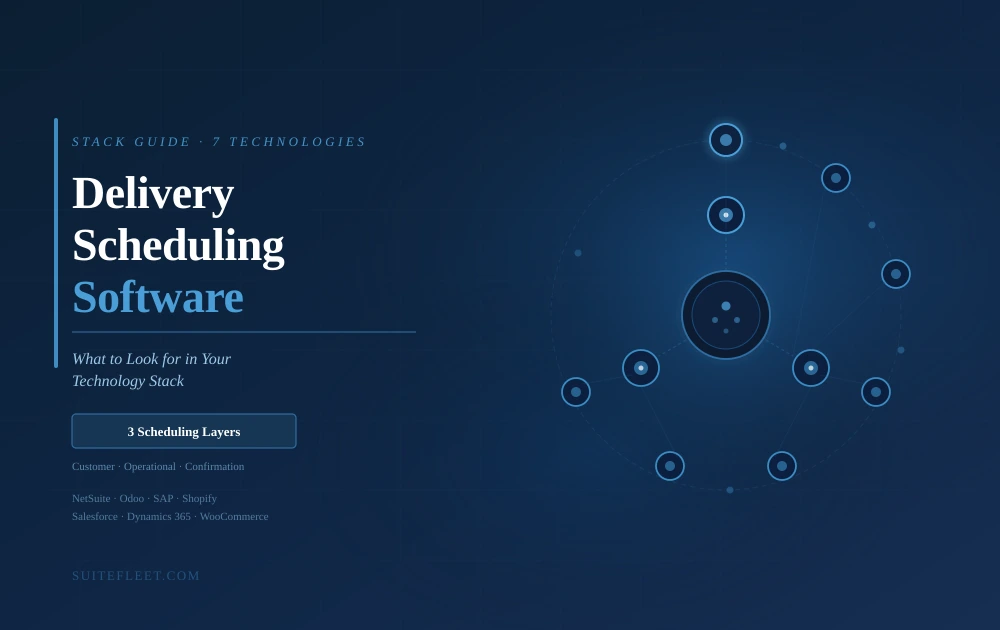
This guide covers what delivery scheduling software actually involves, then walks through seven of the most common technology stacks, explaining what to look for in a scheduling integration for each one and what SuiteFleet connects.

What Delivery Scheduling Actually Involves
Most buyers search for delivery scheduling software with one problem in mind: they need to stop planning routes manually. The route planning problem is real, but it is only one of three scheduling layers an operation needs to manage. Conflating them is what causes implementations that solve the planning problem while leaving two other problems intact.
Layer 1: Customer scheduling
The customer layer covers time window selection, appointment booking, self-service rescheduling, and delivery confirmation notifications. Customers increasingly expect to choose a delivery window at checkout rather than receiving a notification of when the delivery will happen. The delivery scheduling software needs to surface available windows that are operationally realistic, not just a list of time slots that may or may not correspond to actual fleet capacity.
Layer 2: Operational scheduling
The operational layer covers route building, driver assignment, shift management, and dynamic reoptimization throughout the day. This is the layer most tools address first. The quality of operational scheduling determines how efficiently the fleet covers its daily order volume, how accurately ETAs can be promised, and how resilient the operation is to mid-day disruptions.
Layer 3: Confirmation scheduling
The confirmation layer covers delivery status writeback to the ERP, POD attachment to the order record, invoice trigger on completion, and inventory update. This layer is the most commonly neglected in implementations and the most expensive to leave incomplete. Delivery scheduling software that manages customer time windows and optimizes routes but does not return confirmed delivery data to the ERP creates a reconciliation overhead that grows with every order processed.
The test: An implementation that handles all three layers means a customer can select a delivery window at checkout, the delivery scheduling software schedules and dispatches accordingly, and when the driver completes the delivery the order record closes, the invoice triggers, and the inventory updates. Without a tool and external intervention from anyone.
Delivery Scheduling Software for NetSuite — SuiteApp-native, real-time bidirectional sync, invoice automation
NetSuite manages orders, inventory, and financials with a depth that most ERPs do not match. That depth creates a specific integration requirement for delivery scheduling: the scheduling layer needs to work within the NetSuite data model, not alongside it. See the NetSuite delivery management overview for the full integration picture.
The standard integration pattern for NetSuite is a SuiteApp — a certified application that runs inside the NetSuite environment rather than connecting to it from outside. This distinction matters because it determines how order data flows into the scheduling layer, how delivery confirmation flows back, and how tightly the delivery scheduling software respects the fulfillment terms and delivery windows already configured in NetSuite.
A non-SuiteApp integration connecting to NetSuite via external API typically requires a middleware layer or a custom connector that must be maintained whenever either system updates. It also means order data arrives in the scheduling tool with a delay, and delivery confirmation has to be mapped back to the correct NetSuite records through an external sync. Both issues are solvable but they add cost and failure risk that a native SuiteApp avoids entirely.
What to look for in delivery scheduling software for NetSuite:
- SuiteApp certification: the integration runs inside NetSuite, not alongside it via external API
- Real-time order sync: orders confirmed in NetSuite appear in the scheduling layer immediately, not on a batch cycle
- Time window respect: delivery terms and time windows already configured on the NetSuite order are recognized and honored by the scheduling logic
- POD writeback to order record: proof of delivery attaches to the correct NetSuite sales order automatically on job completion
- Invoice trigger automation: confirmed delivery closes the fulfillment record and triggers the invoice workflow in NetSuite without manual intervention
What SuiteFleet connects: SuiteFleet connects seamlessly inside NetSuite, receiving orders in real time and returning delivery status, proof of delivery, and cost data to the order record automatically on completion. Dispatch, tracking, and POD are all managed from within the NetSuite environment.
Delivery Scheduling Software for Odoo — Open API connector, version-aware integration, sales order and inventory sync
Odoo includes a delivery module that handles basic shipment tracking and carrier integration. For operations running their own fleet, the gap appears at the execution layer: there is no real-time driver tracking, no digital proof of delivery, and no time window management for customer-facing scheduling. Odoo's delivery module was designed for shipment management, not fleet dispatch.
The integration model for Odoo is API-based. Odoo's open API is well-documented and capable, but Odoo environments vary significantly based on version, edition, and customization. A delivery scheduling tool connecting to Odoo needs to handle that variability without requiring a bespoke integration project for each instance.
The specific challenge with Odoo version variability is that the data model for sales orders, stock moves, and delivery operations can differ between Odoo 16 and Odoo 17, between Community and Enterprise editions, and between heavily customized deployments and standard installations. A prebuilt connector that accounts for those differences behaves consistently without ongoing maintenance by the customer's technical team.
What to look for in delivery scheduling software for Odoo:
- Version-aware API connector: the integration handles differences across Odoo versions and editions without custom development for each deployment
- Order intake on confirmation: delivery jobs created in the scheduling layer the moment a sales order is confirmed in Odoo
- Status writeback to sales order: delivery completion updates the sale order status in Odoo automatically, closing the fulfillment step
- Stock move update: delivered quantities update Odoo stock moves on POD capture, keeping inventory accurate without manual entry
- Customer time window surfacing: available delivery windows surfaced to the customer through Odoo's order interface or checkout flow
What SuiteFleet connects: SuiteFleet connects to Odoo via API, receiving confirmed orders and returning delivery status and POD to the sales order and stock move records. The integration is configured to handle Odoo's version variability without requiring custom development per deployment.
Delivery Scheduling Software for SAP — S/4HANA and Business One connectivity, delivery term compliance, billing document update
SAP Transportation Management handles strategic freight planning, carrier contract management, and multi-modal logistics optimization at a network level. The last-mile execution layer sits outside SAP TM's design scope: dispatching individual drivers on daily routes, managing customer time window scheduling, capturing digital proof of delivery stop by stop, and returning same-day confirmation to the SAP sales document.
For organizations running SAP S/4HANA, the integration priority is the sales document update on delivery completion. A delivery that is physically completed but whose confirmation has not reached the SAP billing document means invoices cannot be raised, finance is working from an incomplete picture, and the reconciliation at month end requires manual intervention.
For organizations running SAP Business One, the typical deployment is smaller in scale but the integration requirement is similar: delivery completion needs to update the delivery document in Business One and trigger any billing or inventory logic that depends on it.
The architecture question that matters most in SAP integrations is whether the connector requires custom middleware. Middleware adds implementation time, adds a failure point, and creates a maintenance dependency whenever either SAP or the delivery scheduling software updates. A direct API integration maintained by the scheduling tool vendor removes those risks.
What to look for in delivery scheduling software for SAP:
- Direct API connector: no custom middleware build; the connector is maintained by the scheduling tool vendor
- S/4HANA and Business One coverage: the same integration architecture handles both SAP variants without separate implementation projects
- Delivery term compliance: SAP delivery terms and agreed time windows are respected by the scheduling and route optimization logic
- Sales document update on completion: delivery confirmation writes to the SAP sales or delivery document immediately, enabling billing release
- POD attachment: digital proof of delivery attaches to the SAP document record, accessible to billing and customer service teams
What SuiteFleet connects: SuiteFleet connects to SAP S/4HANA and SAP Business One via direct API, returning delivery status and POD to the sales document on job completion. The integration does not require custom middleware and is maintained by SuiteFleet as both platforms evolve.
Delivery Scheduling Software for Shopify — Native connector, checkout time window selection, surge handling, order status update
Shopify's fulfillment layer ends at label generation and carrier handoff. For merchants who have moved beyond third-party couriers and now run their own local or regional delivery fleet, the scheduling gap begins immediately: Shopify has no mechanism for route planning, driver dispatch, time window management at checkout, or delivery tracking connected to the order record.
The customer scheduling layer is particularly important for Shopify merchants running same-day or next-day delivery. Customers converting on a Shopify storefront expect to see delivery windows at checkout and track their order on the same platform. Delivery scheduling software that requires the customer to leave Shopify and visit a separate tracking portal breaks the experience that direct-to-consumer brands work hard to build.
The integration model for Shopify should be a native connector through the Shopify app store or a direct REST API integration, not a workaround through Zapier or a batch export. Native integration means orders appear in the scheduling tool the moment they are placed, and delivery confirmation updates the Shopify order status automatically on completion.
Surge handling is the Shopify-specific scheduling challenge. A promotional campaign or seasonal peak can double order volume in hours. The scheduling and routing layer needs to absorb that volume across available fleet capacity without the planner manually rebuilding routes, and without requiring the merchant to increase their driver headcount before knowing whether the volume will sustain.
What to look for in delivery scheduling software for Shopify:
- Native Shopify connector: orders sync directly from Shopify without manual export or third-party automation tools
- Time window at checkout: customers select a delivery window within the Shopify checkout flow, with available windows driven by real fleet capacity
- Surge capacity handling: route optimization absorbs volume spikes without manual route rebuilding
- Shopify order status update: order marked as delivered in Shopify automatically on driver completion, with no manual step
- Back-office ERP sync: for merchants also running a back-office ERP, delivery confirmation syncs to that system simultaneously
What SuiteFleet connects: SuiteFleet connects to Shopify natively, pulling confirmed orders into the scheduling queue, enabling time window selection at checkout, and updating the Shopify order status on delivery completion. For merchants running a back-office ERP alongside Shopify, SuiteFleet closes both loops simultaneously.
Delivery Scheduling Software for Salesforce — Order Management sync, account record update, SLA-aware scheduling
Salesforce manages accounts, orders, and customer relationships with a depth that makes it the system of record for customer-facing operations in many businesses. Delivery scheduling software needs to connect to that record set, not operate in parallel with it.
The Salesforce Order Management module handles order orchestration, but it does not dispatch drivers, manage time windows, track vehicles, or capture proof of delivery. When deliveries are completed, the customer service team needs that information in Salesforce to resolve queries, the account manager needs it to confirm service level compliance, and the finance team needs it to process billing. All of that requires delivery completion data to reach Salesforce automatically.
SLA management is the Salesforce-specific scheduling requirement. Many organizations using Salesforce as their customer relationship platform have service level agreements configured against account records: delivery windows, response times, or priority handling rules that apply to specific customers or segments. Delivery scheduling software that does not respect or read those SLA configurations will produce routes and assignments that violate commitments the commercial team has already made.
What to look for in delivery scheduling software for Salesforce:
- Order Management connector: delivery jobs created from Salesforce orders without manual data transfer
- SLA-aware scheduling: delivery time windows and priority rules configured in Salesforce respected by the route optimization logic
- Account record update: delivery completion and POD written back to the Salesforce account record, visible to customer service and account management without leaving Salesforce
- Order status update: Salesforce order status reflects actual delivery completion, not a planned completion date
- Customer notification alignment: notifications sent to customers are consistent with the communications managed through Salesforce
What SuiteFleet connects: SuiteFleet connects to Salesforce Order Management, receiving confirmed orders and returning delivery status, POD, and completion time to the account and order records. SLA terms configured in Salesforce are respected in the scheduling and dispatch logic.
Delivery Scheduling Software for Microsoft Dynamics 365 — Business Central and F&O coverage, fulfillment workflow integration, invoice release trigger
Microsoft Dynamics 365 spans a wide range of deployment types: Business Central for small and mid-market operations, Finance and Operations for enterprise, and a range of modules covering distribution, manufacturing, and retail. Delivery scheduling software needs to integrate with the fulfillment workflow layer of whichever Dynamics variant the operation runs, and return confirmation data in the format that Dynamics expects for billing and inventory.
The fulfillment workflow integration is the priority for Dynamics 365 Finance and Operations environments. When a delivery is completed, the delivery scheduling software needs to update the relevant Dynamics delivery document or sales order line, triggering whatever downstream logic — invoice release, inventory adjustment, customer notification — depends on that confirmation. If that update requires a human to export a report from the scheduling tool and import it into Dynamics, the workflow automation Dynamics was configured to provide does not function.
For Business Central environments, the integration pattern is similar but typically simpler: delivery completion needs to close the shipment record in Business Central and trigger the invoice posting that follows. The scheduling tool's API connector needs to map its completion events to the correct Business Central document types without requiring custom development per deployment.
What to look for in delivery scheduling software for Dynamics 365:
- Business Central and F&O coverage: the integration handles both Dynamics variants without separate implementation projects for each
- Fulfillment workflow integration: delivery completion triggers Dynamics workflow logic automatically, not through a manual export
- Invoice release trigger: POD and delivery confirmation enable invoice posting in Dynamics without manual intervention from finance
- Delivery cost writeback: actual delivery cost feeds the Dynamics order record so cost analysis reflects field reality
- Inventory update on completion: delivered quantities update Dynamics inventory on POD capture
What SuiteFleet connects: SuiteFleet connects to Dynamics 365 Business Central and Finance and Operations, returning delivery status, POD, and cost data to the fulfillment workflow on job completion. Invoice release and inventory update trigger automatically without manual data transfer.
Delivery Scheduling Software for WooCommerce — REST API connector, checkout time window widget, order status sync
WooCommerce order fulfillment ends at the warehouse. For merchants running their own delivery fleet — same-day local delivery, subscription box delivery, meal kit routes — there is no native mechanism for route planning, driver dispatch, time window management, or delivery tracking linked to the WooCommerce order.
The customer scheduling layer matters for WooCommerce merchants in the same way it matters for Shopify: customers completing checkout expect to interact with delivery scheduling software in context, not through a separate system or a post-purchase email. A time window selection widget that integrates cleanly with the WooCommerce checkout, driven by actual fleet capacity, converts better and produces fewer failed delivery attempts than a generic estimated delivery date.
WooCommerce's API is well-structured and widely supported, which means the integration layer for delivery scheduling software is typically straightforward. The priority is that order data flows into the scheduling tool in real time, not on a batch cycle, and that delivery confirmation updates the WooCommerce order status immediately rather than requiring a manual sync at end of day.
For merchants running WooCommerce as their storefront but a separate back-office ERP for accounting and inventory, the scheduling tool needs to close both loops simultaneously: update the WooCommerce order and the ERP record on the same delivery completion event.
What to look for in delivery scheduling software for WooCommerce:
- WooCommerce REST API connector: live order sync without batch export; orders appear in the scheduling queue on checkout completion
- Checkout time window widget: customer time window selection embedded in the WooCommerce checkout, driven by real fleet availability
- WooCommerce order status update: order marked as completed in WooCommerce on driver delivery, no manual step required
- Back-office ERP sync: for merchants running a separate ERP, delivery confirmation syncs to both WooCommerce and the ERP simultaneously
- Returns dispatch integration: return pickups can be scheduled and tracked through the same scheduling interface as outbound delivery
What SuiteFleet connects: SuiteFleet connects to WooCommerce via REST API, pulling confirmed orders into the scheduling queue, enabling time window selection at checkout, and updating the WooCommerce order status on delivery completion. For merchants with a back-office ERP, SuiteFleet closes the ERP data loop simultaneously.
Cross-Stack Comparison
The table below maps all seven stacks across four criteria: native scheduling gap, integration type needed, customer scheduling requirement, and ERP confirmation priority.
The Scheduling Requirement Every Stack Shares
Across seven technology stacks with different architectures, different data models, and different downstream workflows, one scheduling requirement is constant: the three layers of delivery scheduling software need to connect.
Customer scheduling without operational scheduling produces a pleasant booking experience that the operation cannot reliably fulfill. Operational scheduling without confirmation scheduling produces efficient routes whose completion data never reaches the systems that invoicing, inventory, and customer service depend on. Confirmation scheduling without the other two produces a data update that has nothing to confirm.
The technology stack determines the shape of each gap and the architecture of the integration that closes it. What does not change is the endpoint: a customer who selected a delivery window at checkout should be able to track their delivery in real time, receive a completion notification when it arrives, and trust that the order is marked delivered in the system where it was placed. The operations team should see the same completion event update their ERP, close their fulfillment workflow, and trigger their invoicing without anyone manually moving data between tools.
That outcome is not a function of which stack an operation runs. It is a function of whether the delivery scheduling software was selected and configured to close all three layers, not just the one that was most visible at the point of purchase.
Frequently Asked Questions
What is delivery scheduling software?
Delivery scheduling software manages the three operational layers between a confirmed order and a closed delivery: customer scheduling (time window selection and notifications), operational scheduling (route building, driver assignment, and dynamic reoptimization), and confirmation scheduling (delivery status writeback to the ERP, proof of delivery attachment, and invoice triggers). Unlike standalone route planners or GPS tracking tools, delivery scheduling software closes the full loop from order to confirmed completion in the source system.
How does delivery scheduling software integrate with an ERP?
The best delivery scheduling software uses prebuilt connectors to popular ERPs — such as Oracle NetSuite, SAP, Salesforce, Odoo, and Microsoft Dynamics — that allow orders to flow in automatically and confirmed delivery data to sync back in real time on job completion. This triggers invoice workflows, adjusts inventory, and closes fulfillment records without manual intervention. Platforms requiring custom middleware or batch exports add implementation time and create maintenance risk whenever the ERP is updated.
What is the best delivery scheduling software for NetSuite?
SuiteFleet is the most deeply integrated delivery scheduling software for Oracle NetSuite. It connects natively via a SuiteApp — running inside the NetSuite environment rather than alongside it — covering route optimization, driver dispatch, live fleet tracking, and digital proof of delivery, with all delivery outcomes syncing back to NetSuite order records in real time. Delivery terms configured in NetSuite are recognized and honored by the scheduling logic.
What are the three layers of delivery scheduling?
The three layers are: (1) customer scheduling — time window selection at checkout, delivery notifications, and self-service rescheduling; (2) operational scheduling — route building, driver assignment, and dynamic reoptimization throughout the shift; and (3) confirmation scheduling — delivery status writeback to the ERP, proof of delivery attachment to the order record, and invoice trigger on completion. Most implementations address layer 2 adequately. Layers 1 and 3 are where the most common and costly gaps occur.
How does delivery scheduling software work with Shopify?
Delivery scheduling software integrates with Shopify via a native Shopify connector or direct REST API. Orders placed on Shopify appear in the scheduling queue immediately, routes are planned and drivers dispatched, and confirmed delivery status updates the Shopify order record automatically on completion. The best delivery scheduling software for Shopify also embeds a time window selection widget at checkout driven by actual fleet capacity, and syncs delivery confirmation to a back-office ERP simultaneously if one is in use.
What delivery scheduling software works with Microsoft Dynamics 365?
SuiteFleet connects to both Dynamics 365 Business Central and Finance and Operations without separate implementation projects for each variant. Delivery completion triggers fulfillment workflow logic in Dynamics automatically, enabling invoice release and inventory update without manual data transfer. For Dynamics environments with strict IT governance requirements, SuiteFleet uses a direct API connector maintained by SuiteFleet — no custom middleware build required.
Delivery Scheduling That Closes the Loop in Your Stack
The seven stacks covered in this guide each have a different integration architecture, a different confirmation requirement, and a different definition of what a completed delivery needs to trigger. What they share is the same underlying need: delivery scheduling software that connects to the ERP or commerce platform the business already runs on, automatically and without manual reconciliation.
SuiteFleet connects delivery scheduling execution across NetSuite, Odoo, SAP, Shopify, Salesforce, Dynamics 365, and WooCommerce, so every confirmed order is scheduled, dispatched, and returned to the source system on completion.