The App Has Two Users. Most Evaluations Only Listen to One.
Every delivery driver app serves two distinct groups with different and sometimes competing needs.
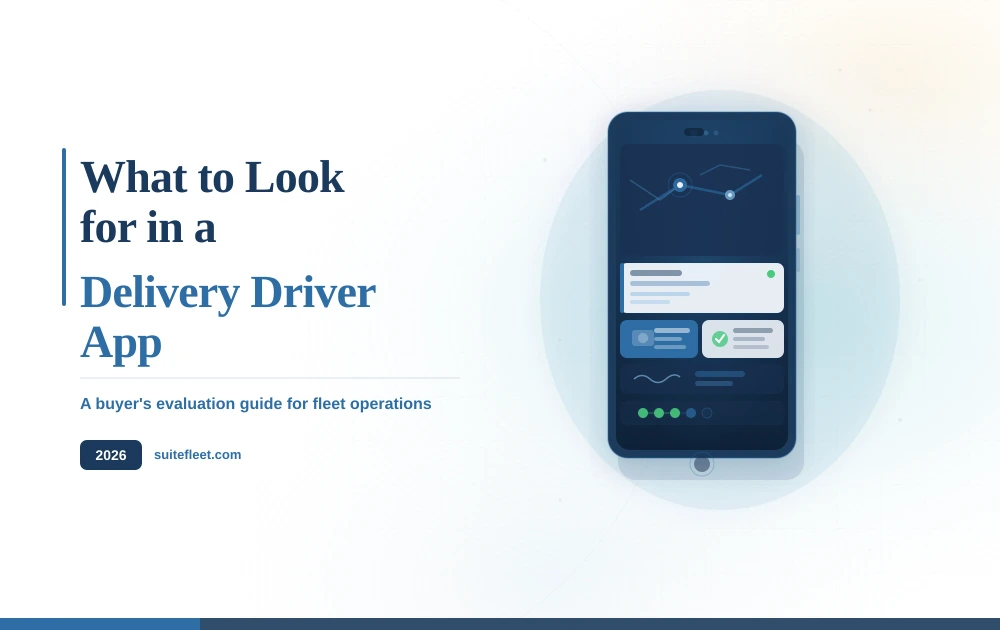
The driver needs an interface that is fast, clear, and reliable in the conditions of an actual delivery shift: gloved hands, bright sunlight, one eye on the clock, moving between stops. The ideal delivery driver app behaves like a well-designed consumer app — it does one obvious thing at each step, it never loses data, and it gets out of the way.
The operations team needs a data connection. Confirmed delivery status, proof of delivery records, exception flags, timestamps — all flowing back in real time into the ERP, order management platform, or CRM they run the business from. The management dashboard is only as reliable as the quality of data coming up from the field.
Most product demonstrations focus heavily on the dispatcher dashboard: the live map view, the route optimization controls, the analytics panels. The driver app is often shown as an afterthought. That ordering reflects a blind spot. If drivers find the app cumbersome, they work around it. They tap through screens to close jobs without properly completing them. They capture blurred photos or scribbled signatures. They call dispatch instead of using the exception workflow. The data that reaches the dashboard becomes unreliable, and the platform that was supposed to eliminate manual work creates a different kind of manual work.
The right approach is to evaluate both interfaces with equal rigor. That means putting the delivery driver app in the hands of someone who has never used it and watching what happens.

Navigation That Holds Up in the Field
Turn-by-turn navigation sounds like a solved problem. In fleet operations, it is more complicated than it appears.
Consumer navigation apps are built for single destinations. A delivery driver completing fourteen stops needs a delivery driver app that sequences the entire route, surfaces each stop in the correct order, updates that sequence dynamically when a stop is added mid-shift or a delivery fails, and gets to the next address without requiring the driver to manually manage a list. The navigation layer and the job management layer need to be the same thing, not two separate interfaces the driver has to switch between.
Vehicle type adds another layer of complexity. A van or a small truck cannot follow the same routing as a private car. Height restrictions, weight limits, low bridges, and pedestrian zones are real constraints that consumer navigation apps regularly ignore. For operations running multiple vehicle types, the routing engine should account for vehicle-specific parameters — otherwise drivers are constantly making manual corrections that eat into the time savings the app was supposed to create.
ETAs matter more than most platforms acknowledge
An ETA generated at the start of a shift based on static traffic assumptions becomes less accurate with every stop that runs over or under. By midday on a busy route, the morning ETAs can be off by thirty minutes or more — which means customers waiting at home or businesses expecting deliveries have no reliable information.
A delivery driver app with live ETA recalculation updates downstream estimated arrival times continuously as the route progresses, accounting for actual time at each stop, real traffic conditions, and any route changes. Those updated ETAs should flow automatically to customers via SMS or a tracking link — not require a dispatcher to manually send messages when things are running late. Operations that give customers accurate, live ETAs see fewer inbound calls, fewer failed delivery attempts, and higher redelivery acceptance rates.
Proof of Delivery: The Record That Everything Else Depends On
Proof of delivery is the most consequential output the delivery driver app produces. It is the evidence that a delivery occurred, the record that triggers invoicing, the documentation that resolves disputes, and the data point that closes the loop between the plan and what actually happened. The quality of that capture determines how much the record is worth.
The minimum requirement is three things captured together at every stop: a digital signature, a timestamped photograph, and GPS coordinates. These three data points create a verifiable, time-and-location-stamped record that holds up in billing disputes and customer complaints without requiring anyone to track down a paper delivery note after the shift ends.
The implementation details are where platforms diverge significantly. The signature capture interface needs to work on a phone screen in bright sunlight with a gloved hand — not just in a controlled demo environment. The camera needs to produce a clear, usable image in variable lighting. And critically, the delivery driver app needs to guide drivers through the correct sequence — photograph the delivery first, then obtain the signature, then confirm the job — without allowing steps to be skipped, reordered, or rushed past. An app that captures technically valid but operationally useless proof of delivery (a motion-blurred photo, a signature scrawl that cannot be attributed to any specific person) provides the appearance of accountability without the substance.
Exception handling is where the real test is
The majority of deliveries complete without incident. The ones that do not are where the app's design reveals whether the operation recovers cleanly or generates a cascade of manual follow-up work.
A failed delivery should trigger a structured, self-contained workflow in the delivery driver app. The driver selects a reason code from a predefined list (not home, refused delivery, access issue, damaged goods, address not found). The app requires a photograph documenting the situation. That exception then propagates immediately to three places: the dispatcher dashboard, the customer notification, and the order record in the source system. The driver moves to the next stop.
Compare that to the alternative: the driver calls the office, explains the situation, waits for instructions, receives a verbal directive, and manually updates something later. That single failed delivery has now cost four people time and introduced two opportunities for the information to be recorded incorrectly. Multiply that by the number of exceptions on a busy day and the cost becomes visible quickly.
Offline Mode Is Not Optional
Delivery routes do not stay within reliable mobile coverage. Industrial estates, warehouse interiors, basement car parks, rural lanes, and dense urban canyons all create connectivity gaps that a driver will encounter multiple times in a working shift. In some markets and regions, connectivity is intermittent by default rather than by exception.
A delivery driver app that requires a live data connection to accept a job completion, capture a signature, or record an exception is an app that will fail at precisely the moments it is needed most. The requirement is not technically ambitious: the app must work fully offline, queue every action locally, and sync automatically when connectivity is restored — without requiring the driver to do anything to trigger the sync.
Test offline mode before committing to any platform. Run the delivery driver app in airplane mode through a complete delivery cycle: navigate, capture proof of delivery, mark the job done, flag a failed stop. Reconnect and verify that everything syncs cleanly. Platforms that handle this well have learned it from production failures. Platforms that handle it poorly often discover the gap after go-live.
Related to offline mode is battery and performance behavior. A delivery driver app running on a personal or company phone that is also receiving calls, notifications, and running background processes needs to function reliably across an eight-hour shift. App crashes, session timeouts that log drivers out mid-route, and slow load times between stops are not edge cases — they are the normal operating conditions of a delivery day. Ask specifically how the app behaves under these conditions and whether there are documented minimum device specifications.
What 'Integrates With Your ERP' Actually Needs to Mean
Every delivery driver app vendor will confirm that their platform integrates with your ERP. The question is what that integration actually does.
There is a meaningful difference between a platform that pushes a simple delivered or failed status code back to the ERP on a batch schedule, and one that returns the full delivery record in real time: the digital signature, the timestamped photograph, the GPS coordinates, the exception reason code, the exact completion time — all against the original order, closing it automatically and triggering the next workflow step without any manual entry.
For operations running NetSuite, SAP, Odoo, Microsoft Dynamics, Shopify, Salesforce, or any other business system, the delivery data needs to return to that system the same day — not in a nightly batch. When a driver marks a delivery complete, the order record should close, the fulfillment should confirm, and the billing trigger should fire. Customer service should be able to see delivery status in real time. The finance team should be able to run end-of-day billing against confirmed deliveries, not paper summaries.
Confirmed delivery status that arrives in the ERP the next morning is not the same as confirmed delivery status that arrives the same day. The difference determines whether customer service can answer status calls, whether invoicing can run on time, and whether the operations manager has accurate performance data before the next shift starts.
When evaluating integration depth, ask the vendor to demonstrate — live, against your specific ERP environment — exactly what data returns on delivery confirmation and within what time frame. Ask whether the integration requires a middleware layer or a custom API build, who maintains that build when the ERP is updated, and whether there is a certified connector or a custom project. A pre-built connector with documented maintenance is meaningfully different from a bespoke integration that someone built once and nobody owns.
Driver Experience Determines Whether Any of This Actually Works
The most technically capable delivery driver app on the market delivers no operational value if drivers install it once, find it difficult, and revert to calling the office. Driver adoption is the single largest implementation risk in any delivery app deployment, and it is determined almost entirely by how the app feels to use under real field conditions — not how it looks in a product demonstration.
Drivers are not office workers with time to explore a new interface. They operate under time pressure, in variable weather, sometimes with the engine running, handling multiple tasks simultaneously. The delivery driver app needs to surface the single right action at each moment and make that action as fast as possible. Every unnecessary tap, every screen that requires scrolling to find the relevant button, every confirmation dialog that interrupts the workflow is time taken from a driver who has fourteen more stops to complete.
The characteristics of a well-designed delivery driver app are consistent across operations. Large tap targets that register reliably with gloves on. Delivery details — address, contact name, access instructions, special handling notes — visible on the main screen without navigating away. A clear connectivity indicator so the driver knows their actions are being recorded even when offline. A fast, unambiguous way to report a problem without being trapped in a long form at the door.
Reliability is inseparable from usability. Drivers who experience crashes, freezes, or data loss develop a rational distrust of the app. They start keeping paper records as a backup — which means the operation is now running both a digital and a paper system simultaneously, with all the reconciliation overhead that implies. This is not a technology failure; it is an adoption failure that becomes visible as a data quality problem.
The most reliable signal of driver experience is what happens in operations that have been running the platform for twelve months or more. Ask references not whether drivers use the delivery driver app, but whether they use it without being reminded to, and whether the operations team still sees parallel paper records alongside the digital ones.
What the Dispatcher Needs from the Management Side
The dispatcher dashboard is the operations team's view of everything the delivery driver app is producing. It needs to do three things well: show the current state of every active delivery in real time, surface problems before they require a phone call to diagnose, and allow the dispatcher to intervene mid-shift without disrupting the drivers.
Live GPS positions for every driver are the foundation. But position data alone is not enough. The dashboard needs to display each driver's current job status — on route, at stop, job completed, exception flagged — alongside accurate ETAs for remaining stops, updated continuously. A dispatcher looking at the live map should be able to identify at a glance which drivers are running to schedule and which are not, without having to click through to individual driver records.
Exceptions need to surface automatically. When a driver marks a failed delivery, the dispatcher should see the flag, the reason code, the photograph, and the location without any action on their part. The exception should arrive as an alert, not sit silently on a screen the dispatcher is not currently viewing. The same applies to any stop that overruns by a significant margin — the system should flag it proactively rather than waiting for the customer to call.
Mid-shift intervention is where many platforms fall short. If a dispatcher needs to add an urgent stop to a route that is already in progress, reassign a delivery between two drivers, or update special instructions for an upcoming stop, the system should make that possible in seconds and push the change to the driver's delivery driver app immediately. A platform that requires the driver to log out and log back in to receive route updates, or that cannot handle mid-shift additions without rebuilding the entire route, is a platform designed for a version of delivery operations that does not actually exist.
Performance reporting closes the loop. End-of-day summaries showing on-time rates, first-attempt delivery success, average time per stop, and exception patterns by driver or zone are the data that operations managers use to improve routing, adjust staffing, and identify training needs. These reports should be available as a standard output, not require a data export or a custom report build.
Evaluation Checklist
Run each of these tests before committing to a delivery driver app. The table is structured around three questions: which area of the app is being evaluated, how to actually test it in realistic conditions, and what a passing result looks like.
A delivery driver app that passes this evaluation under realistic conditions — not in a polished demo, but in the actual operating environment with real devices and simulated delivery pressure — is one that will hold up when the working day becomes unpredictable. Which it will, every day.
Frequently Asked Questions
What should I look for in a delivery driver app?
The key areas to evaluate are driver usability under real field conditions, multi-stop route navigation with vehicle-type support, proof of delivery quality (signature, photo, GPS coordinates), offline mode reliability, structured exception handling, real-time ERP data return, and mid-shift route update capability. The evaluation checklist in this guide covers all nine areas with specific tests and pass criteria.
What is a delivery driver app?
A delivery driver app is mobile software that guides a driver through a full delivery shift: navigating to stops in sequence, managing job tasks at each stop, capturing digital proof of delivery (signature and photo), flagging exceptions like failed deliveries, and syncing all data back to the dispatcher dashboard and source ERP system in real time. The best delivery driver apps function fully offline and require no training to use on the first day.
Which delivery driver app works best with NetSuite?
SuiteFleet's delivery driver app connects natively to Oracle NetSuite without middleware. Orders flow in automatically, and confirmed delivery data — including digital signatures, timestamped photos, GPS coordinates, and exception records — returns to NetSuite in real time on delivery completion. It is the only fleet TMS with a purpose-built NetSuite SuiteApp for last-mile delivery execution.
How does a delivery driver app capture proof of delivery?
A well-designed delivery driver app captures three data points at every stop: a digital signature from the recipient, a timestamped photograph of the completed delivery, and GPS coordinates confirming the delivery location. These are captured in a guided, sequential workflow that cannot be skipped or reordered. The data syncs immediately to the dispatcher dashboard and source ERP, creating a verifiable record that closes billing disputes and customer complaints without manual follow-up.
Can a delivery driver app work offline?
Yes — and offline capability is essential, not optional. A delivery driver app that requires a live connection to accept job completions, capture proof of delivery, or log exceptions will fail in warehouse interiors, rural areas, basement car parks, and any zone with poor signal. The right delivery driver app queues every action locally when offline and syncs automatically when connectivity returns, without any driver input. Always test offline mode before committing to a platform.
What is the best delivery driver app for fleet operations?
SuiteFleet includes a purpose-built delivery driver app covering the full delivery cycle: sequential multi-stop navigation, stop-by-stop task management, digital proof of delivery, structured exception handling, and automatic real-time sync to leading ERP and commerce platforms. It is designed for fast adoption — drivers can use it without training on day one — and functions fully offline across an entire shift.
SuiteFleet: Built for the Complete Delivery Workflow
SuiteFleet is a fleet and logistics TMS that includes a purpose-built delivery driver app covering the full delivery cycle: sequential multi-stop navigation, stop-by-stop task management, digital proof of delivery with signature and photograph, structured exception handling, and automatic real-time sync back to leading ERP and commerce platforms.
The delivery driver app is designed for fast adoption. Drivers get a clear, single-action workflow that functions fully offline and requires no training to use on day one. Operations teams get a live dispatcher dashboard, real-time exception alerts, and confirmed delivery data returned to their existing systems the same day — no middleware, no custom builds, no end-of-shift manual reconciliation.
Book a free demo today to see SuiteFleet's delivery driver app in action.