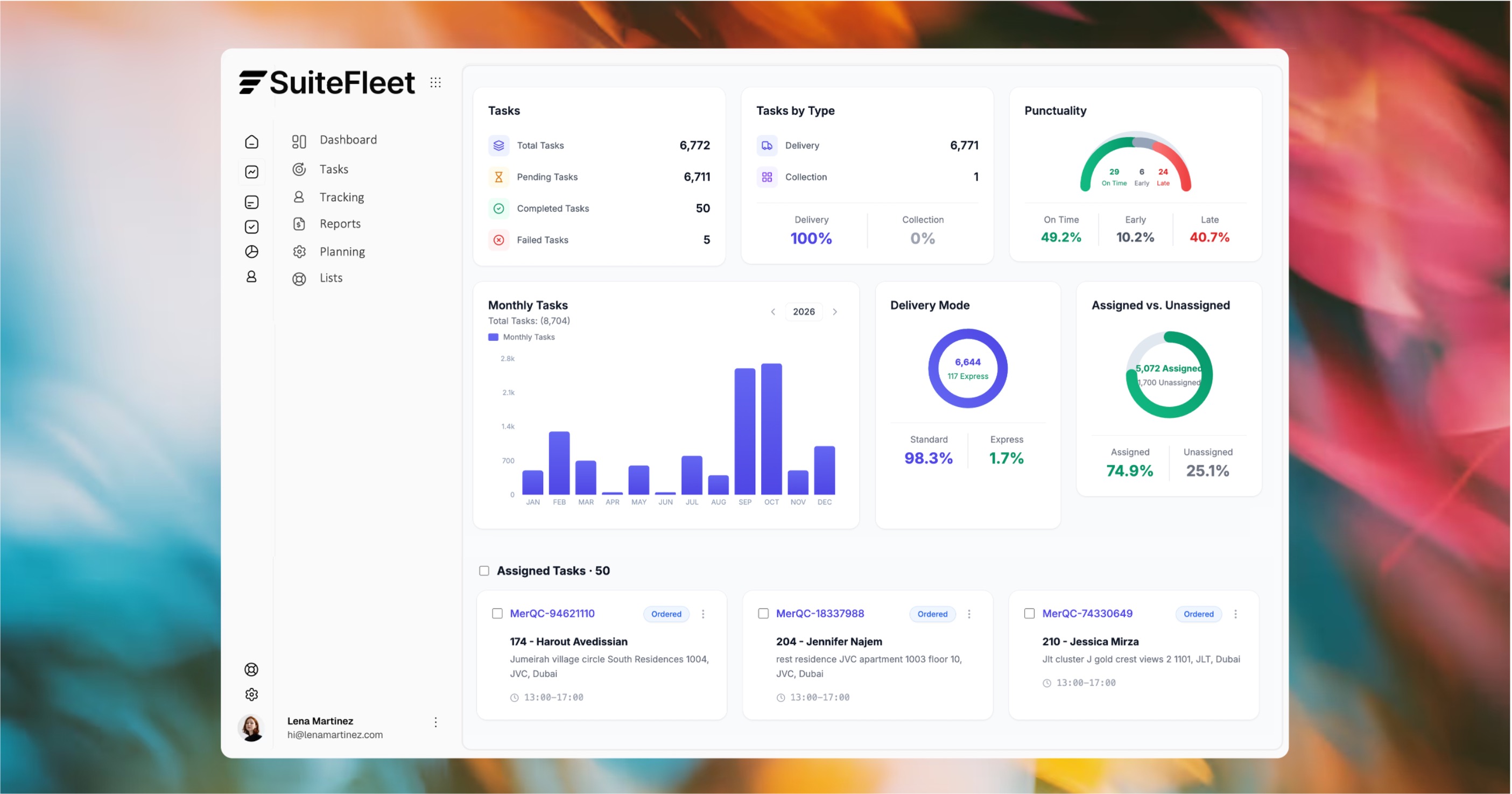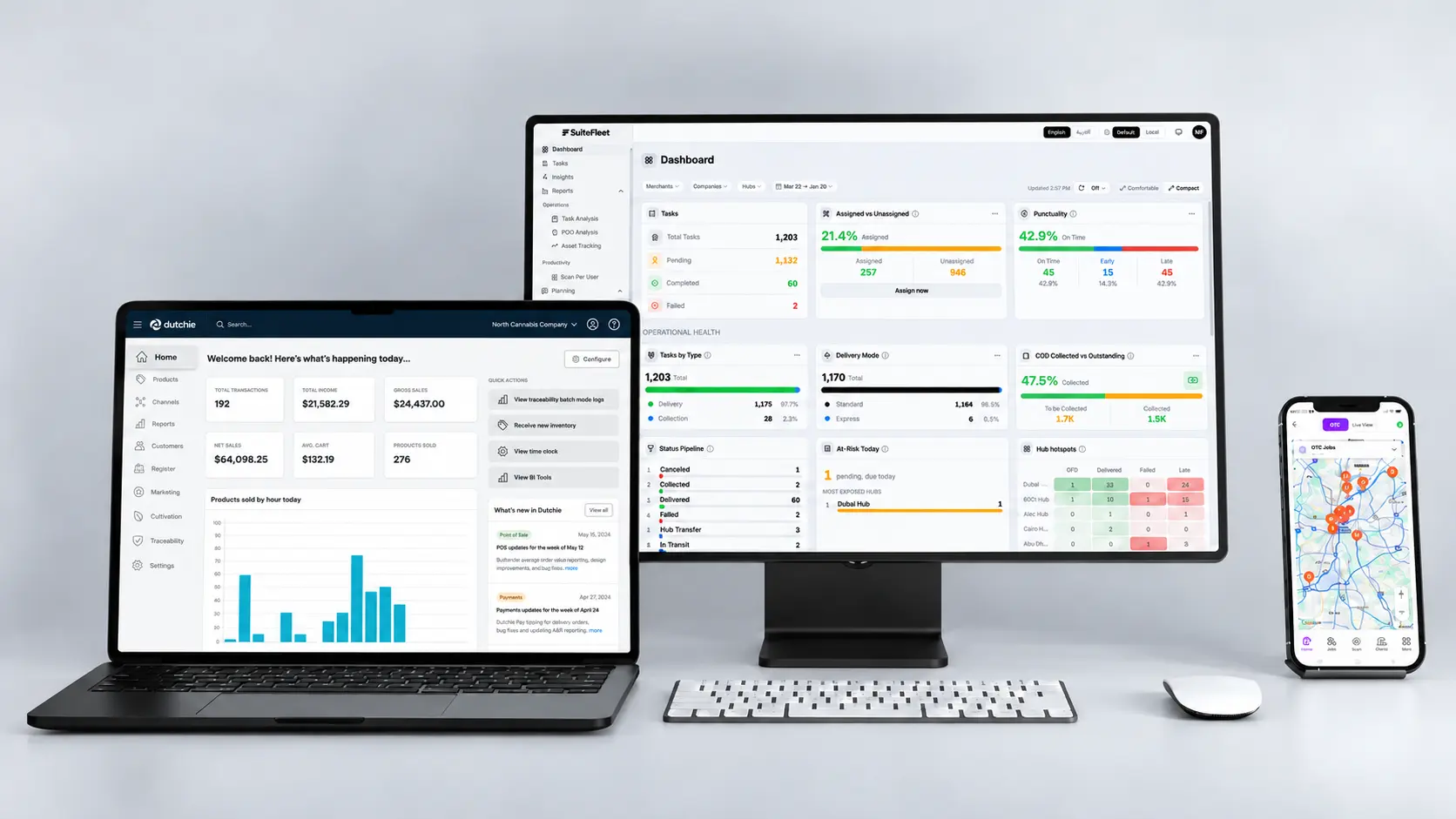


The Dutchie POS–SuiteFleet integration links released delivery orders and stop allocations to delivery tasks. Dispatchers review destinations, assign drivers, and follow delivery attempts in SuiteFleet. Each result returns through the configured connection to the matching source record, preserving store-scoped order and allocation IDs and any outstanding quantities.
Connector availability: SuiteFleet plans to seek a listing for its Dutchie POS connector in Dutchie Integration Partners, the vendor’s official partner or integration directory, subject to onboarding and approval.
1. Start with the Dutchie POS delivery order
Open the delivery order D-01842 for Alex Morgan and inspect its delivery destination, line quantities, and configured SuiteFleet relationship. The example contains ACC-100 | Storage case | 1 EA and ACC-200 | Cleaning kit | 2 EA.
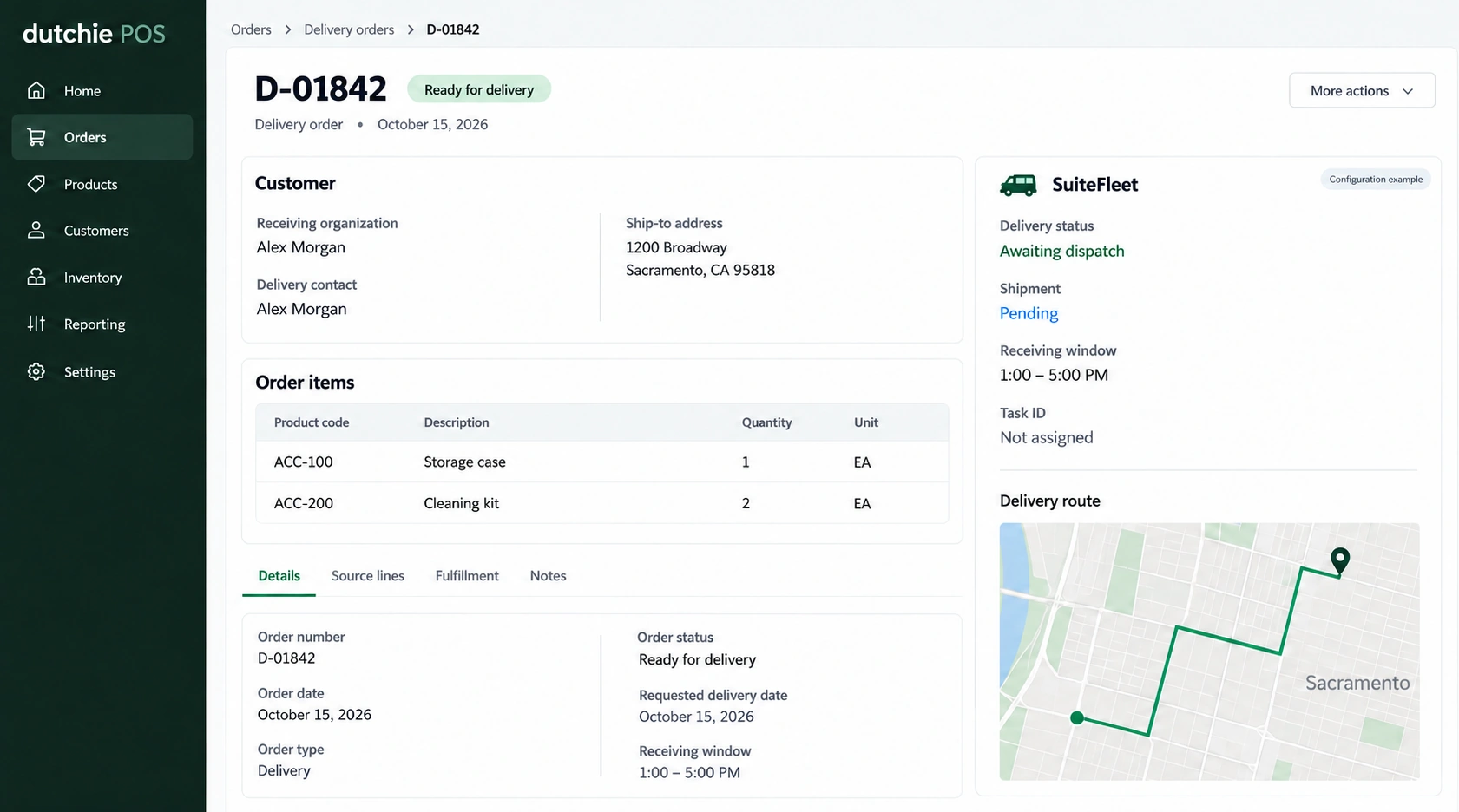
Confirm the order is a delivery order for the correct store, and complete the store’s release checks before assigning its driver and route. Keep the delivery allocation linked to the original POS order.
Dutchie separates delivery preparation, route start, skipped deliveries, and checkout. Guestlist statuses can be configured, so map the store’s actual events rather than assuming one universal status list. Dutchie delivery setup.
2. Configure the field mapping
Preserve this relationship before exporting delivery work:
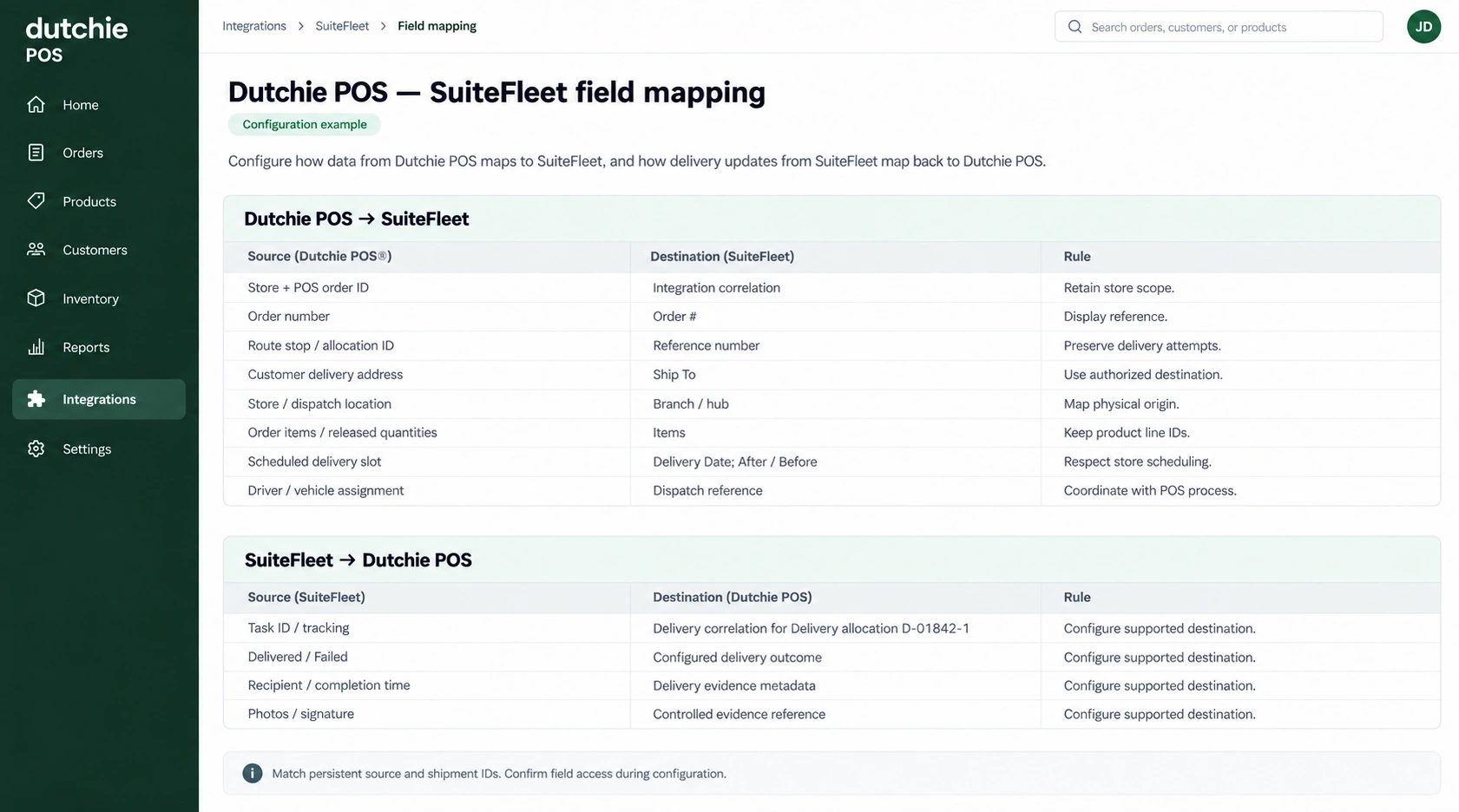
| Dutchie POS source | SuiteFleet destination | Rule |
|---|---|---|
| Store + POS order ID | Integration correlation | Retain store scope. |
| Order number | Order # | Display reference. |
| Route stop / allocation ID | Reference number | Preserve delivery attempts. |
| Customer delivery address | Ship To | Use authorized destination. |
| Store / dispatch location | Branch / hub | Map physical origin. |
| Order items / released quantities | Items | Keep product line IDs. |
| Scheduled delivery slot | Delivery Date; After / Before | Respect store scheduling. |
| Driver / vehicle assignment | Dispatch reference | Coordinate with POS process. |
| SuiteFleet result | Dutchie POS destination | Writeback rule |
|---|---|---|
| Task ID / tracking | Delivery correlation for Delivery allocation D-01842-1 | Confirm field access during configuration. |
| Delivered / Failed | Configured delivery outcome | Confirm field access during configuration. |
| Recipient / completion time | Delivery evidence metadata | Confirm field access during configuration. |
| Photos / signature | Controlled evidence reference | Confirm field access during configuration. |
Confirm access to Dutchie’s approved integration interfaces, order identifiers, delivery events, and evidence destinations. Existing third-party integrations do not establish SuiteFleet field access. Dutchie order processing.
3. Create and verify the SuiteFleet task
Send only the released shipment allocation through the configured interface. Store the returned task ID before reporting successful export. If the request times out, check for an existing task under the persistent shipment key before retrying creation.
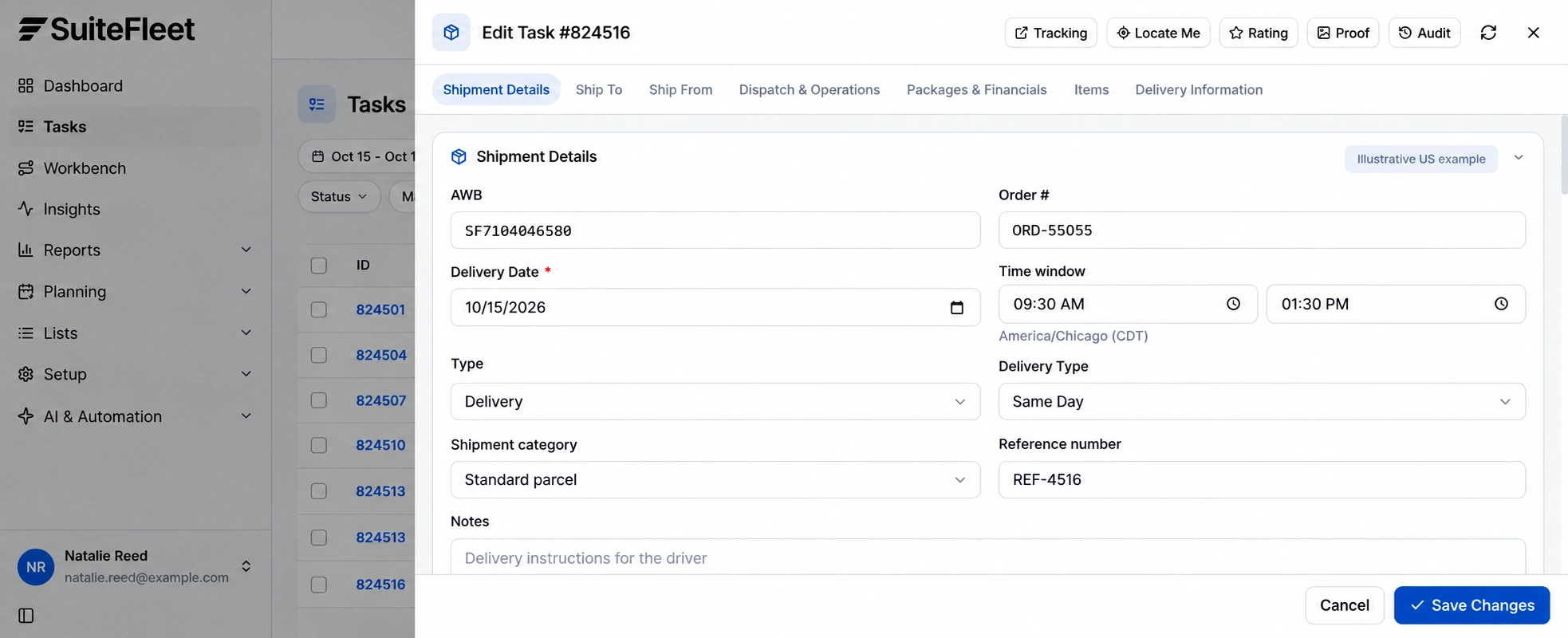
Compare Ship To, Items, delivery date, receiving window, and instructions with Delivery allocation D-01842-1. Preserve item units independently from package count. A package quantity of one can contain several product units; neither value should silently replace the other.
Treat unmapped origins, missing contacts, and invalid addresses as actionable exceptions. Record the failing record key and field so the responsible user can correct the source and retry without re-entering the entire order.
4. Dispatch and manage exceptions
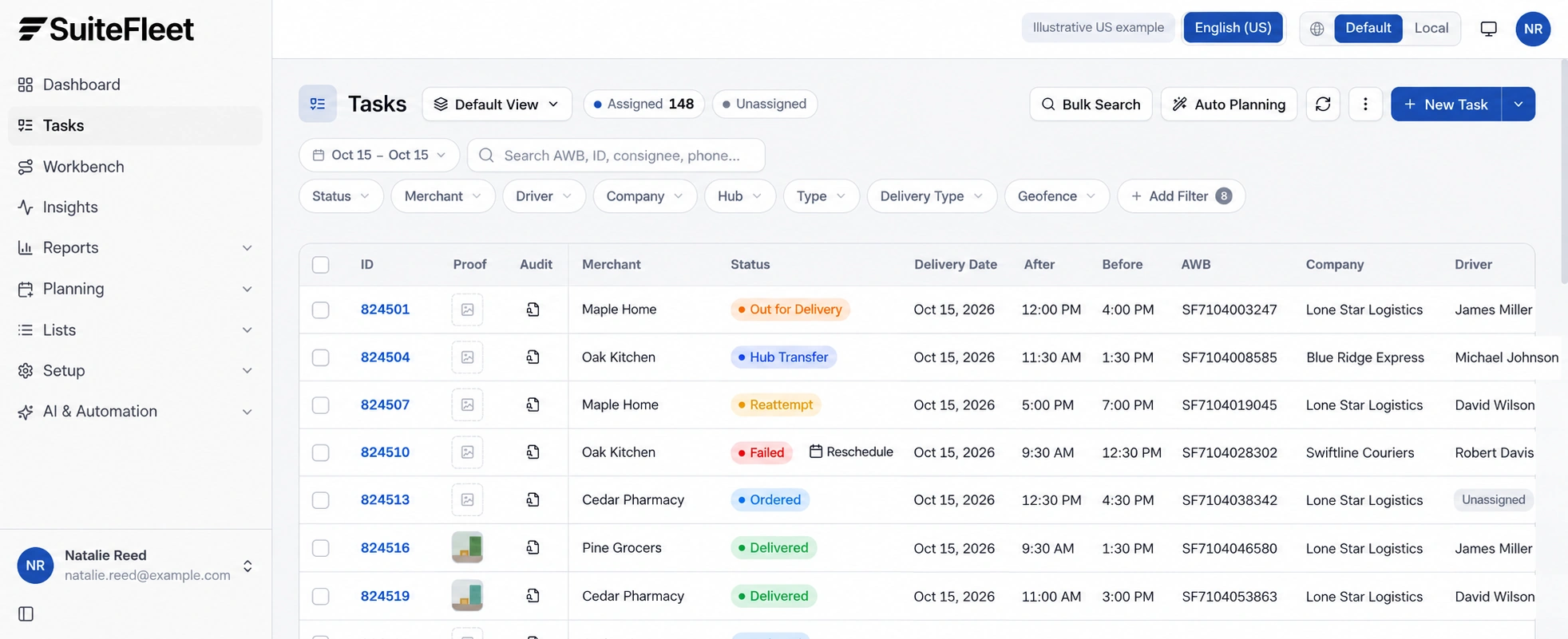
Use Tasks to filter operational work and open Dispatch & Operations to review Company, Driver, and Hub. Agree whether the connector or dispatcher owns each field; order updates should not silently overwrite an active driver assignment.
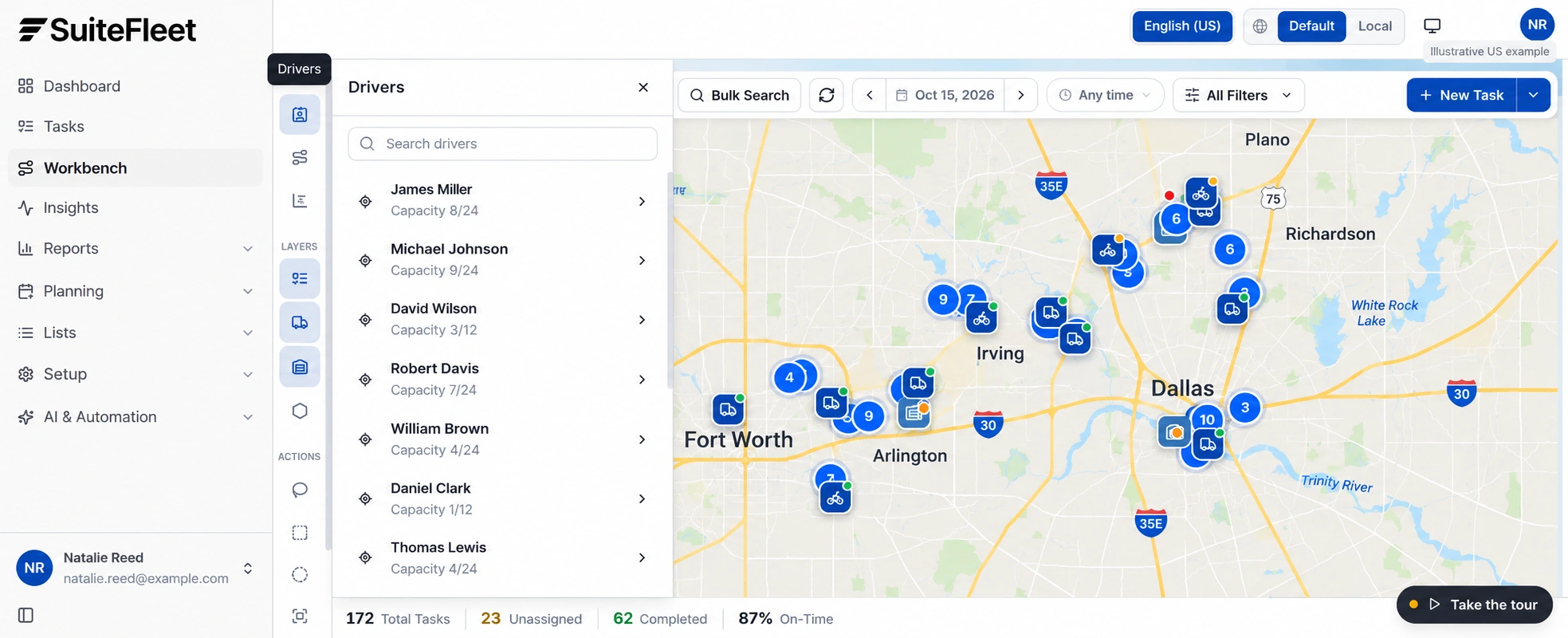
Workbench adds a geographic view of tasks and drivers. Inspect unresolved locations before dispatch and confirm that the driver can meet the receiving window. Keep route planning subordinate to actual release eligibility and warehouse readiness.
A skipped stop must preserve its reason and route relationship. Do not close the order or create a second sale merely because the driver needs another delivery attempt.
For a failed or rescheduled stop, retain the attempt, reason, and original shipment relationship. Decide whether the next action is redelivery, return handling, address correction, or customer contact before creating more work.
5. Review delivery before writeback
On completion, match the result to the stored task and shipment identifiers. Review recipient and required proof, then reconcile accepted quantities at source-line level. Route missing or contradictory evidence for review instead of deriving acceptance from Delivered alone.
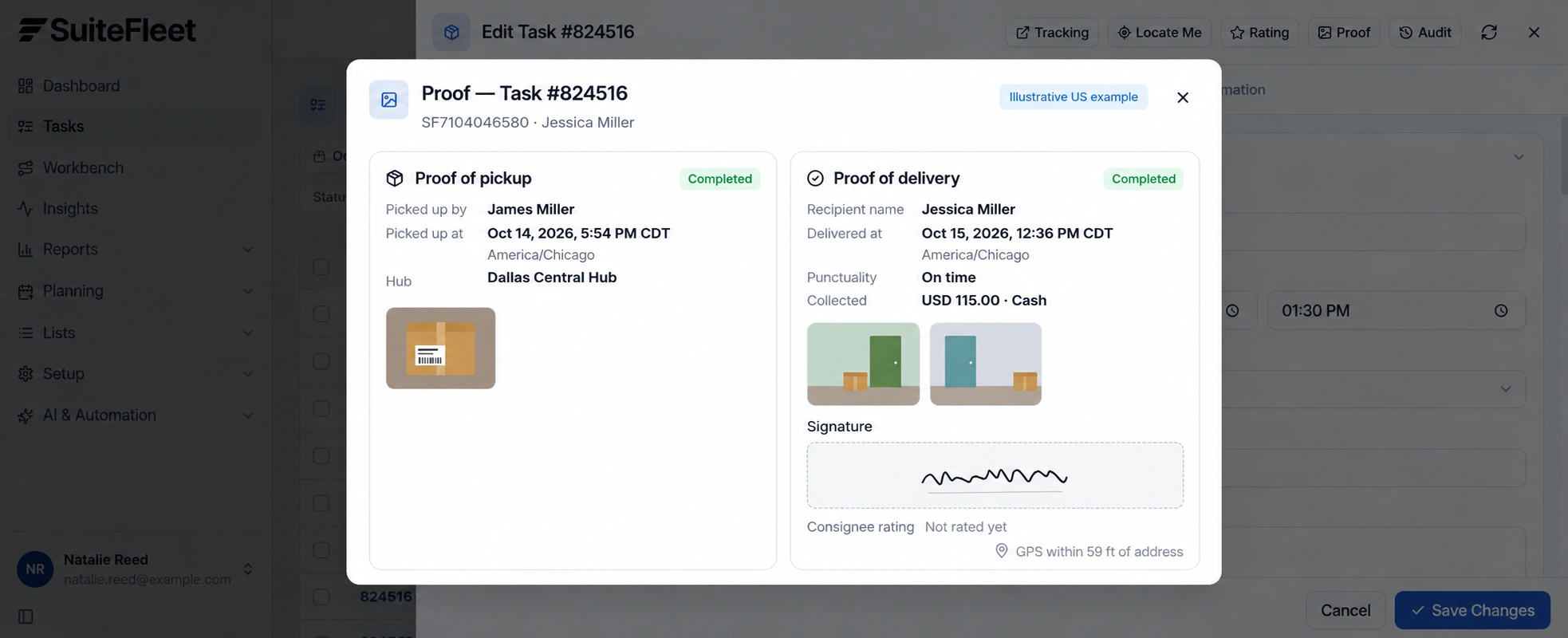
Deduplicate repeated completion messages and preserve event order. Store actual completion time separately from sync time; a later retry must not make an old delivery look newly completed. Keep delivery success and writeback success as distinct audit outcomes.
6. Verify the result in Dutchie POS
Return the delivery outcome to the linked order record and complete checkout through the authorized POS workflow. A delivery event must not tender payment or close the sale without the configured checks. Dutchie delivery setup.
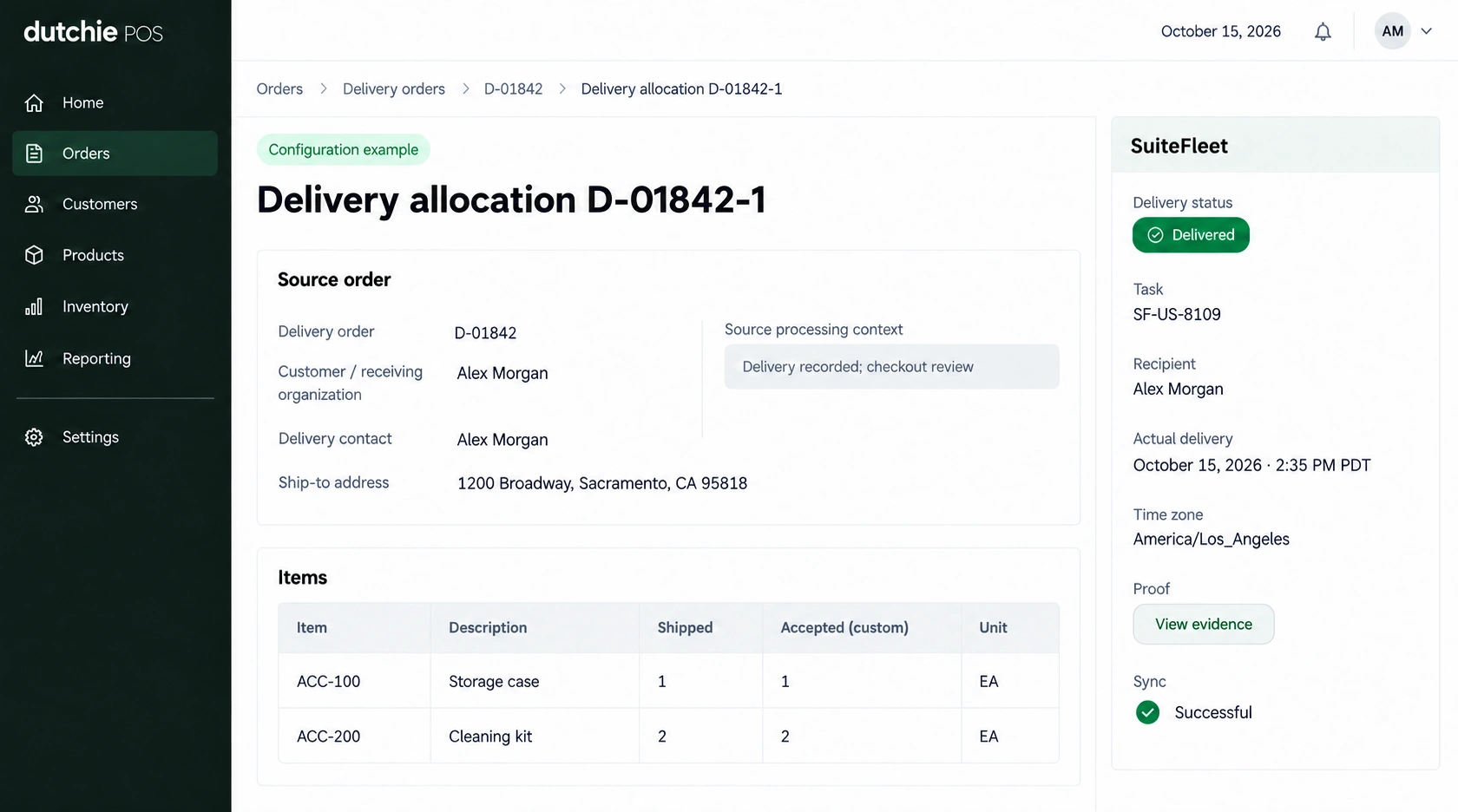
Delivery allocation D-01842-1; task SF-US-8109; recipient Alex Morgan; actual handover October 15, 2026 · 2:35 PM PDT (America/Los_Angeles). First line: 1 shipped and accepted. Second line: 2 shipped and accepted, in the units shown.
Read back the linked record and review every outstanding allocation before reporting the full delivery requirement complete. Test partial shipment, partial acceptance, failed delivery, duplicate completion, and delayed writeback. Keep inventory posting, receipt evidence, and payment reconciliation under their respective configured rules.
Frequently asked questions
Which Dutchie POS records should link to SuiteFleet?
Dutchie separates delivery preparation, route start, skipped deliveries, and checkout. Guestlist statuses can be configured, so map the store’s actual events rather than assuming one universal status list.
How should delivery completion update Dutchie POS?
Return the delivery outcome to the linked order record and complete checkout through the authorized POS workflow. A delivery event must not tender payment or close the sale without the configured checks.