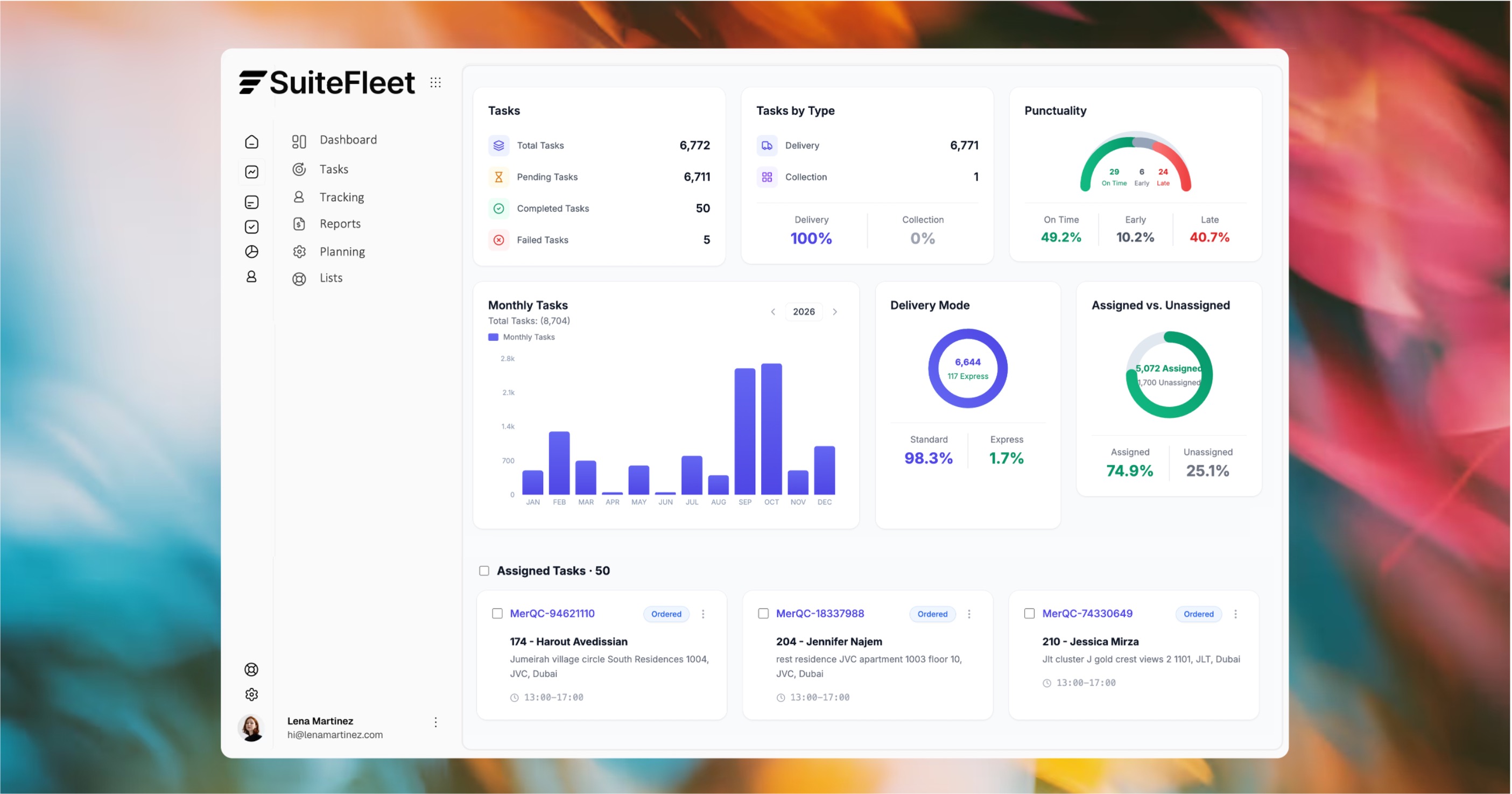




The SAP Business One–SuiteFleet integration links Delivery documents to delivery tasks. Dispatchers review destinations, assign drivers, and follow delivery attempts in SuiteFleet. Each result returns through the configured connection to the matching source record, preserving DocEntry and base-document lines and any outstanding quantities.
Connector availability: SuiteFleet plans to publish its SAP Business One connector on SAP Store, subject to the marketplace review and release process.
1. Start with the SAP Business One order
Open the source order 1256 for Harbor Office Products and inspect its delivery destination, line quantities, and configured SuiteFleet relationship. The example contains two lines with quantities 4 and 6 in the units shown.
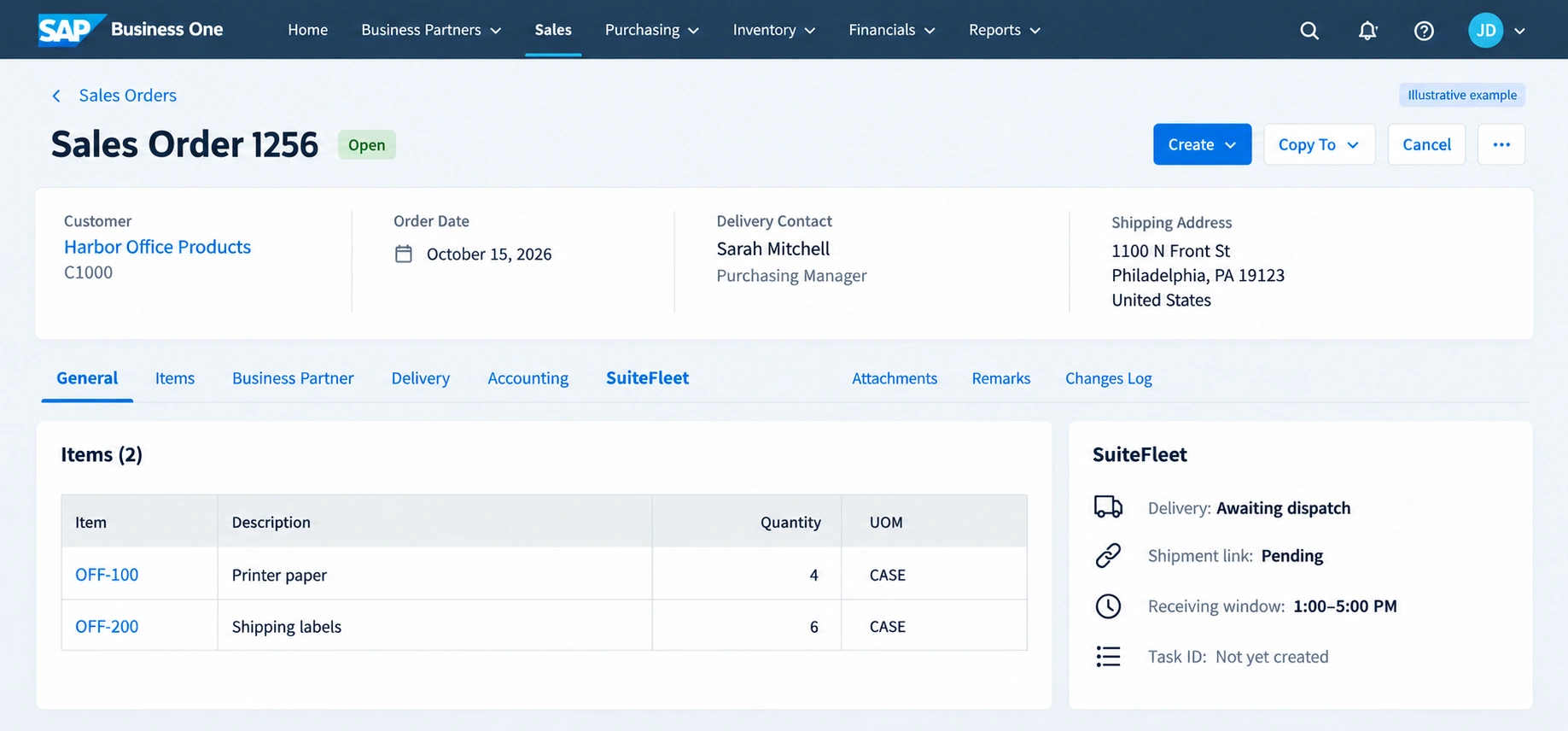
Review the sales order’s customer, delivery date, ship-to address, availability, and open item quantities. Create a Delivery for the intended quantities through the supported base-document workflow. Do not use manual Close as a delivery event.
Business One distinguishes visible DocNum from internal DocEntry. Preserve base-document relationships when copying a sales order to a Delivery. A single customer can have several orders and delivery documents with the same address; matching by customer code and address alone is unsafe. SAP Business One sales orders.
2. Configure the field mapping
Preserve this relationship before exporting delivery work:
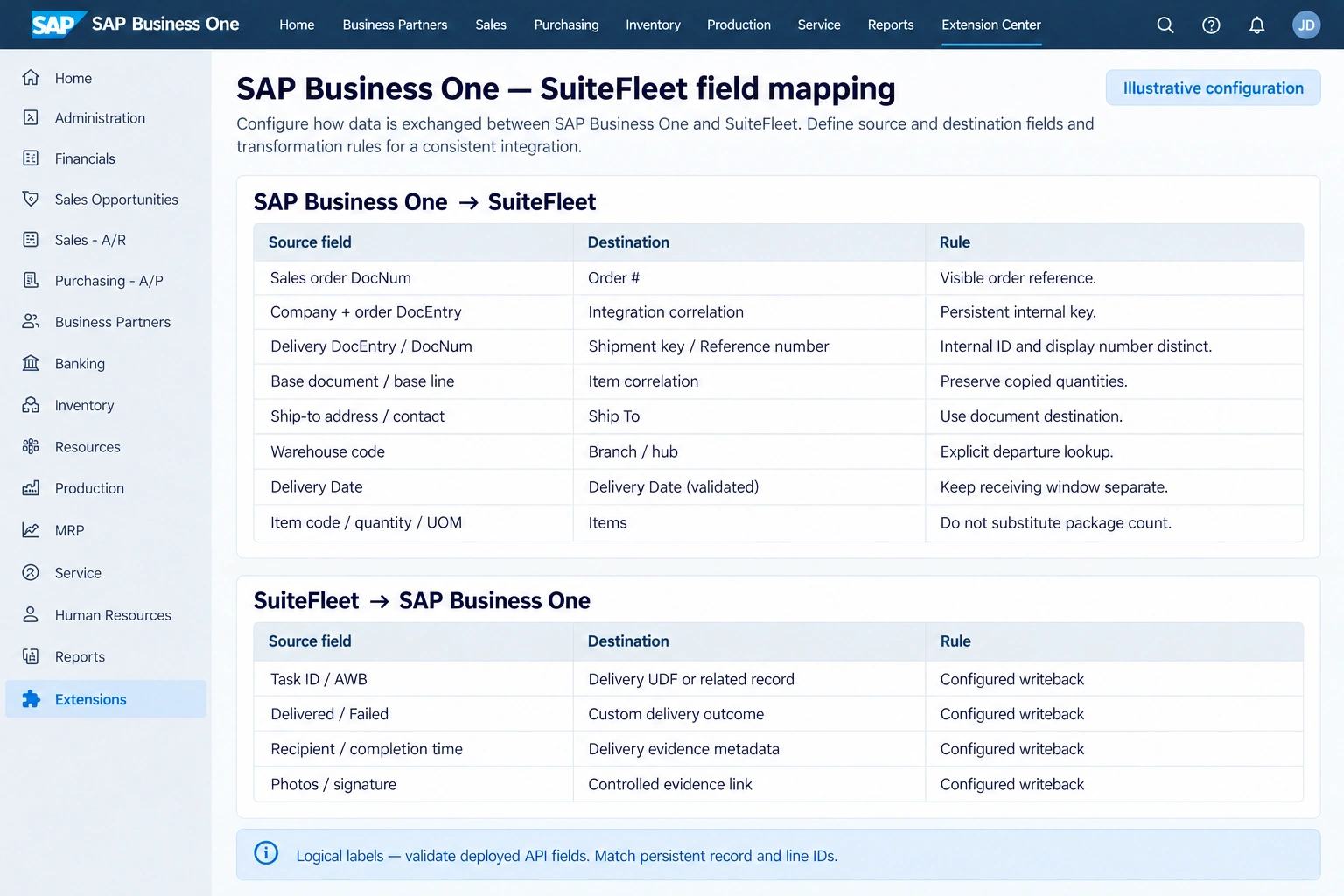
| SAP Business One source | SuiteFleet destination | Rule |
|---|---|---|
| Sales order DocNum | Order # | Visible order reference. |
| Company + order DocEntry | Integration correlation | Persistent internal key. |
| Delivery DocEntry / DocNum | Shipment key / Reference number | Internal ID and display number distinct. |
| Base document / base line | Item correlation | Preserve copied quantities. |
| Ship-to address / contact | Ship To | Use document destination. |
| Warehouse code | Branch / hub | Explicit departure lookup. |
| Delivery Date | Delivery Date (validated) | Keep receiving window separate. |
| Item code / quantity / UOM | Items | Do not substitute package count. |
| SuiteFleet result | SAP Business One destination | Writeback rule |
|---|---|---|
| Task ID / AWB | Delivery UDF or related record | Confirm field access during configuration. |
| Delivered / Failed | Custom delivery outcome | Confirm field access during configuration. |
| Recipient / completion time | Delivery evidence metadata | Confirm field access during configuration. |
| Photos / signature | Controlled evidence link | Confirm field access during configuration. |
SAP’s Service Layer documents Orders and DeliveryNotes. Use the version and protocol supported by the deployment and discover its fields and user-defined fields. Verify base-line relationships and posting behavior before creating a delivery through the interface. SAP Business One deliveries.
3. Create and verify the SuiteFleet task
Send only the released shipment allocation through the configured interface. Store the returned task ID before reporting successful export. If the request times out, check for an existing task under the persistent shipment key before retrying creation.
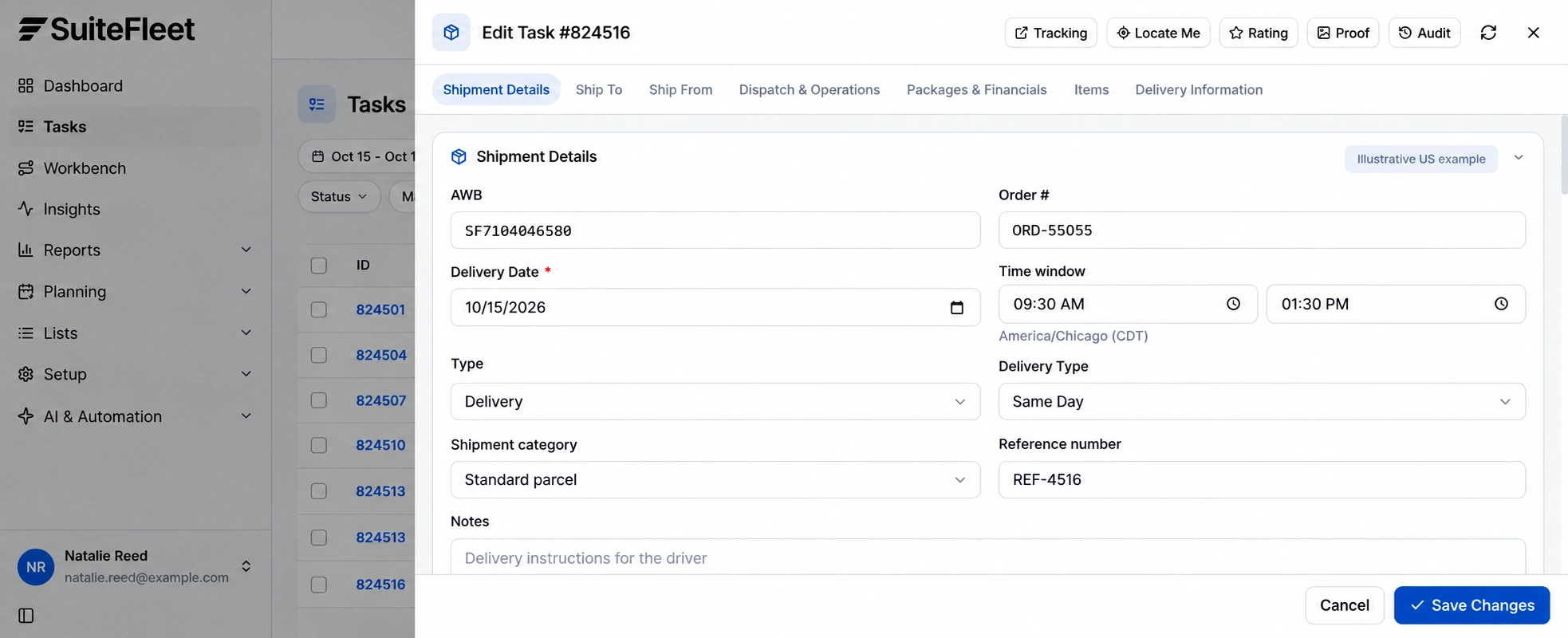
Compare Ship To, Items, delivery date, receiving window, and instructions with Delivery 1854. Preserve item units independently from package count. A package quantity of one can contain several product units; neither value should silently replace the other.
Treat unmapped origins, missing contacts, and invalid addresses as actionable exceptions. Record the failing record key and field so the responsible user can correct the source and retry without re-entering the entire order.
4. Dispatch and manage exceptions
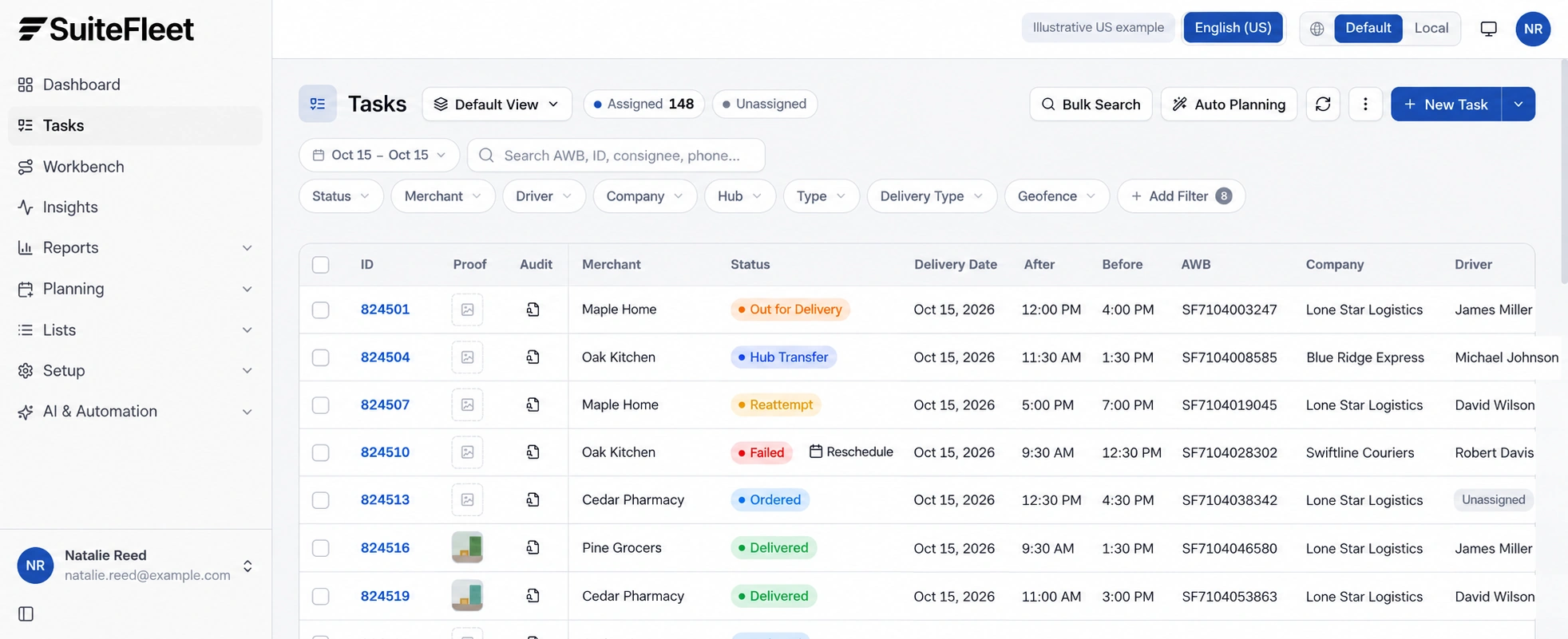
Use Tasks to filter operational work and open Dispatch & Operations to review Company, Driver, and Hub. Agree whether the connector or dispatcher owns each field; order updates should not silently overwrite an active driver assignment.
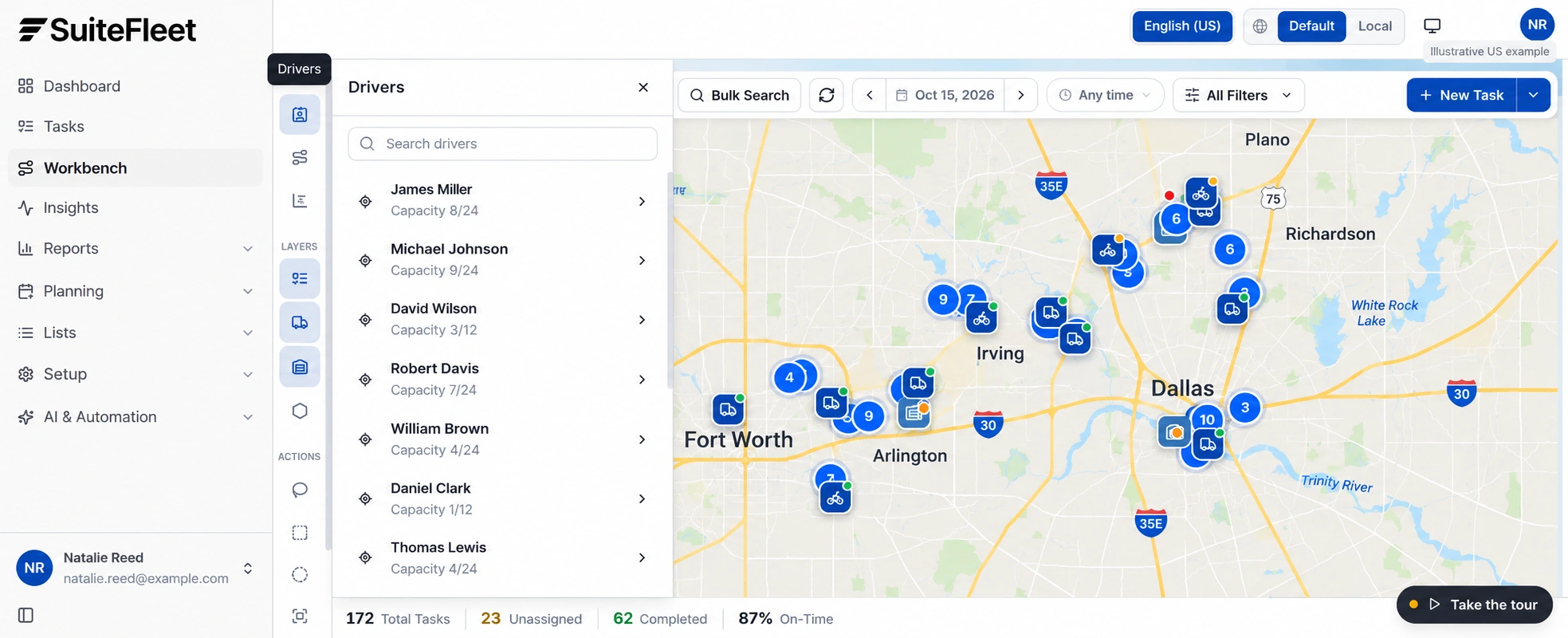
Workbench adds a geographic view of tasks and drivers. Inspect unresolved locations before dispatch and confirm that the driver can meet the receiving window. Keep route planning subordinate to actual release eligibility and warehouse readiness.
If 4 cases are copied to one Delivery and 6 remain open, only the first Delivery should receive the completed task result. A retry must not create a second Delivery document for the same goods.
For a failed or rescheduled stop, retain the attempt, reason, and original shipment relationship. Decide whether the next action is redelivery, return handling, address correction, or customer contact before creating more work.
5. Review delivery before writeback
On completion, match the result to the stored task and shipment identifiers. Review recipient and required proof, then reconcile accepted quantities at source-line level. Route missing or contradictory evidence for review instead of deriving acceptance from Delivered alone.
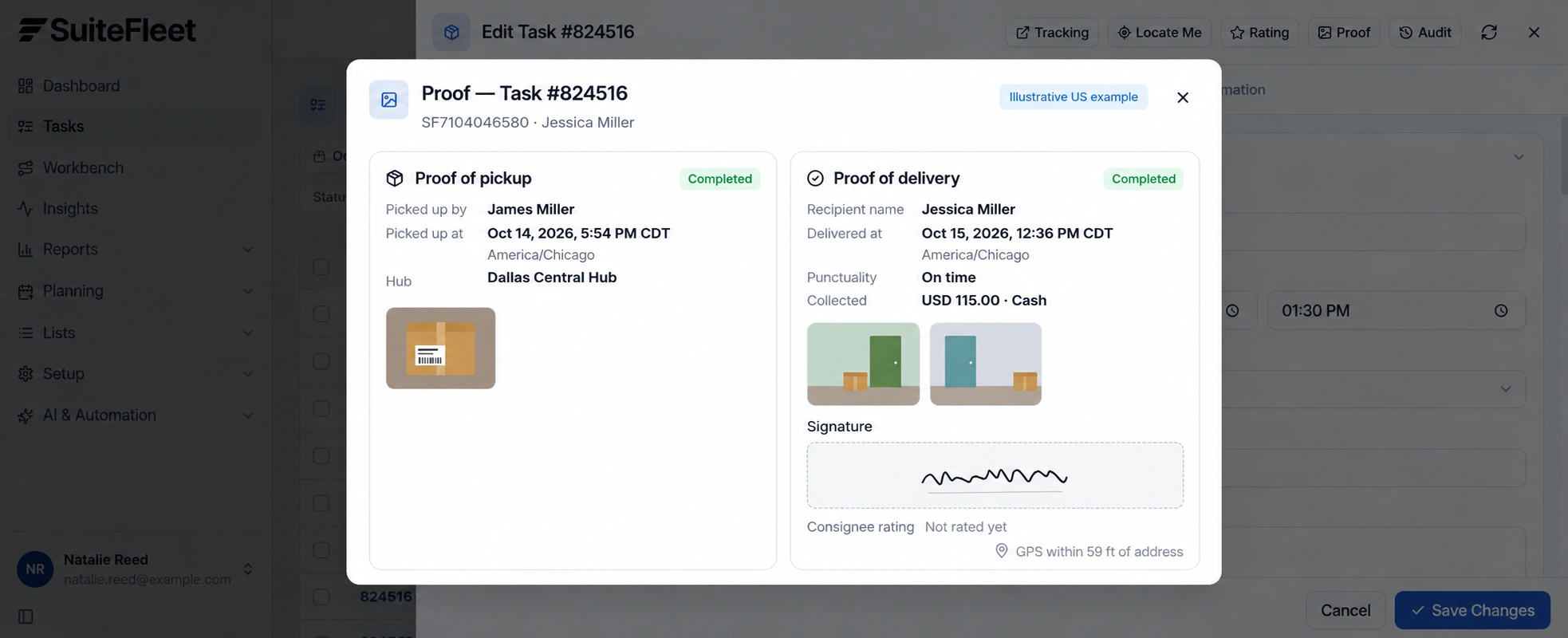
Deduplicate repeated completion messages and preserve event order. Store actual completion time separately from sync time; a later retry must not make an old delivery look newly completed. Keep delivery success and writeback success as distinct audit outcomes.
6. Verify the result in SAP Business One
Write verified last-mile results to Delivery user-defined fields or a related delivery record supported by the implementation. Keep the Delivery’s native document state separate from the custom Delivered result. Check the original order’s remaining open quantities instead of treating Closed as proof of receipt. SAP Business One sales orders.
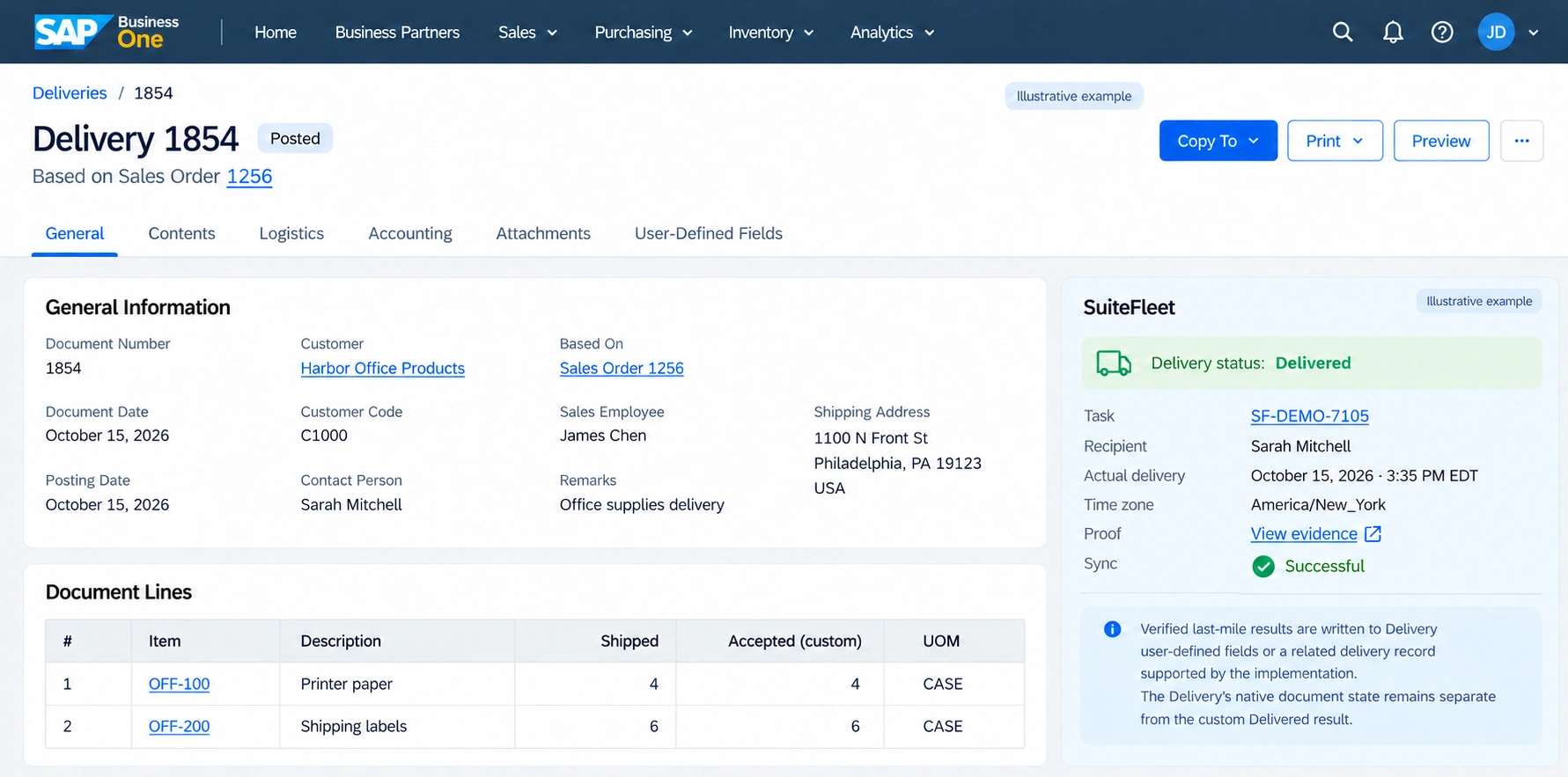
Delivery 1854; task SF-DEMO-7105; recipient Sarah Mitchell; actual handover October 15, 2026 · 3:35 PM EDT (America/New_York). First line: 4 shipped and 4 accepted. Second line: 6 shipped and 6 accepted.
Read back the linked record and review every outstanding allocation before marking the full order delivered. Test partial shipment, partial acceptance, failed delivery, duplicate completion, and delayed writeback. Keep inventory posting, receipt evidence, and payment reconciliation under their respective configured rules.
Frequently asked questions
Which SAP Business One records should link to SuiteFleet?
Business One distinguishes visible DocNum from internal DocEntry. Preserve base-document relationships when copying a sales order to a Delivery. A single customer can have several orders and delivery documents with the same address; matching by customer code and address alone is unsafe.
How should delivery completion update SAP Business One?
Write verified last-mile results to Delivery user-defined fields or a related delivery record supported by the implementation. Keep the Delivery’s native document state separate from the custom Delivered result. Check the original order’s remaining open quantities instead of treating Closed as proof of receipt.