
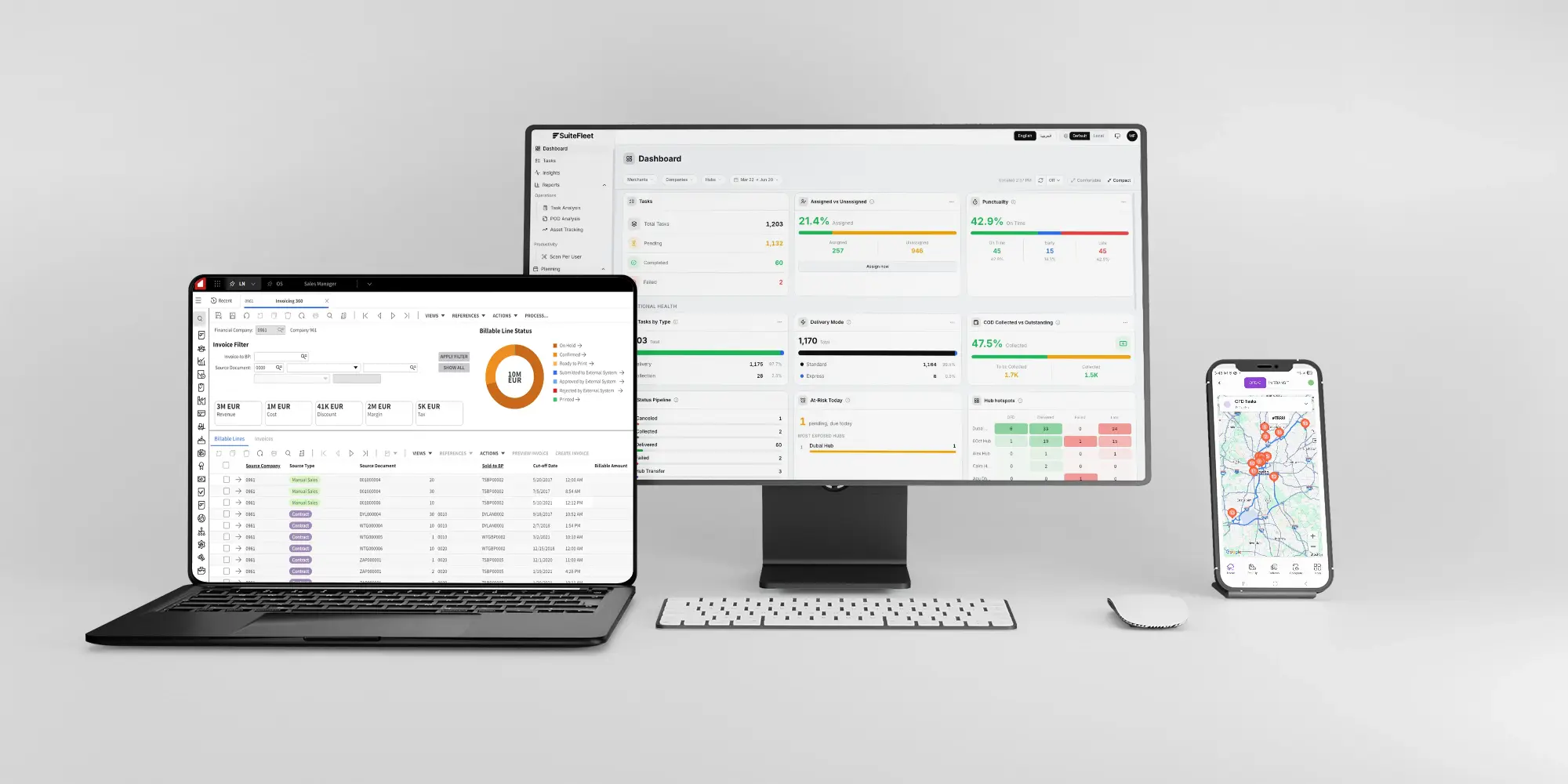
.webp)


For Infor CloudSuite Distribution, proof of delivery means matching the recipient, handover time, photographs, and signature to shipping allocations with order suffixes. The SuiteFleet connection retains order-suffix and shipping-line references so the team can reconcile accepted quantities and exceptions. Capturing proof and successfully updating the source record are separate checks.
Connector availability: SuiteFleet plans to publish its Infor CloudSuite Distribution connector on Infor Marketplace, subject to the marketplace review and release process.
1. Start with the Infor CloudSuite Distribution sales order
Open the sales order 510482-00 for Prairie Electrical Supply and inspect its delivery destination, line quantities, and configured SuiteFleet relationship. The example contains EL-100 | Cable connector | 4 BOX and EL-200 | Panel fastener | 6 BOX.
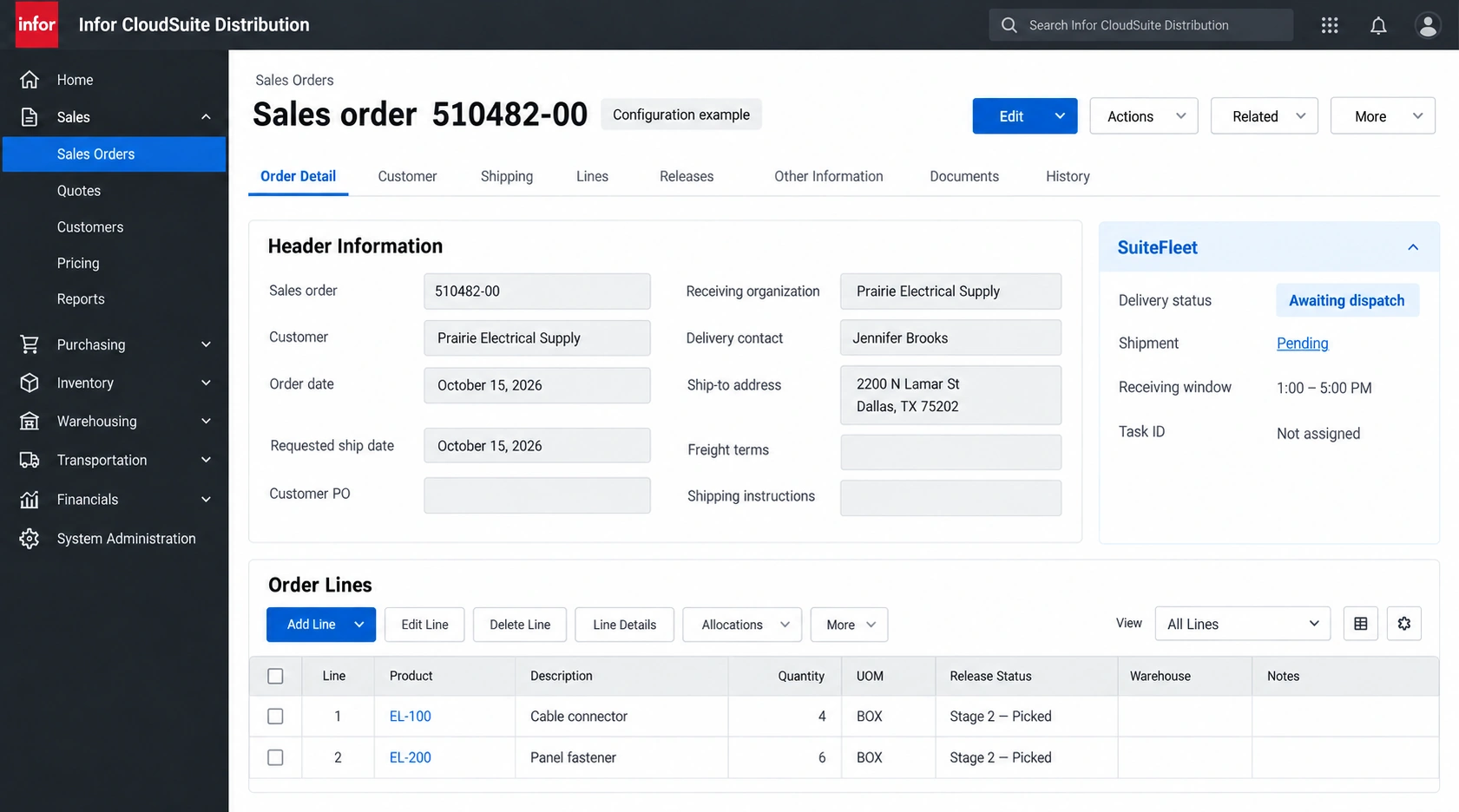
Open the stock order and confirm the order number, suffix, warehouse, ship-to, and picked quantities. Release shipping through Sales Shipping Feedback Entry or the configured warehouse process.
Distribution SX.e distinguishes Ordered, Picked, Shipped, Invoiced, and Paid stages. Retain the suffix because short shipping can move remaining quantities to a subsequent allocation. Infor processing stages.
2. Configure the evidence mapping
Preserve this relationship before exporting delivery work:
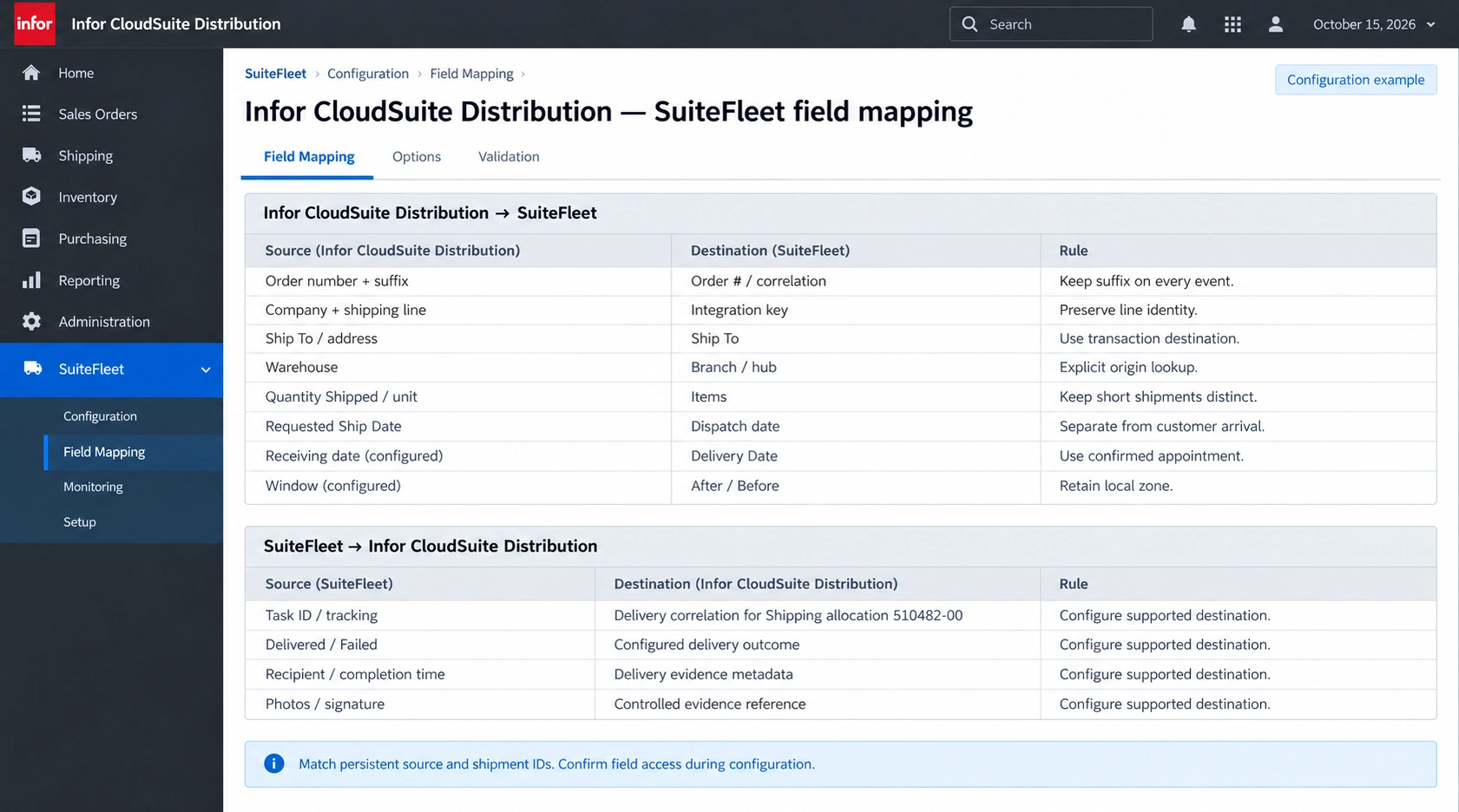
| Infor CloudSuite Distribution source | SuiteFleet destination | Rule |
|---|---|---|
| Order number + suffix | Order # / correlation | Keep suffix on every event. |
| Company + shipping line | Integration key | Preserve line identity. |
| Ship To / address | Ship To | Use transaction destination. |
| Warehouse | Branch / hub | Explicit origin lookup. |
| Quantity Shipped / unit | Items | Keep short shipments distinct. |
| Requested Ship Date | Dispatch date | Separate from customer arrival. |
| Receiving date (configured) | Delivery Date | Use confirmed appointment. |
| Window (configured) | After / Before | Retain local zone. |
| SuiteFleet result | Infor CloudSuite Distribution destination | Writeback rule |
|---|---|---|
| Task ID / tracking | Delivery correlation for Shipping allocation 510482-00 | Confirm field access during configuration. |
| Delivered / Failed | Configured delivery outcome | Confirm field access during configuration. |
| Recipient / completion time | Delivery evidence metadata | Confirm field access during configuration. |
| Photos / signature | Controlled evidence reference | Confirm field access during configuration. |
Keep delivery proof linked to the order suffix and line allocation. A shipping-feedback update records shipped inventory, while the recipient evidence establishes customer handover.
3. Define and check the evidence requirements
Agree the evidence policy before dispatch: which shipments need a recipient name, photographs, signature, and completion information, and who reviews missing evidence. Only require capture methods verified in the deployed driver workflow. Confirm that the connector can retrieve each required evidence field.
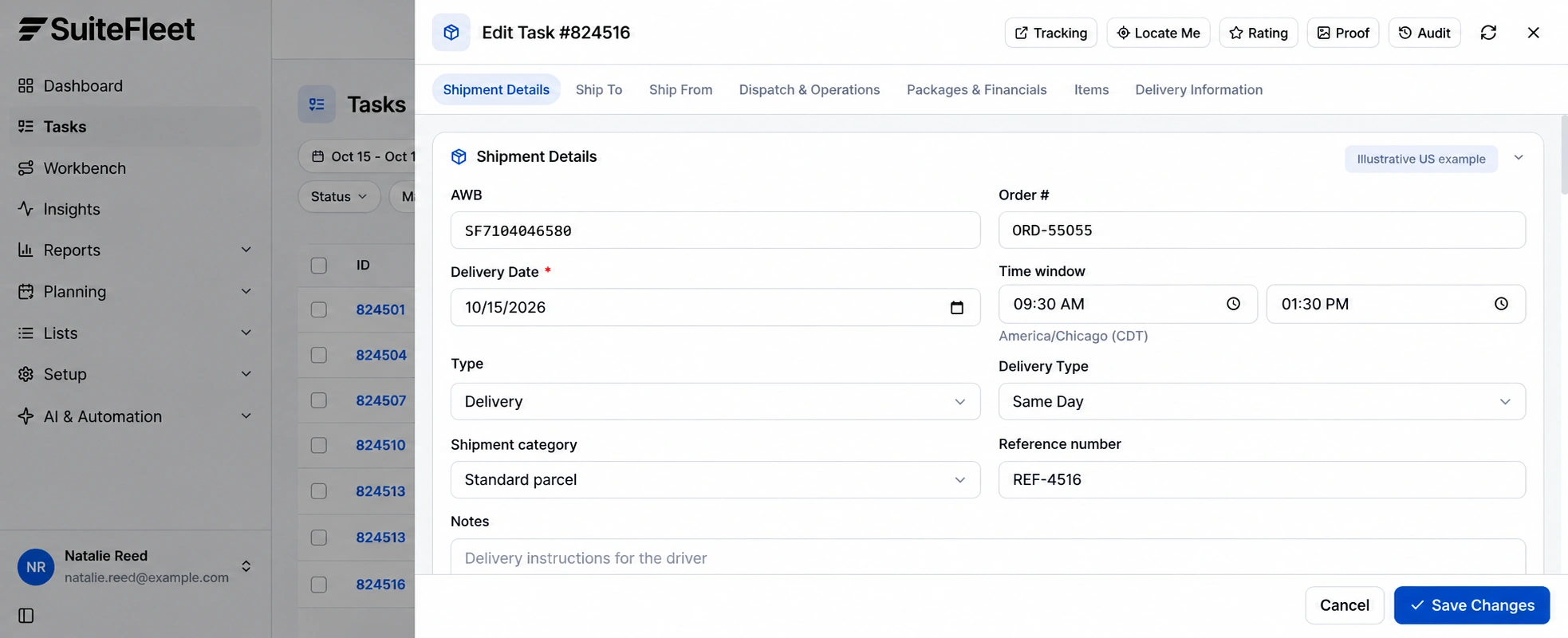
Before opening proof, match the task to Shipping allocation 510482-00 through the correlation record. Names, addresses, and order display numbers alone are insufficient when the customer receives repeat or split shipments.
Distinguish the expected consignee from the person who actually accepted the goods. Validate file access and retention requirements with the deployment owner so a saved link remains useful to the intended support team.
4. Review proof of customer handover
Open Proof from the task or Reports → POD Analysis → Full proof. Review delivery photos, signature, recipient, and recorded completion together. Review Proof of pickup and Proof of delivery separately. Confirm customer receipt from the delivery record.
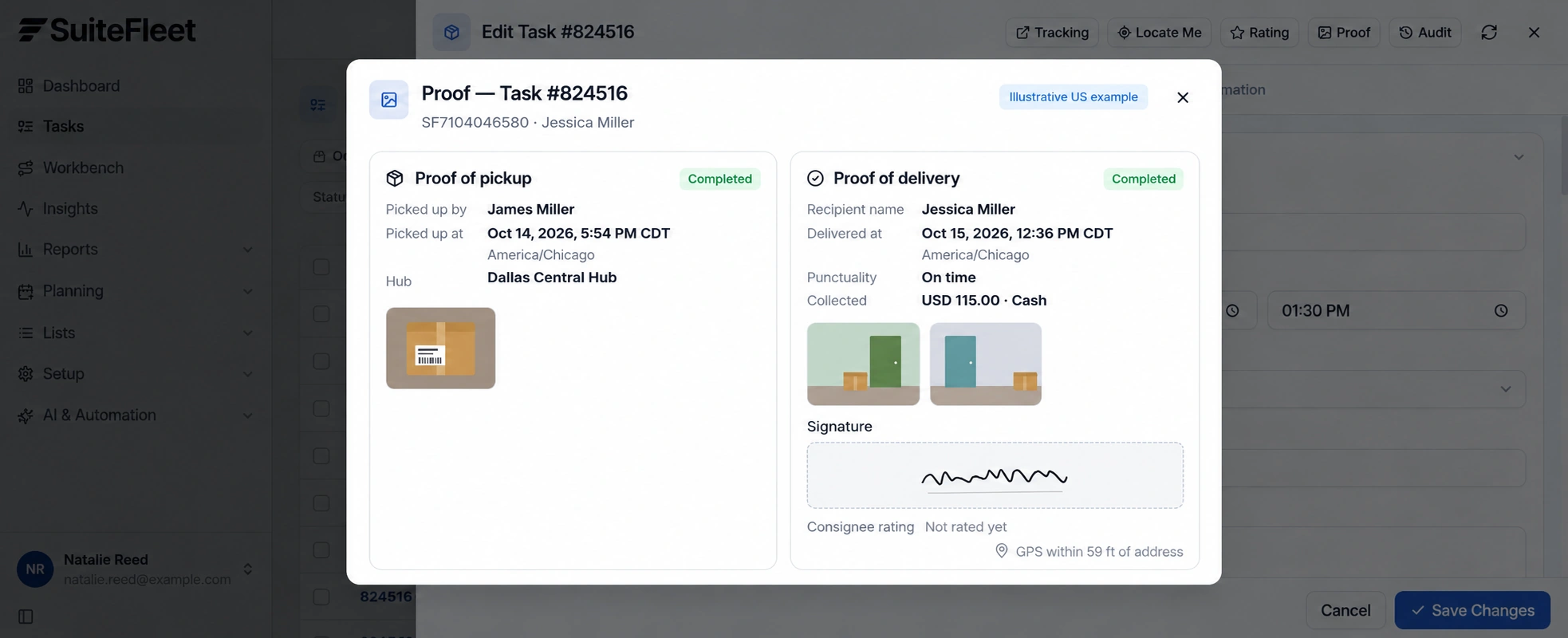
Do not infer received item quantities from a photograph, a signature, or the package count. Store the event time with its time zone. This example uses America/Chicago (CDT).
When shipped quantity is lower than ordered quantity, reconcile the remainder to its suffix or remaining line. A receipt for suffix 00 cannot complete an outstanding suffix 01.
If there is a shortage, refusal, or disputed recipient, preserve the original evidence and record the exception. Retain the source shipment and line keys during review; do not create a new shipment simply because proof needs correction.
5. Store controlled evidence references
Validate the installed CloudSuite interfaces and extension fields. Use supported shipping operations rather than changing an order-stage value directly, and preserve warehouse processing ownership. Infor shipping feedback lines.
Write recipient, event time, outcome, and evidence references only to validated destinations. Check whether the interface stores a file, an attachment relationship, or an external URL. Apply access controls to the evidence location; a link in a transaction does not itself grant appropriate access.
Handle status and attachment updates independently. If the status sync succeeds but a photo reference fails, retain the partial integration error and retry that operation safely. Verify the target record after retry before reporting a clean sync.
6. Verify the result in Infor CloudSuite Distribution
Read back Stage 3-Shipped after the authorized shipping process. Store SuiteFleet receipt evidence separately; delivery completion must not force Stage 4-Invoiced or Stage 5-Paid. Infor processing stages.
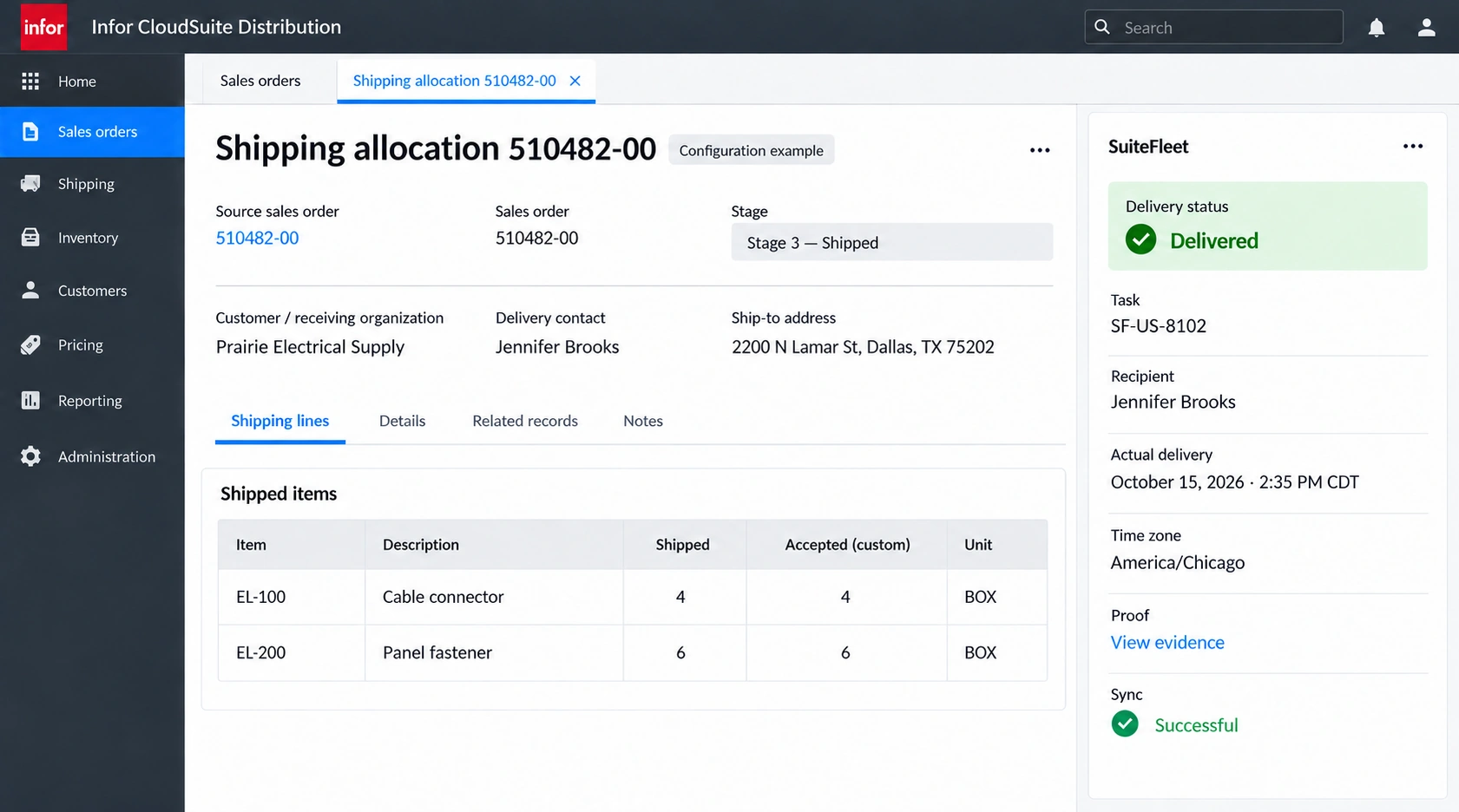
Shipping allocation 510482-00; task SF-US-8102; recipient Jennifer Brooks; actual handover October 15, 2026 · 2:35 PM CDT (America/Chicago). First line: 4 shipped and accepted. Second line: 6 shipped and accepted, in the units shown.
Read back the linked record and review every outstanding allocation before reporting the full delivery requirement complete. Test partial shipment, partial acceptance, failed delivery, duplicate completion, and delayed writeback. Keep inventory posting, receipt evidence, and payment reconciliation under their respective configured rules.
Frequently asked questions
How should proof of delivery be matched in Infor CloudSuite Distribution?
Keep delivery proof linked to the order suffix and line allocation. A shipping-feedback update records shipped inventory, while the recipient evidence establishes customer handover.
Does a delivered task complete the Infor CloudSuite Distribution source workflow?
Read back Stage 3-Shipped after the authorized shipping process. Store SuiteFleet receipt evidence separately; delivery completion must not force Stage 4-Invoiced or Stage 5-Paid.


.png)

.jpeg)



.svg)
.png)





.svg)

.svg)
.svg)
.svg)