.svg)
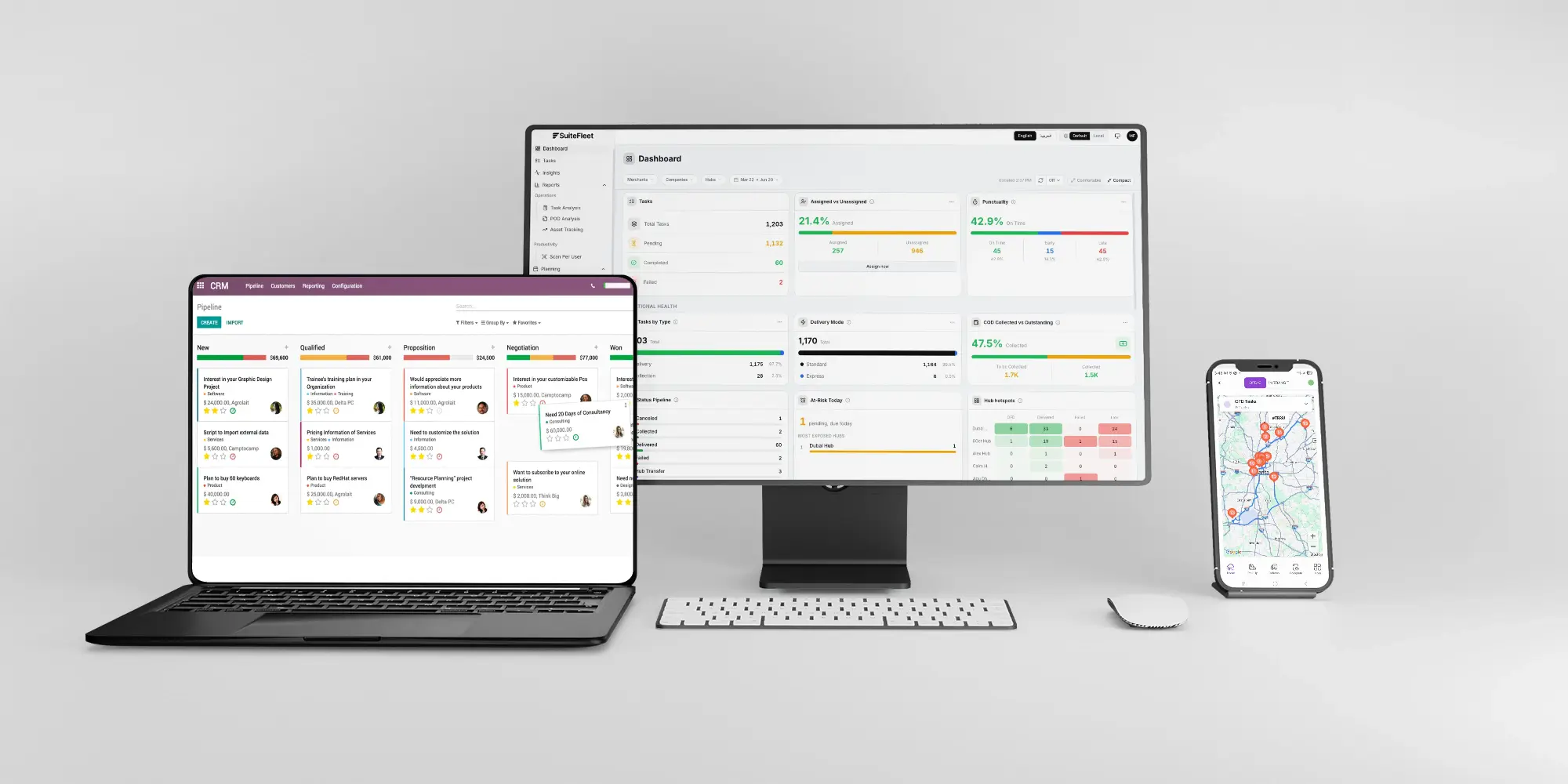
.webp)


The SuiteFleet connector for Odoo will be available soon on the Odoo Apps marketplace.
Link SuiteFleet signatures, delivery photos, recipient details, and timestamps to Odoo shipments so your team can check what happened at handover.
An Odoo delivery record tells the team which goods were shipped. Proof of delivery answers the next question: what evidence do we have that the customer received them? SuiteFleet brings the recipient, delivery time, photos, signature, and location context into one proof view.
Agree on the evidence required before drivers start the job. A staffed receiving dock may require a named recipient and signature. An approved unattended drop may call for photos showing where the goods were left. The requirement should follow the delivery agreement.
1. Identify the Odoo order and delivery
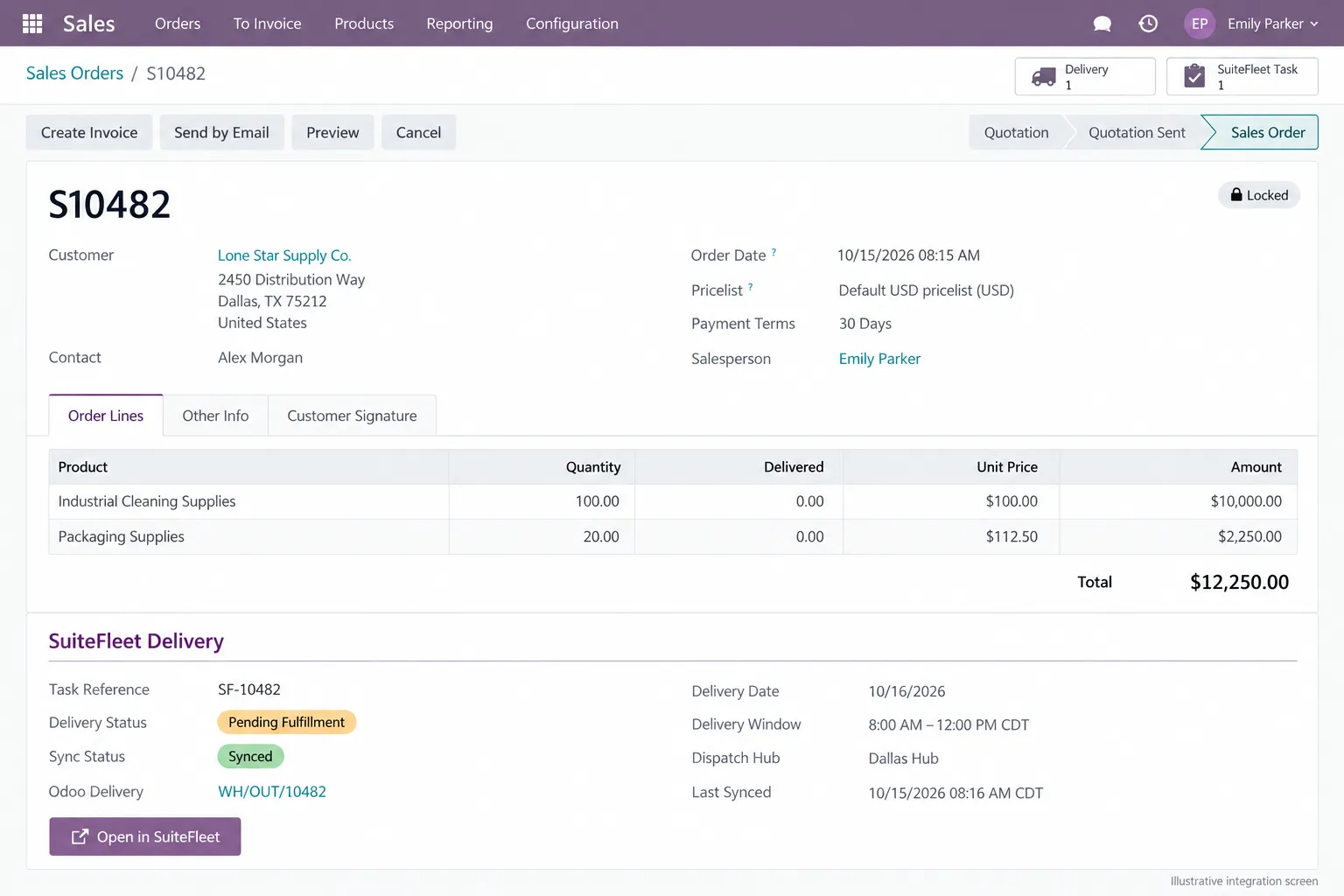
Order S10482 contains 100 cleaning-supply units and 20 packaging units for Lone Star Supply Co. Its outbound delivery is WH/OUT/10482. The initial screen shows zero delivered quantities and the proposed SuiteFleet task reference SF-10482.
Keep the customer’s planned contact separate from the person who actually receives the goods. Alex Morgan is the receiving contact in this example, but the driver must record the actual recipient at handover if someone else accepts delivery.
2. Choose the proof-of-delivery methods
| Evidence method | What it records | What to check |
|---|---|---|
| Recipient name | The person recorded as accepting the delivery | Compare with the receiving instructions; preserve the actual name. |
| Electronic signature | A signature associated with the completed task | Check that it belongs to this handover and is readable. |
| Delivery photos | Images of the delivery or its placement | Capture useful context without unrelated personal information. |
| Delivery timestamp | When the handover was recorded | Retain the event time and display the correct local time zone. |
| Location context | Recorded delivery location and GPS proximity | Review alongside other evidence; proximity alone does not prove receipt. |
Use the evidence together. A photo can show a delivery location, but it cannot establish how many units the customer accepted. Record shortages, damage, and refused items separately so the Odoo update reflects the goods actually received.
3. Review completed deliveries in SuiteFleet
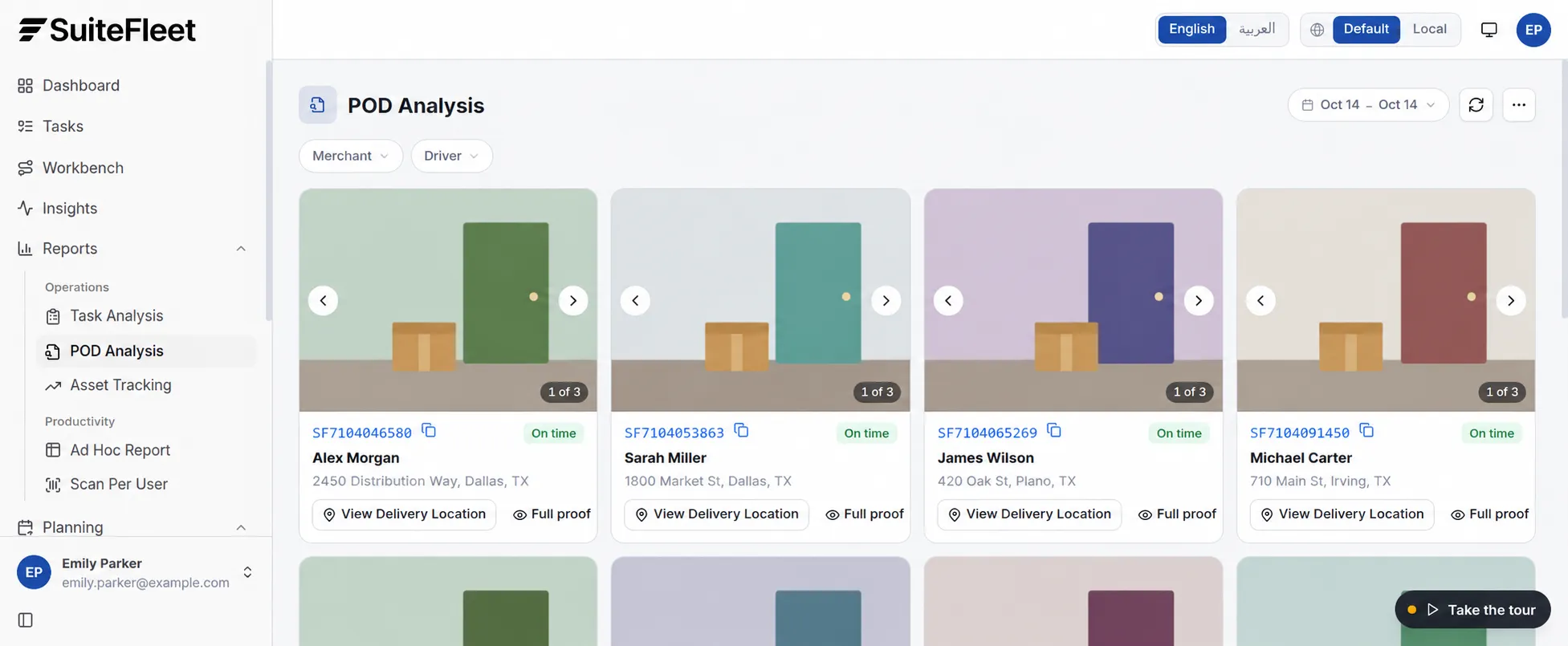
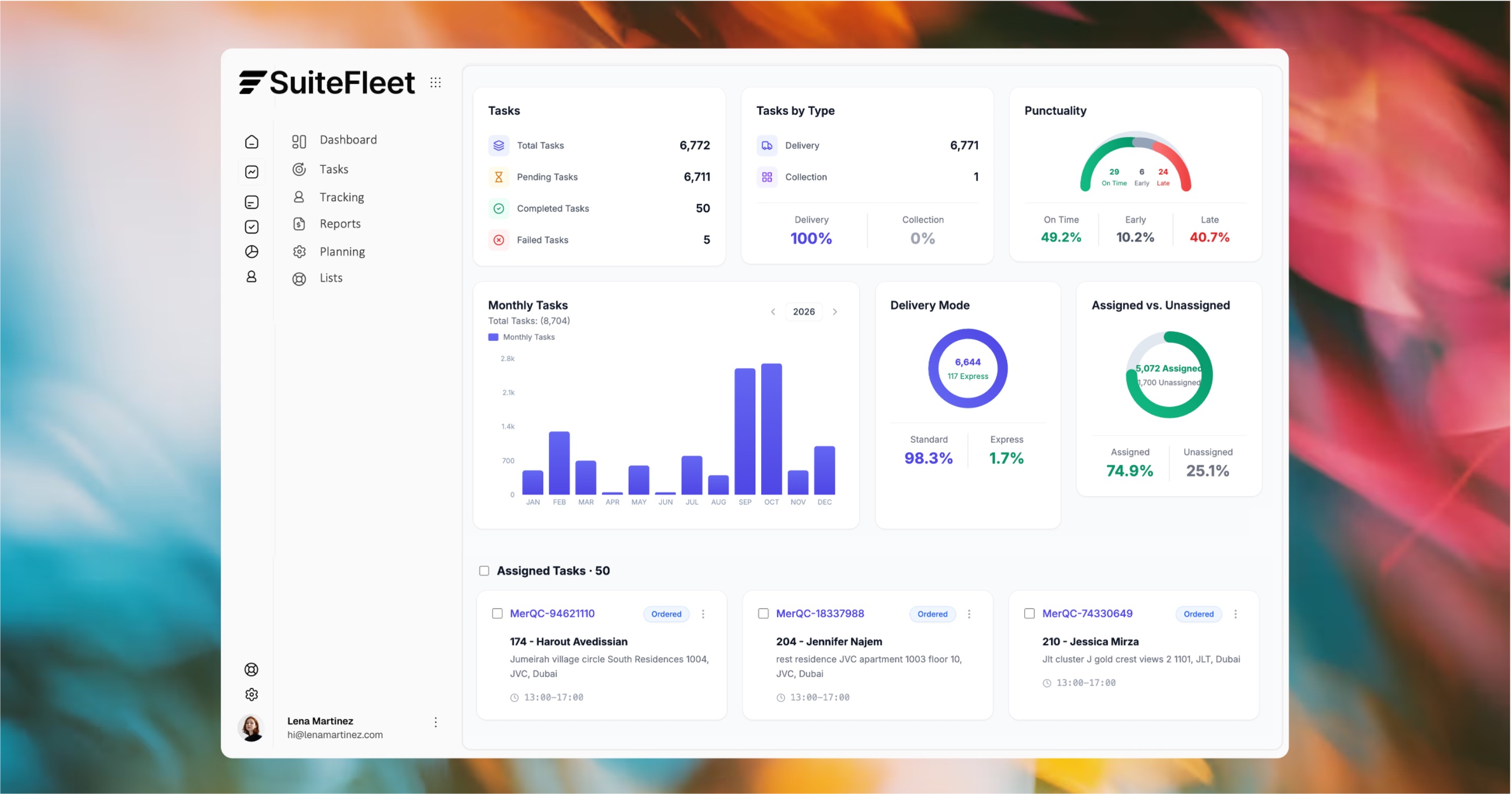
Open Reports → POD Analysis to review the delivery evidence. The demo provides date selection, merchant and driver filters, photo browsing, a delivery-location control, and a Full proof action. Use the task reference to find the correct shipment before reviewing its evidence.
For a missing-delivery query, start with the task reference. Review the recipient, time, and photos together before responding to the customer.
4. Inspect the full proof before closing an exception
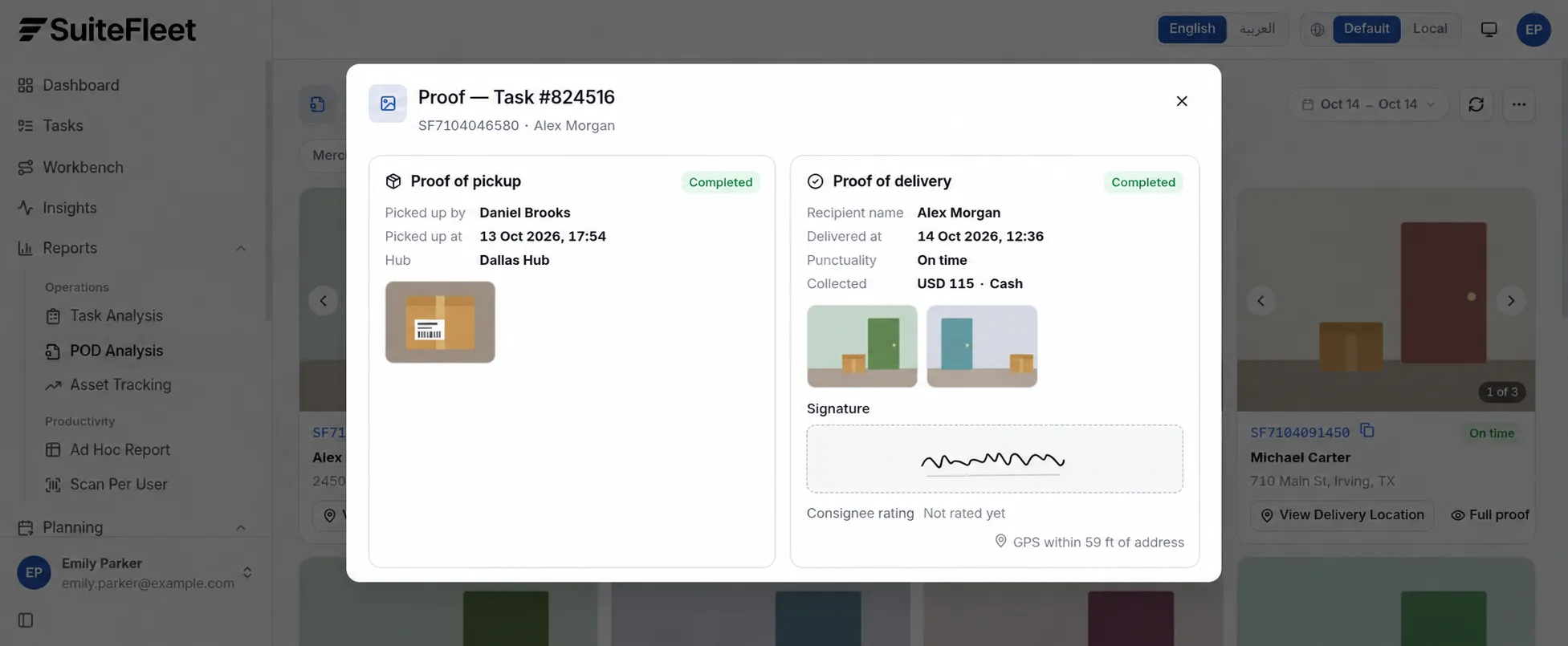
Full proof has separate pickup and delivery sections. Check the delivery section when confirming customer receipt: it shows the recipient, recorded handover time, photos, signature, and GPS proximity. Pickup evidence documents the earlier collection.
The screen below uses a separate demo delivery. Its cash collection is specific to that task; order S10482 has 30-day payment terms.
5. Link evidence to the Odoo delivery
Attach the proof reference to delivery WH/OUT/10482 using the task’s stored record link. Depending on the implementation, Odoo can expose a restricted evidence link or hold approved copies of the files. For an order with several deliveries, let users open the proof for each shipment.
Check that the people handling delivery queries can open the evidence and that links remain usable for the agreed retention period. A repeated completion message should update the existing record without adding duplicate files.
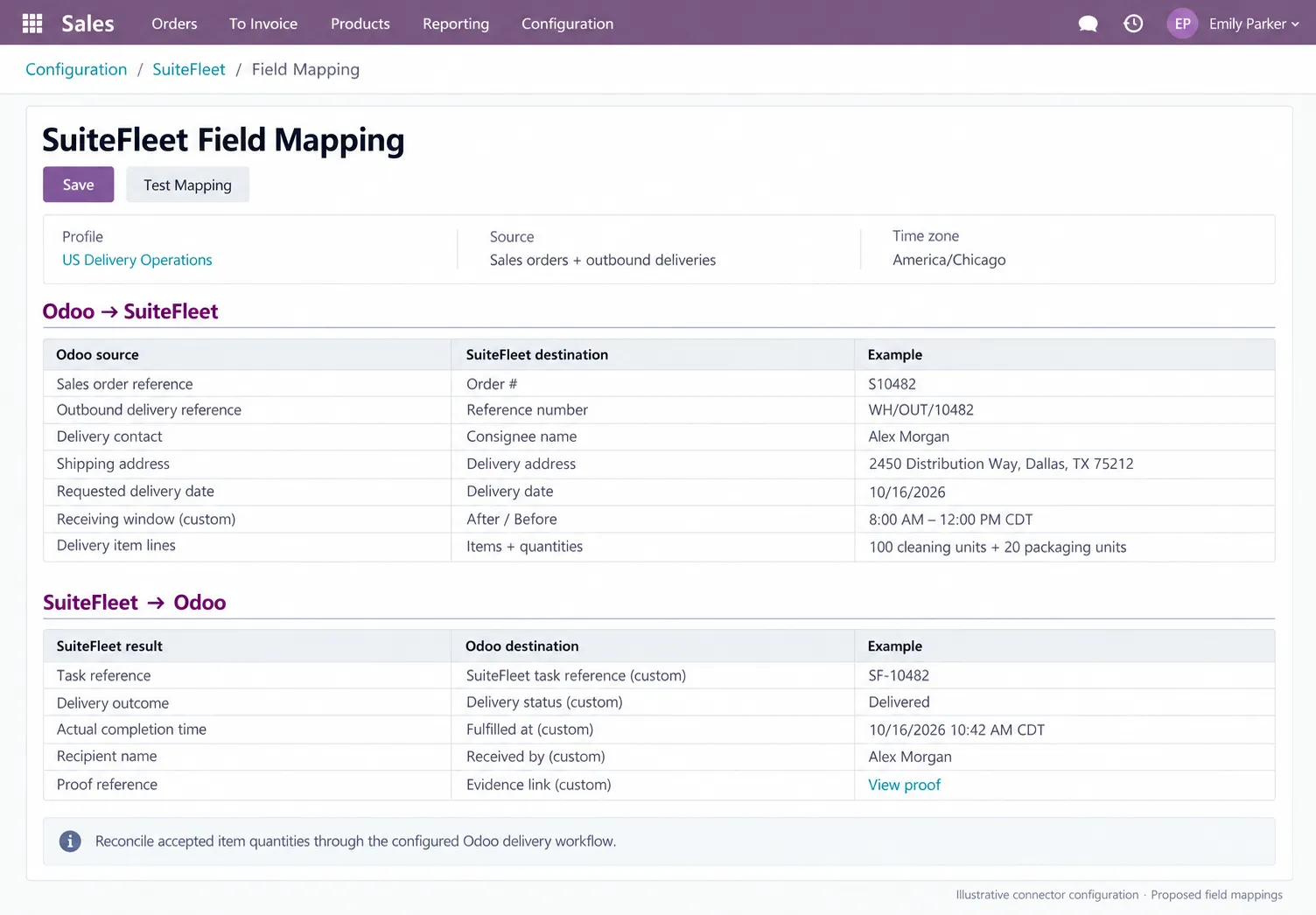
Map the evidence and handover fields
Return the task reference, recipient, handover time, and evidence link to the matching delivery. Keep access to the proof restricted to the intended users.
6. Record receipt and fulfillment in Odoo
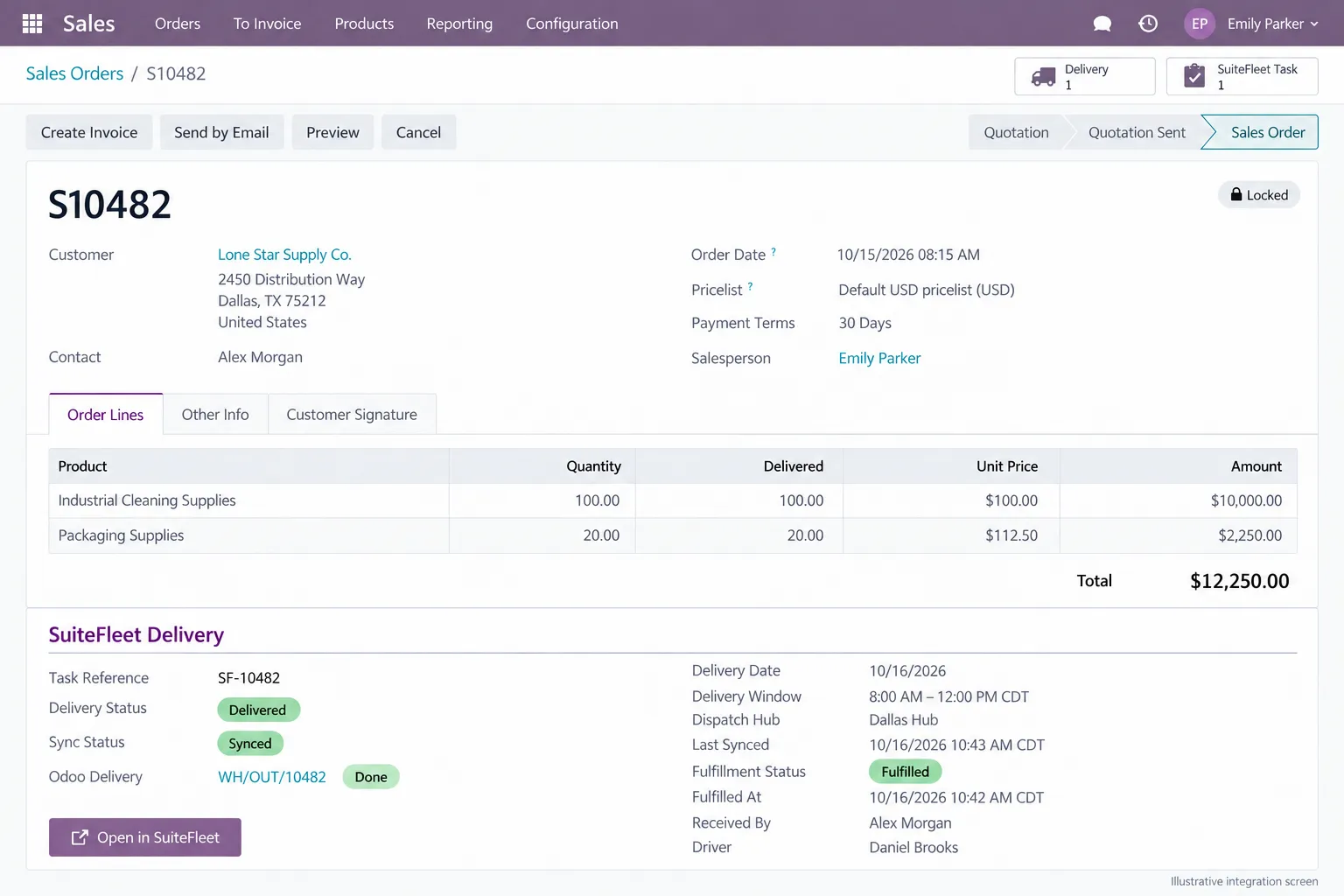
In the Odoo example, Daniel Brooks delivers the complete shipment to Alex Morgan on October 16, 2026, at 10:42 AM CDT. The proposed integration records that actual time and a separate 10:43 AM CDT synchronization time. The two order lines show 100 and 20 delivered.
If the warehouse already validated the delivery at dispatch, use this return update to record customer receipt and evidence. Do not issue the stock again. Keep shortages or disputed receipt open for the responsible team.
Before going live
Test evidence access from the correct Odoo record, a shipment with missing proof, a partial acceptance, and a repeated message. Agree whether missing evidence blocks the custom fulfillment indicator or creates a follow-up exception. Keep this rule separate from warehouse validation and invoice creation.
Frequently asked questions
What proof of delivery can SuiteFleet provide for Odoo?
SuiteFleet’s demo shows recipient names, delivery timestamps, photos, signatures, and GPS location context. The planned integration can be configured to link the agreed evidence to the Odoo shipment.
Where should proof of delivery be stored in Odoo?
Associate proof with the outbound delivery first. Use a restricted evidence link or approved file copies, and provide access from the sales order when users need to review its shipments.
Is a delivery photo enough to confirm the whole order?
No. A photo supports the handover record but does not establish accepted quantities. Shortages, refusals, and backorders still need to be recorded against the relevant items.
Related Odoo guides: Odoo Delivery Management with SuiteFleet · Route Optimization for Odoo with SuiteFleet
Workflow references: Odoo delivery workflow · SuiteFleet interactive demo.


.png)

.jpeg)



.svg)
.png)





.svg)


.svg)
.svg)