The first thing I need to know at the start of a delivery shift is which orders are actually ready to leave. A full queue tells me we have demand. It does not tell me whether the addresses are complete, the packages are ready, or the drivers can meet the delivery windows.
That is where a delivery management system for cannabis dispensaries becomes useful. It gives me a place to coordinate orders, drivers, routes, customer updates, and handoff records. The real test is whether it helps the team make the next decision without another phone call or spreadsheet.
Here is how I would run a delivery shift with that workflow, including the issues I would want the system to catch before they become expensive.
An illustrative delivery manager’s perspective, not a first-hand customer case study. Screenshots contain synthetic demo data; cannabis-specific controls and POS connections require configuration and validation.
1. I Keep Incomplete Orders Out of the Dispatch Queue
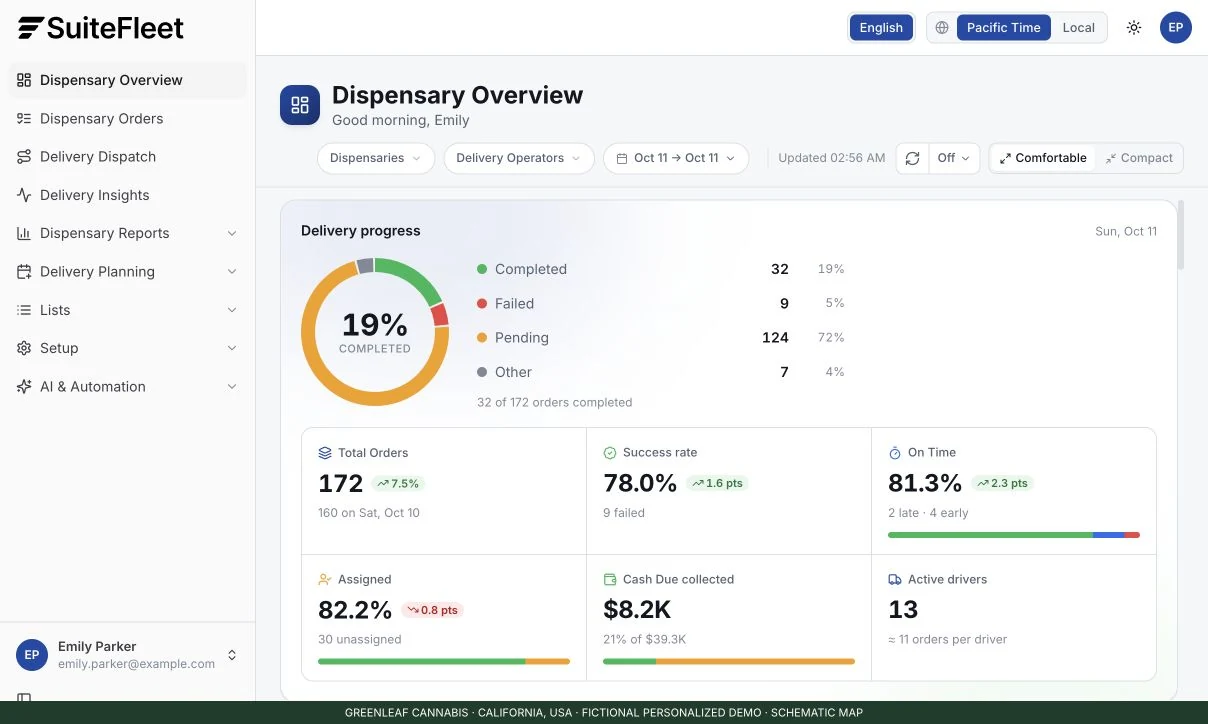
A customer orders packaged flower and pre-rolls but leaves out the apartment number. I want that caught while the order is still in the store. Finding out when the driver reaches the building costs us time and puts the next delivery at risk.
I would configure a Needs Review queue for unresolved details, with customer support responsible for corrections. The fulfillment team checks availability, quantities, payment status, and the requested window. The order moves to Ready for Dispatch only when the agreed checks are complete.
The same principle applies to substitutions. If the customer approves a change, the retail transaction and delivery assignment need to agree before pickup. That depends on the POS connection being set up correctly.
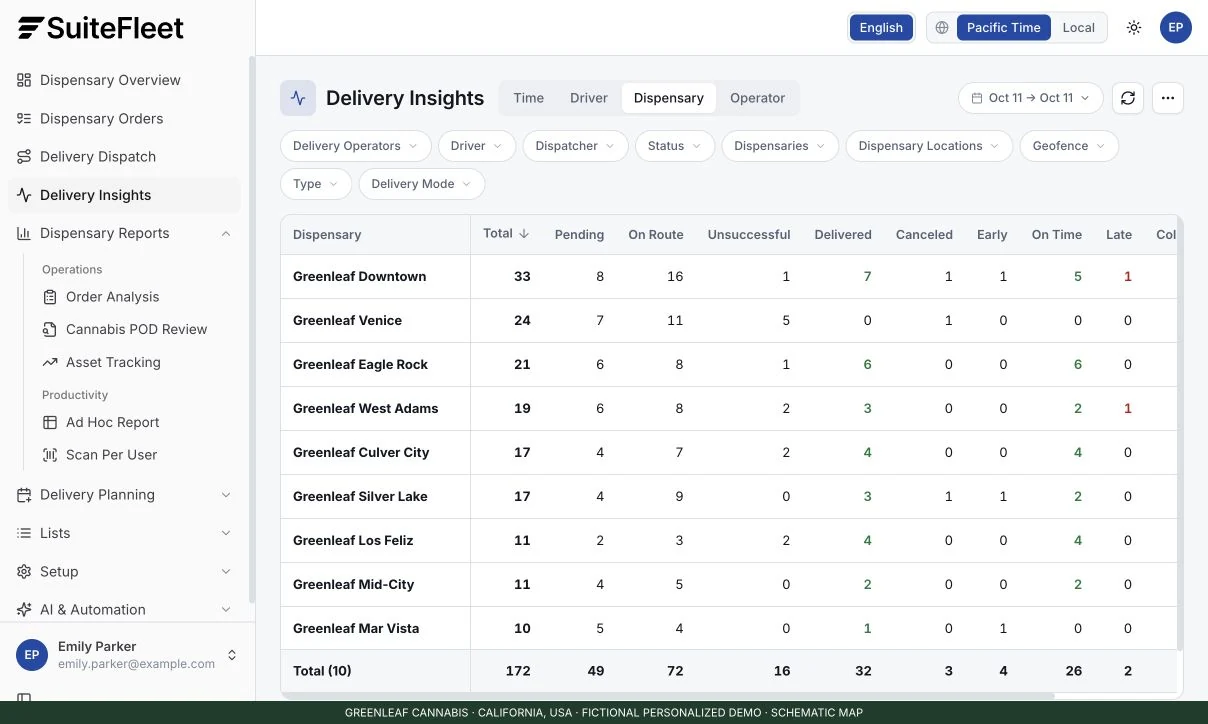
When deliveries run late, I look at order-to-ready time first. If packages are waiting to be picked while staff handle the sales floor, adding another driver will not resolve that bottleneck.
2. I Need to Know Which Driver Has Which Package
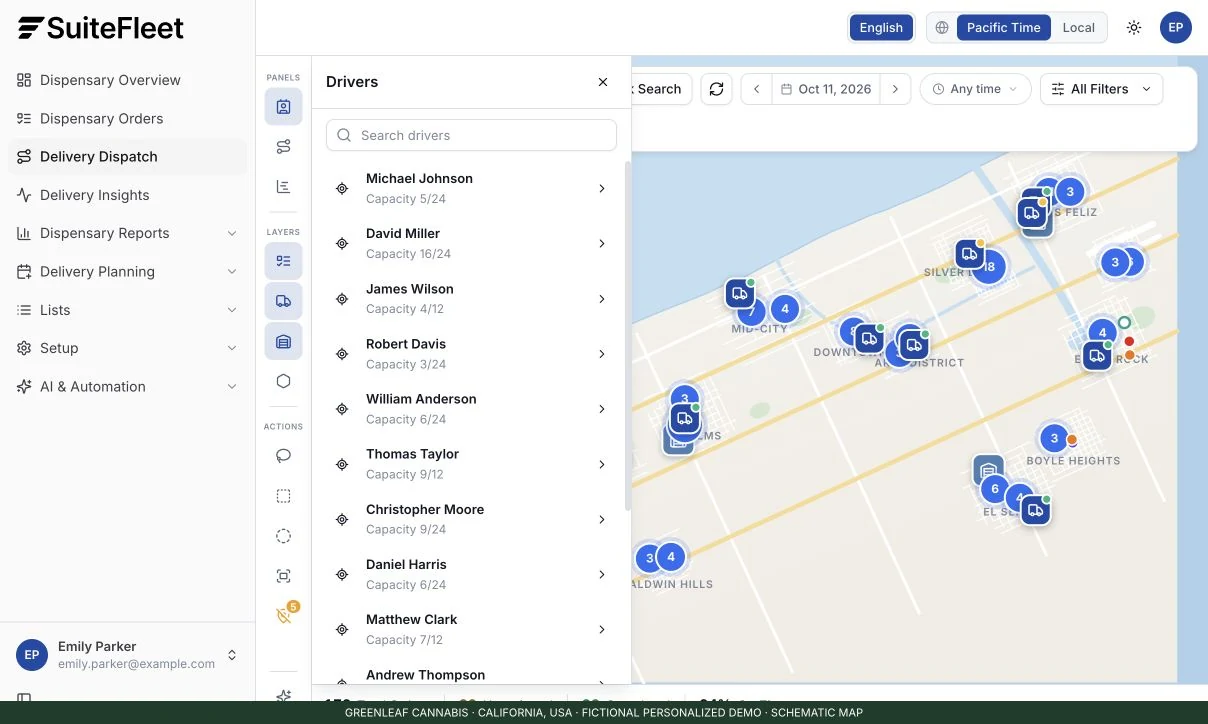
At pickup, the driver checks the package reference against the assigned order. The fulfillment associate confirms the goods and prepares the required records. I need a clear handoff between those two people.
In the system, I would use the same order reference across the dispatch task and connected retail records. The pickup status and driver assignment give me a way to see who has the package. Changes to an order must reach the affected records before anyone leaves.
California requires a delivery inventory ledger updated after completed deliveries. Its vehicle rules address secured goods, a dedicated licensee-owned GPS device, and at least 90 days of location history. California DCC regulations, sections 15417–15418.
Those requirements affect how I release a route. I would confirm where the ledger is maintained and whether the vehicle equipment meets the applicable rules. Seeing a driver on a map is useful, but it does not establish that all required controls are in place.
3. I Plan the Whole Run, Including the Return Trip
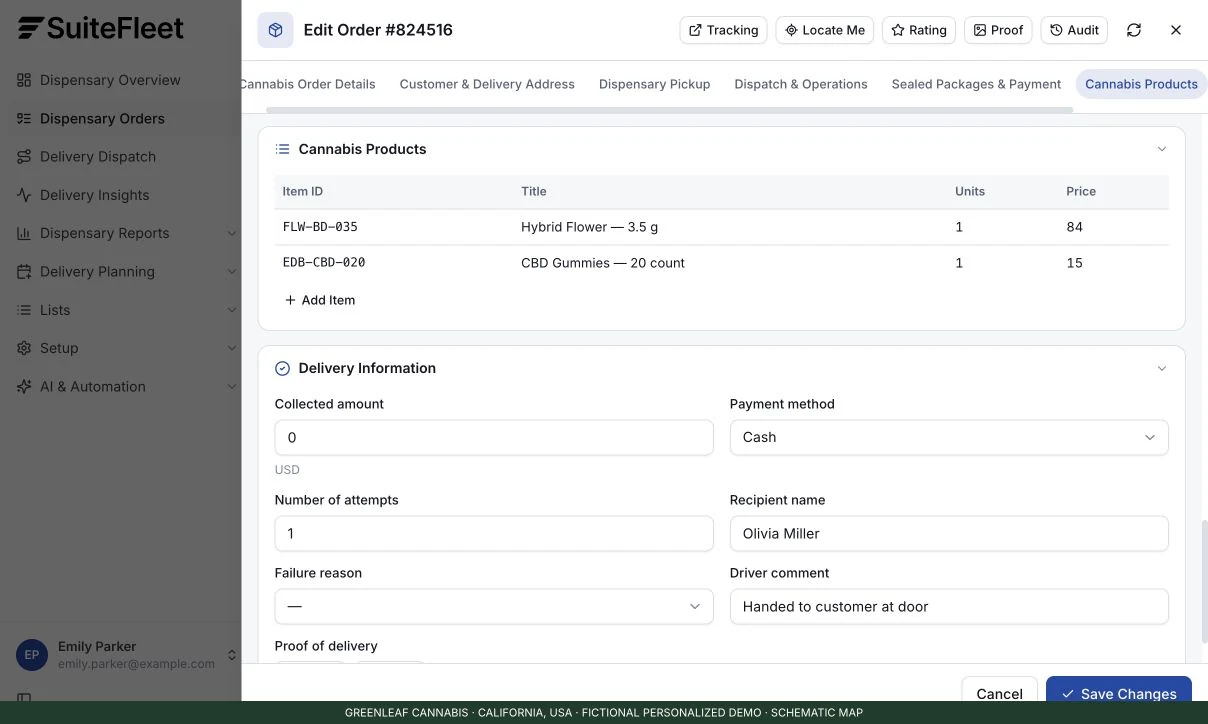
One driver is ready, another is finishing a run, and a third starts later. I need to match ready orders to that availability without giving customers delivery windows we cannot meet.
SuiteFleet’s dispatch software describes centralized tasks and rule-based assignments. Its route optimization solution accounts for time windows, capacity, service time, and shifts. Those are the inputs I would use to plan the run.
I would allow time for customer contact and verification at each stop. For evening routes, I also need to account for the return deadline. California requires drivers to return to the retail premises by 10 p.m.; local authorities may impose more restrictive hours. California DCC retail guidance.
Before expanding the delivery radius, I would compare costs by zone. A longer route may bring in more orders, but it also adds driver time, return travel, and exposure to missed handoffs. The extra demand needs to justify that workload.
4. I Want Support to See the Same Status I See
Once the driver leaves, the customer needs a useful arrival update. If they call the store, support should be able to answer without interrupting the driver.
SuiteFleet describes live tracking and customer notifications on its platform overview. I would set up messages around confirmed events and check exactly what triggers them. “On the way” should mean the driver has departed with the order.
I would also review the tracking link and message wording. The customer needs enough information to be ready for the handoff, while sensitive order details remain available only to the people who need them. If an estimate changes, dispatch and support need a consistent view of the update.
5. I Treat Verification and POD as Separate Parts of the Handoff
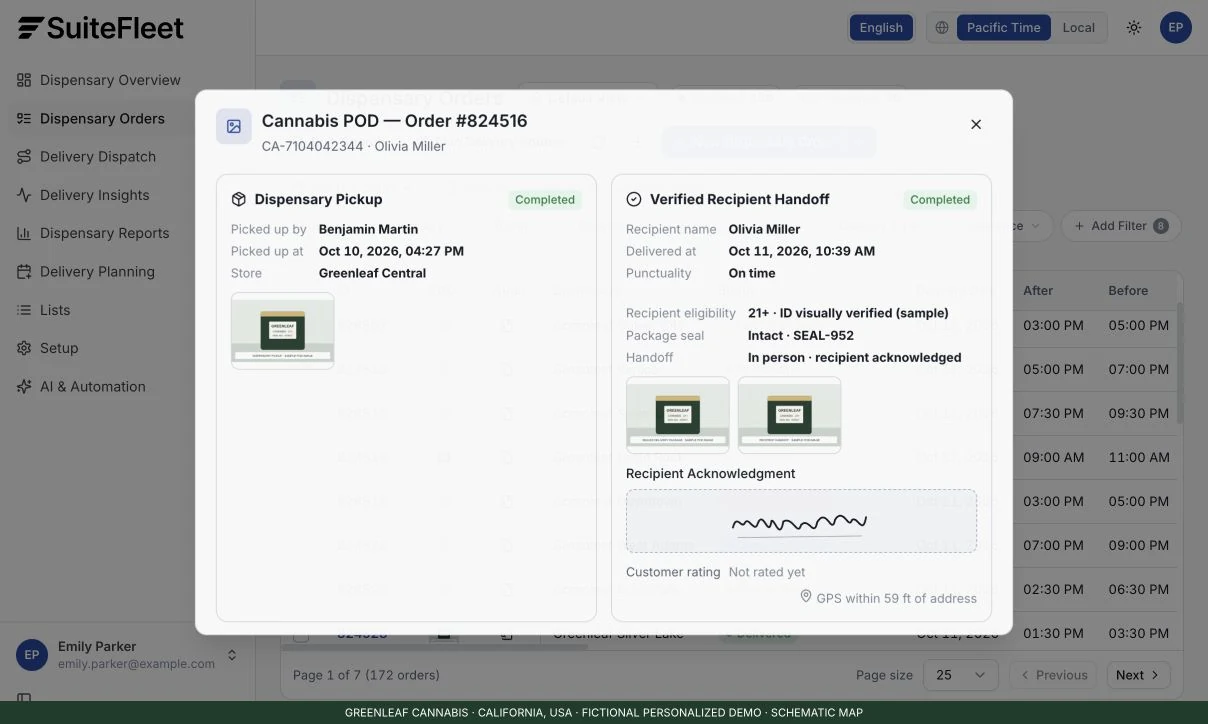
At the door, the driver follows the required identity and eligibility procedure before handing over the package. California requires ID checks, with adult-use eligibility at age 21 and older and medicinal eligibility at age 18 and older with a physician’s recommendation. California DCC verification guidance.
I need the delivery record to show the outcome of the required checks and connect it to the correct order. SuiteFleet’s proof-of-delivery solution is where I would start evaluating digital handoff evidence. During setup, I would confirm which fields, restrictions, and receipt connections are available.
California requires a delivery request receipt with specified transaction details, completion date and time, and the receiving customer’s handwritten or electronic signature. The customer receives a copy, and the retailer retains the signed record. California DCC regulations, section 15420.
A signature or passcode alone does not satisfy every verification requirement. I would also agree on evidence access and retention before the team collects identity documents or photographs. These decisions belong in the operating procedure and system configuration before the first route goes out.
6. I Need a Clear Next Step When a Delivery Fails
The customer does not answer. The driver needs to record the attempt and know whom to contact. I need to see the issue while there is still time to manage the rest of the run.
I would configure reasons such as Customer Unavailable, Verification Unsuccessful, and Address Issue, then assign each unresolved order to a review queue. Dispatch handles the approved next action. The relevant store teams handle returned goods, rescheduling, cancellation, or refunds, with those outcomes reflected in the connected records.
This is a scenario I would insist on seeing in a software demo. I would also test lost connectivity and a failed status update. I want to know what the driver sees, what dispatch sees, and how the team recovers without losing the record or duplicating the transaction.
7. I Close the Run Before Calling It a Good Day
At the end of the shift, I compare completed stops and receipts. The inventory team checks returned goods, and finance matches payment outcomes. Where drivers collect cash, expected collections need to match what comes back.
For this workflow, I would connect delivery outcomes to the retail, payment, and inventory records through the order reference. Any discrepancy needs an owner until it is resolved. The integration scope determines which comparisons the system can automate and which still need a staff check.
These are the measures I would bring to the operations review:
| Measure | What I use it for |
|---|---|
| Cost per completed delivery, including failed attempts and returns | Reviewing fees, order minimums, staffing, and service zones |
| Delivery-window attainment | Checking whether our promises match our capacity |
| First-attempt completion | Finding problems in intake or customer preparation |
| Required POD completeness | Checking evidence controls and driver training |
| Payment and inventory exceptions | Locating gaps in reconciliation, custody, or integrations |
Before entering another market, I would map its eligibility, destination, limit, driver, vehicle, reporting, and retention requirements to the people and systems responsible for them. The California examples here show why one configuration cannot simply be assumed to fit every jurisdiction.
My test for dispensary delivery software is straightforward: show me one successful order and one unsuccessful attempt from intake to closeout. Let me see what the system records, what my team must do, and how the connected platforms stay in agreement.
Top 10 Delivery Management Systems for Cannabis Dispensaries
An evaluation shortlist based on official provider pages reviewed in October 2026; numbering does not indicate performance ranking. Confirm state availability, integrations, and required controls with each provider.
| System | Delivery capabilities | Best fit to evaluate |
|---|---|---|
| 1. SuiteFleet | Dispatch, route optimization, tracking, notifications, POD | Configurable delivery operations; validate cannabis-specific integrations |
| 2. Onfleet | Routing, tracking, ID-verification workflows, POD, cannabis integrations | Dedicated last-mile delivery connected to a retail stack |
| 3. BLAZE Delivery | Dispatch, driver apps, scheduled and dynamic delivery | Combined cannabis retail and delivery operations |
| 4. IndicaOnline | Dispatch, GPS tracking, driver runs, vehicle inventory | Cannabis POS with integrated delivery coordination |
| 5. WebJoint | Automated dispatch, service zones, driver apps, vehicle inventory | Delivery-heavy cannabis operations |
| 6. Meadow | Hub and dynamic delivery, manifests, Onfleet routing | Retail workflows with connected delivery tools |
| 7. Dutchie | Delivery zones, manifests, dynamic inventory, partner connections | Delivery within the Dutchie retail ecosystem |
| 8. Cannveya | Dispatch, driver workflow steps, manifests, tracking, POD | Configurable cannabis delivery procedures |
| 9. Flowhub | Delivery manifests, transporter workflows, Onfleet connection | Existing Flowhub operators adding delivery management |
| 10. Treez | Cannabis retail platform with Onfleet partner integration | Treez operators connecting dedicated delivery tools |
Ready to bring greater visibility and control to your dispensary’s delivery operation? Explore SuiteFleet to discover its dispatch, route optimization, driver tracking, and proof-of-delivery capabilities, then book a workflow demo using your dispensary’s order journey. Bring your POS integration needs, state-specific requirements, and exception scenarios so the team can help you evaluate the configuration and connections your operation needs.