.svg)
SuiteFleet: Microsoft Dynamics Delivery Management System — route optimization, live tracking, and POD synced to your shipments.
The missing mile in Dynamics 365 — optimized routes, live fleet tracking, and digital POD synced to your shipment records.

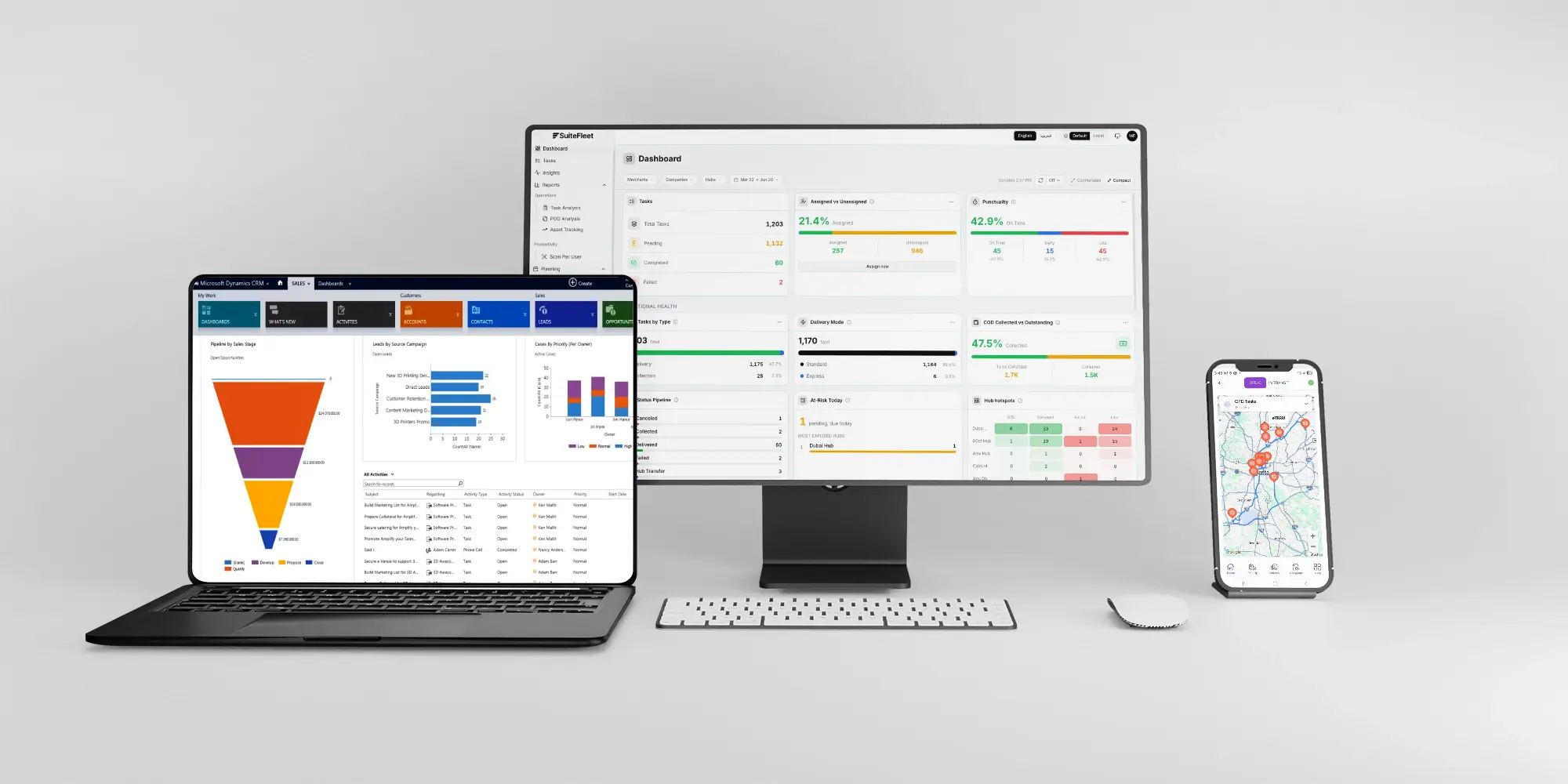
.webp)


Microsoft Dynamics 365 tracks your supply chain from procurement to warehouse shipment. D365 Supply Chain Management provides enterprise-grade warehouse management, inventory control, and procurement across complex operations. D365 Business Central serves mid-market businesses with integrated financials, sales, and supply chain in one platform. Warehouse management modules handle picking waves, packing slips, and shipment consolidation with depth.
Then the shipment is confirmed — and Dynamics goes silent. The record moves to "shipped" status, and between "shipped" and "delivered" there is nothing. No driver dispatch, no real-time GPS tracking, no customer ETA notifications, no route optimization, no proof of delivery with photos or signatures. Your customer service team has no real-time information to share beyond the ship date. Dispatchers export shipment lists, manually assign drivers, plan routes on spreadsheets or whiteboards, and wait for drivers to return before someone manually updates the D365 record.
SuiteFleet transforms the "shipped" status into a full delivery management process. Confirmed shipments from Dynamics flow to SuiteFleet for intelligent dispatch and route optimization. Drivers execute optimized routes on the mobile app. Customers receive branded tracking pages with live ETAs. Digital proof of delivery is captured at every stop and synced back to Dynamics — closing the loop between your warehouse and your customer's door in minutes, not days.
Section: What Dynamics 365 Manages — and What It Cannot
Dynamics 365 is purpose-built for the supply chain: procurement, warehouse execution, inventory movements, and financial reporting. D365 Supply Chain Management handles complex warehouse operations — picking waves, packing slips, shipment consolidation — with enterprise depth. D365 Business Central handles the same lifecycle for mid-market operations in a more streamlined package. Both products manage everything from the purchase order to the loading dock.
Where both stop is the delivery itself. Once a shipment leaves the warehouse, the D365 record reads "shipped" and stays that way until someone manually confirms delivery — hours or days later. There is no mechanism for assigning individual drivers, no multi-stop route optimization for your own fleet, no real-time GPS tracking between dock and doorstep, no customer-facing tracking pages, and no digital proof of delivery capture. Customer service representatives answering delivery inquiries have nothing to tell a customer beyond the date the shipment left the warehouse.
For businesses running their own delivery fleet on Dynamics 365, that means the most customer-visible part of your operation runs outside the system entirely — through phone calls, paper manifests, and manual data entry. SuiteFleet eliminates that gap.
What Changes When Dynamics 365 and SuiteFleet Are Connected
- Shipment sync: When a shipment is confirmed in D365 Supply Chain Management or Business Central, the delivery task flows to SuiteFleet automatically — customer address, delivery window, item details, and shipment reference mapped across. No CSV exports, no manual re-entry.
- Intelligent dispatch: D365 shipments are auto-assigned to drivers based on proximity, vehicle capacity, and delivery priority — replacing the morning spreadsheet-to-whiteboard routine that consumes dispatcher hours every day.
- Route optimization: Delivery stops are sequenced by geography, time windows, and driver availability — routes optimized in seconds that respect delivery windows from D365 sales orders automatically.
- Driver mobile app: Drivers execute optimized routes with turn-by-turn navigation, stop-level delivery details pulled from the D365 shipment, and one-tap proof of delivery.
- Live fleet visibility: Dispatchers see every driver's real-time GPS position, delivery progress, and dynamic ETA on one console — replacing the silent gap between D365's "shipped" and "delivered" statuses.
- Rich proof of delivery: Digital signature, geotagged photo, GPS coordinates, and timestamp captured at every stop — replacing paper manifests and driver phone calls with auditable evidence attached directly to the D365 shipment record.
- Shipment closure: Completion data, POD records, and timestamps sync back to Dynamics automatically — updating the shipment record within minutes of delivery, not days. Billing and financial close can proceed the same day.
- Customer notifications: Branded tracking pages with live driver location and ETA countdown sent via SMS and email — giving your D365 customers the real-time delivery visibility they expect.
- Delivery analytics: On-time rates, cost per delivery, driver utilization, and failed delivery metrics tracked across all D365-originated shipments.
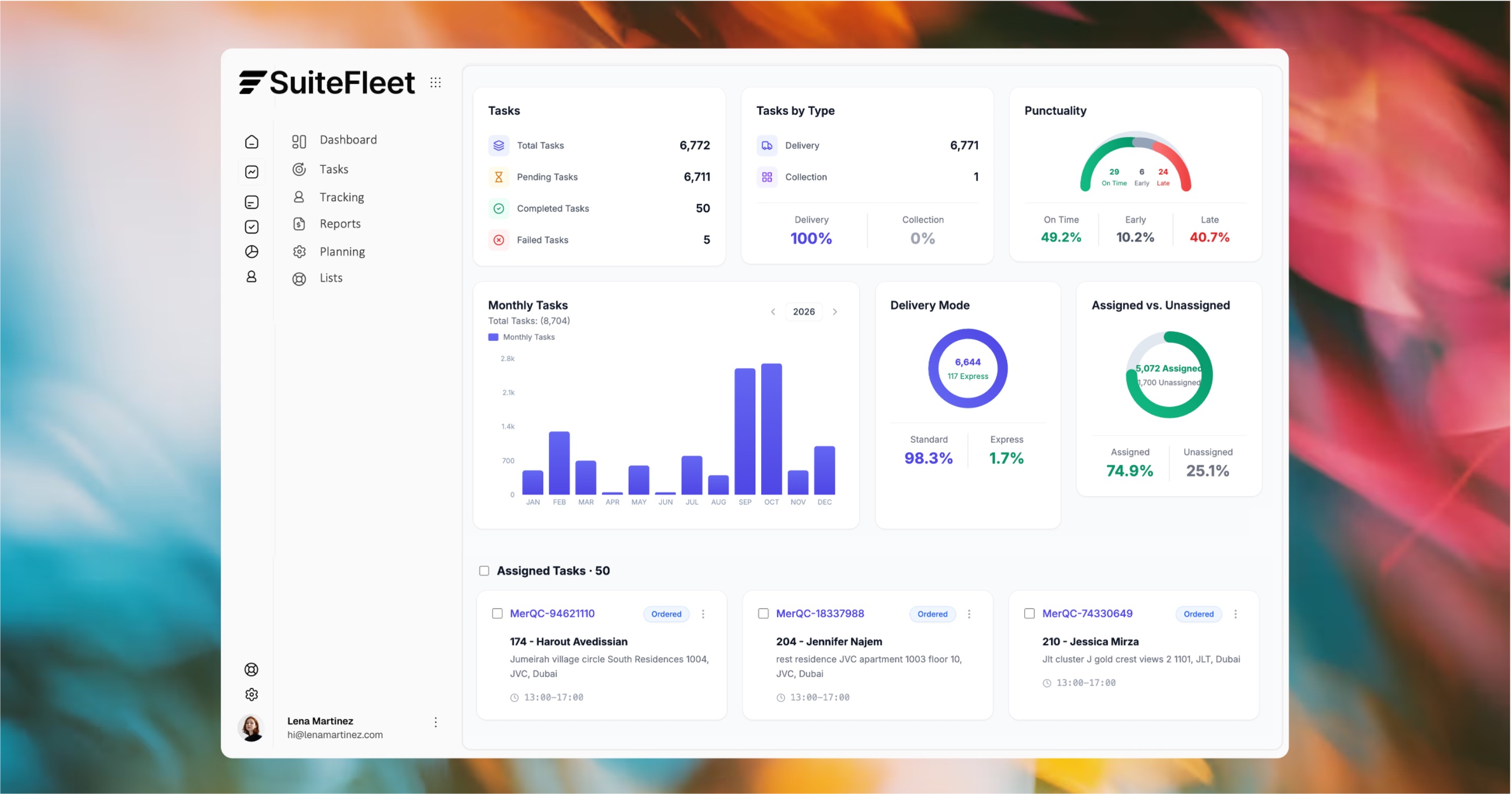

Your Dynamics shipments deserve visibility past "shipped."

Who This Is For
SuiteFleet is the right fit for Dynamics 365 businesses running their own delivery fleet, where the shipment record goes silent after "shipped" and everything between the warehouse and the customer runs manually.
The fit is strongest for:
- Enterprise distributors on D365 Supply Chain Management running high-volume, multi-stop delivery routes with their own fleet, where dispatchers export shipment lists every morning and assign drivers manually
- Mid-market businesses on D365 Business Central delivering to trade customers with their own vehicles, where delivery tracking doesn't exist and customers call asking where their order is
- Manufacturers on Dynamics 365 delivering finished goods directly to customers using company trucks, with no structured dispatch, route optimization, or digital proof of delivery
- Dynamics 365 Commerce businesses fulfilling orders from e-commerce, call center, or point of sale channels that require own-fleet delivery, where carrier-shipped orders get tracking but own-fleet customers get nothing
- Operations teams where delivery confirmation in D365 is delayed by hours or days because drivers return with paper manifests that someone must manually reconcile against shipment records
If all your shipments move through third-party carriers with carrier-provided tracking, Dynamics 365's existing workflows may be sufficient. If you deliver with your own fleet and manage those deliveries manually outside D365 today, SuiteFleet is the delivery management layer that closes the gap.
Technical Integration Details
- Authentication: Connects to Dynamics 365 through Microsoft Dataverse and standard OData APIs, using Azure AD authentication. No custom D365 code required.
- Shipment sync: Shipment records from D365 Supply Chain Management, and sales orders or posted shipments from D365 Business Central, are automatically forwarded to SuiteFleet for delivery dispatch — customer address, item details, and delivery windows mapped across.
- D365 Supply Chain Management: Integrates with warehouse management shipment confirmation workflows. SuiteFleet picks up after the shipment is confirmed in D365 — picking, packing, and shipment consolidation continue to run as normal.
- D365 Business Central: Sales orders and posted sales shipments flow to SuiteFleet for dispatch. Delivery confirmation and POD data sync back to update the shipment and enable invoice posting.
- D365 Commerce: Orders placed through Dynamics 365 Commerce channels — e-commerce, call center, or point of sale — that require own-fleet delivery are routed to SuiteFleet for last-mile fulfillment with full tracking and POD.
- Field mapping: D365 shipment fields — ship-to address, delivery windows, item details, shipping priorities, and custom fields — map to SuiteFleet task attributes for accurate route planning and driver instructions.
- POD sync: Digital signature, photo, GPS coordinates, and timestamp write back to the corresponding D365 shipment record on stop completion — providing an auditable delivery trail linked to your financial records.
- Status writeback: Delivery milestones — dispatched, in transit, delivered, failed attempt — update the D365 shipment record in real time, giving customer service, warehouse, and finance teams live visibility without leaving Dynamics.
How It Works
- A shipment is confirmed in D365 Supply Chain Management or Business Central — the delivery task flows into SuiteFleet automatically with full order context.
- SuiteFleet assigns the shipment to the best driver by proximity, capacity, and delivery priority, building optimized multi-stop routes in seconds.
- Drivers execute optimized routes with turn-by-turn navigation, capturing proof of delivery — photo, signature, or OTP — at every stop.
- Dispatchers track every driver's live GPS position and delivery status from a single console, re-routing in real time as conditions change.
- On completion, POD records, timestamps, and delivery status sync back to Dynamics — updating the shipment record within minutes and enabling billing automatically.
.jpg)


.png)