Delivery Management Systems
Salesforce Delivery Management System
FOR SALESFORCE DELIVERY

Salesforce Delivery Management Integration

CRM

Connect Salesforce orders to SuiteFleet for delivery dispatch, status tracking, partial deliveries, and automatic updates. Explore the integration guide.

Free Trial
Big & bulky last mile delivery — oversized goods and furniture delivery
Order Sync
Send fulfillment-ready Salesforce orders to SuiteFleet with delivery addresses, dates, quantities, and instructions.
Delivery Dispatch
Assign drivers and dispatch delivery tasks in SuiteFleet while retaining each Salesforce order reference.
Delivery Status
Track progress, delays, failed attempts, and partial deliveries. Synchronize status updates to Salesforce for follow-up.
Salesforce Updates
Return delivery status, received quantities, and completion times to Salesforce. Trigger configured follow-up or billing workflows.

The SuiteFleet connector for Salesforce will be available soon on Salesforce AppExchange. It exports fulfillment-ready orders and returns delivery status, received quantities, and completion details.

Salesforce delivery management connects sales orders to delivery execution. SuiteFleet creates linked tasks, manages assignment and dispatch, and returns delivery status, received quantities, and exceptions to Salesforce.

In this guide: Salesforce orders · Field mapping · Task creation · Delivery management · Salesforce updates · Validation

1. Configure Salesforce sales orders

Display the linked SuiteFleet task, sync status, delivery date, and receiving window on the Salesforce order.

Salesforce order awaiting fulfillment and its SuiteFleet delivery details

1.1 Prerequisites

ComponentConfiguration required
Salesforce environmentAPI access, integration user, sandbox, and the selected order and line-item objects
SuiteFleet environmentTest workspace, authorized connection, customer and hub identifiers, units of measure, and delivery time zone
Connector configurationSource object, eligibility condition, outbound mapping, return mapping, and supported transport
Integration persistenceUnique order/shipment-to-task mapping, processing state, retry metadata, and event deduplication records

1.2 Object selection

Select Order, OrderSummary, or the org’s custom order object. Configure its line-item relationships, field API names, and lifecycle rules. See the Salesforce Order reference.

EntityIntegration responsibility
Order headerCustomer reference, shipping address, release status, requested delivery date, and receiving window
Order lineStable line ID, product reference, deliverable quantity, and unit of measure
Shipment / fulfillmentDelivery grouping and quantities assigned to each SuiteFleet task
Delivery resultTask reference, execution status, completion timestamp, delivered quantities, and exception reason

1.3 Identity and cardinality

  • Correlation key: orgId:sourceRecordId:shipmentId.
  • One shipment maps to one delivery task in this design. Split deliveries require distinct shipment keys.
  • Persist the task ID returned by SuiteFleet. Store the Salesforce order number separately as a display reference.
  • Keep source line IDs in the mapping to support quantity updates and partial delivery.

1.4 Export eligibility

Evaluate eligibility after the source transaction commits. Map the release condition to the org’s fulfillment status, such as Waiting to Fulfill.

Export released orders from the queue. Exclude unreleased and fulfilled records.

Salesforce order queue with six delivery-eligible example orders
eligible = releaseStatusMatches
           AND businessHoldsCleared
           AND requiredDeliveryFieldsPresent
           AND deliverableQuantity > 0
           AND shipmentNotCancelled
           AND noExistingTaskForShipment

Update existing mapped tasks when orders change. Replayed release events must not create duplicates.

2. Map Salesforce fields to SuiteFleet

Authorize Salesforce REST API access through OAuth. Validate outbound and return mappings in a sandbox before production deployment.

  1. Connect a Salesforce sandbox to a SuiteFleet test workspace using the supported authorization flow. Record which org and workspace are paired.
  2. Assign the integration user a permission set with read access to the source objects and fields, plus write access to delivery results and exception records.
  3. Configure the fulfillment eligibility rule and the connector’s supported trigger. For a custom implementation, choose a record change event, Salesforce automation, or scheduled read, and give one process ownership of task creation.
  4. Map source fields, delivery units, time zones, and return fields. Store credentials in managed secret storage and define token renewal and revocation handling.

Outbound mapping: Salesforce → SuiteFleet

Replace example __c names with your org’s API names. Bind each destination to its connector field.

Example mapping of Salesforce fields to SuiteFleet delivery data
Salesforce sourceSuiteFleet destinationExample / transformation
Org ID + source record ID + shipment keyCorrelation mappingPersist IDs separately from display references
Order / Order Summary NumberCustomer order referenceSO-10482
Account name and receiving contactConsignee / customerLone Star Supply Co.; include contact details when required
Shipping street, city, state, postal code, countryDelivery address2450 Distribution Way, Dallas, TX 75212, US
Requested_Delivery_Date__cDelivery dateOctober 14, 2026; serialize using the destination contract
Receiving_Window_Start__c / Receiving_Window_End__cReceiving window08:00–12:00 America/Chicago; retain date and zone
Order lines / Total_Cases__cTask items and quantity120 cases; preserve line identifiers and unit of measure
Shipment_Weight_Lb__cShipment gross weight2,400 lb; convert if the workspace uses a different unit
Delivery_Instructions__cDelivery notesDock 3; call before arrival
Fulfillment locationHub / originResolve Dallas DC to the configured SuiteFleet ID
Payment termsCollection instructionsNet 30; do not treat the order total as cash on delivery

Validate addresses, quantities, identifiers, units, and receiving windows. Report field-level errors. Resolve customer, hub, and company IDs from workspace configuration.

3. Create SuiteFleet delivery tasks

3.1 Task creation sequence

  1. Receive the release event or read an eligible order through the configured connector transport.
  2. Read the committed header, lines, and shipment data. Re-evaluate eligibility.
  3. Acquire the correlation key and check for an existing task mapping.
  4. Validate and transform the outbound fields. Persist the pending operation before submitting it.
  5. Create the task through the supported connector interface.
  6. Persist the returned SuiteFleet task ID against the shipment key.
  7. Write the task reference and successful sync timestamp to Salesforce. Mark the operation Synced after all required writes succeed.

If task creation succeeds but Salesforce writeback fails, retry writeback with the saved task ID.

Task creation through the API

For custom adapters, use SuiteFleet’s task creation API: POST https://api.suitefleet.com/api/tasks. Map customerOrderNumber, deliveryDate, and UTC receiving times. Example: 08:00–12:00 America/Chicago on 2026-10-14 converts to 13:00–17:00 UTC. Account for date rollover.

Validate the full task schema, including customer, consignee, task and delivery types, quantities, weight, value, volume, and COD amount. Use connector mappings for packaged deployments; use the API for custom task creation.

Prevent duplicate tasks

Enforce a unique orgId:sourceRecordId:shipmentId key and serialize competing creates. Reconcile ambiguous timeouts before retrying. Use provider idempotency where supported. Send post-dispatch changes for review.

4. Delivery assignment, execution, and exceptions

Review imported tasks, Salesforce references, dates, quantities, and driver assignments before delivery dispatch.

SuiteFleet delivery tasks linked to Salesforce order references

Assign delivery resources, dispatch tasks, and record progress in SuiteFleet. Preserve shipment mappings through reassignment or rescheduling. Track assignment, execution, and sync status separately.

Delivery planning with the lasso tool

Use Lasso select in Workbench to group delivery tasks on the map. Check receiving windows, quantities, and capacity before assignment and dispatch. Each task retains its Salesforce reference.

SuiteFleet Workbench lasso tool selecting delivery tasks for planning
Select delivery tasks on the map with the lasso tool, then review the group before dispatch.

4.1 Delivery lifecycle configuration

Map supported connector statuses to these operational states. These labels are integration mappings, not provider API values.

StateOperational actionSalesforce update
Awaiting assignmentReview the address, delivery date, receiving window, and quantitiesStore the task reference and pending dispatch status
AssignedAllocate a driver and delivery resourcesUpdate assignment details where mapped
Dispatched / in transitRelease the delivery and monitor executionUpdate delivery progress and the latest status time
Delayed / failed attemptRecord the reason and decide whether to reschedule or escalateRecord the exception and required follow-up
Partially deliveredConfirm received quantities and retain remaining workUpdate delivered and outstanding quantities per line
DeliveredConfirm all required quantities and completion conditionsWrite the completion result and recompute order delivery status
CancelledStop the affected task through the supported cancellation workflowRecord cancellation without reporting delivery completion

4.2 Delivery changes and exception handling

Update addresses, windows, and quantities only when execution status permits; dispatched tasks require review. Preserve failed-attempt history and shipment links when rescheduling. Give unresolved exceptions an owner and next action.

4.3 Delivery-result fields

Bind these logical result fields to the connector’s actual completion schema.

FieldTypeProcessing rule
Event identity / source versionStringIdentify duplicate or stale results; persist before processing
Task IDProvider identifierResolve to exactly one stored shipment mapping
Delivery outcomeMapped statusDifferentiate completed, partial, failed, and cancelled outcomes
Completion timeUTC DateTimeStore the actual delivery time separately from sync time
Delivered linesCollectionSource line ID, delivered quantity, and unit of measure
Tracking referenceURL / identifierStore the permitted tracking link on the associated Salesforce delivery record
RecipientStringWrite to the received-by field when captured
Exception reasonCode / textRequired for unsuccessful or incomplete delivery under the configured business rules

4.4 Completion rules

  • Validate delivered quantities against the shipment’s assigned quantities.
  • Record partial delivery at line level and retain the outstanding quantity.
  • Keep failed attempts and cancelled tasks outside delivered quantity totals.
  • Close the delivery only after all configured completion requirements are satisfied.

Link proof of delivery when required. Process attachments separately from status and quantities.

5. Update Salesforce after delivery

Authenticate callbacks and persist events before acknowledgement. For polling, use durable checkpoints and overlapping reads to prevent missed updates.

  1. Resolve the original record. Use the saved org, source-record, shipment, and task IDs. Quarantine any result that cannot be matched uniquely.
  2. Validate the outcome. Check task identity, delivered quantities, completion time, and exception reason. Deduplicate repeated events and reject stale updates that would regress a completed delivery.
  3. Write delivery fields. Update the configured delivery record or fields and line-level delivered quantities. Aggregate multiple shipments before declaring the whole order delivered.
  4. Update exceptions. Write the failed-attempt or partial-delivery reason and outstanding quantities. Preserve unresolved work for follow-up or rescheduling.
  5. Record success. Mark synchronization successful only after Salesforce accepts the writes. Keep delivery occurrence time separate from the integration processing time.

Return mapping: SuiteFleet → Salesforce

Write delivery status, received quantities, completion time, recipient, and the linked task to Salesforce using the return mapping below.

Salesforce order after delivery confirmation returns from SuiteFleet
Delivery resultRecommended Salesforce destinationExample
Task ID and task URLDelivery task reference and linkSF-10482
Delivery outcomeConfigured delivery status field / related recordDelivered
Actual completion timestampDelivered-at DateTime2026-10-14T15:42:00Z → 10:42 AM America/Chicago
Delivered quantities by source lineDelivery lines / fulfillment quantity fields120 cases received out of 120
Tracking linkDelivery tracking URL fieldLink associated with the mapped task
RecipientReceived-by fieldAlex Morgan
Exception reason and outstanding quantitiesDelivery exception and line-level balance fields20 cases outstanding; receiving location unavailable
Processing result, timestamp, event identityIntegration audit record / sync fieldsSynced; event processed once

Keep delivery status separate from the commercial lifecycle. Map Delivered to a delivery field or object. Check configured values and transitions before updating Order.Status.

5.1 Field ownership and order aggregation

Write only delivery fields, quantities, task references, and exceptions. Preserve pricing, taxes, payment terms, and totals. Configure invoicing and case automation separately.

orderDeliveryComplete =
    every required shipment is complete
    AND every deliverable line has its required delivered quantity
    AND configured completion requirements are satisfied

Apply quantities once per shipment result. Prefer absolute quantities; deduplicate delta events before applying them. Serialize concurrent updates and aggregate order delivery totals from shipments.

5.2 Salesforce Flow configuration

Trigger Flows on committed delivery-state transitions. Persist processing markers to prevent repeated actions. Evaluate completion, outstanding quantities, and sync status in entry criteria.

AutomationEntry conditionDuplicate control
Billing workflowAll required shipments complete and billing prerequisites satisfiedPersist the billing handoff reference
Customer surveyDelivery completed and customer communication rules satisfiedRecord survey dispatch against the delivery
Follow-up taskConfigured completion or exception outcomeUse a unique delivery-and-action key

5.3 Prevent synchronization loops

Trigger exports only on release or delivery-input changes. Exclude inbound-owned fields to prevent synchronization loops.

6. Error handling, reconciliation, and validation

6.1 Error classification

FailureRequired handling
Missing or invalid source dataSet Validation Failed; record the field and reason; replay after correction
Expired authorizationRenew through the configured authorization flow; stop repeated attempts if renewal fails
Insufficient permissionsRoute to the integration administrator; resume after permission correction
Rate limit / temporary service failureUse bounded backoff; honor any retry interval returned by the service
Task-create timeout with unknown outcomeReconcile the creation result before submitting another create request
Unmatched task or conflicting identityHold for investigation; do not update a Salesforce record by customer name or address
Stale or duplicate eventRecord as ignored; preserve the latest accepted delivery state
Salesforce update or evidence transfer failureRetain pending work and retry the failed operation independently

6.2 Recovery and reconciliation

Log record, task, and event IDs, operation, attempts, processing time, and sanitized errors. Retry transient failures with bounded backoff. Correct validation and permission failures before replay; escalate exhausted retries.

Reconcile orders without tasks, deliveries awaiting Salesforce updates, and unresolved exceptions. Keep delivery and sync status separate. Assign owners and latency targets for both directions.

6.3 Sandbox acceptance tests

TestExpected result
Release an eligible order with complete delivery dataOne linked task; matching reference, address, lines, units, and receiving window
Replay the release event / retry after timeoutNo duplicate task or lost correlation
Missing address or invalid receiving windowUseful validation error; no dispatchable task
Complete all 120 casesSalesforce delivery status, quantities, recipient, and time reflect completion; total unchanged
Complete only 100 of 120 cases20 cases remain outstanding; whole order is not marked fully delivered
Replay completion or send an older progress eventNo duplicate evidence or regressed status
Salesforce unavailable or evidence upload failsDurable pending work; controlled retry; visible sync state
Split shipments and a daylight-saving/date-boundary caseCorrect task-to-shipment mapping, order aggregation, and local-time display
Reschedule a failed delivery attemptPreserve attempt history and outstanding quantities; retain the shipment relationship
Change an address after dispatchRequire dispatcher review before updating the active task

Deploy mappings, permissions, status rules, and automation together. Test with production-equivalent permissions and active automation in the sandbox. Assign recovery ownership before activation.

Salesforce CRM + SuiteFleet Delivery

Salesforce

Account: Acme Corp

Opportunity: Equipment Order $24,500

CRM knows: WHO bought WHAT

Gap: HOW does it get delivered?

No routes, no tracking, no POD

→
SuiteFleet

Delivery: DEL-1847

Driver: Mike S. | ETA: 2:30 PM

Delivery knows: WHERE, WHEN, WHO delivers

Routes, tracking, POD, notifications

Complete delivery operations

Data Flowing Back to Salesforce

Delivery Status

In transit / Delivered

Tracking Link

Customer-facing URL

Proof of Delivery

Photo + e-signature

Timestamps

GPS + time log

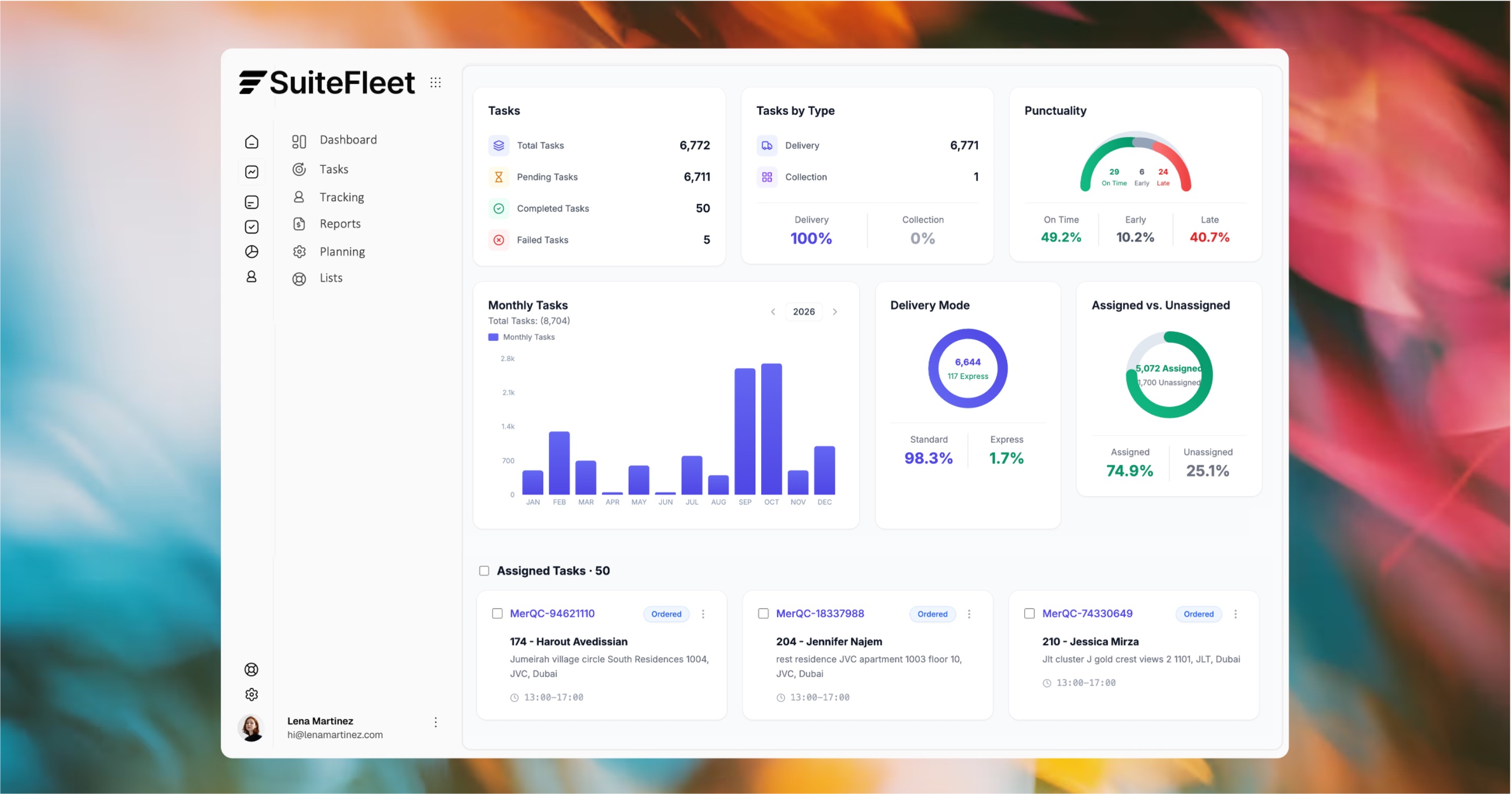
SuiteFleet dashboard
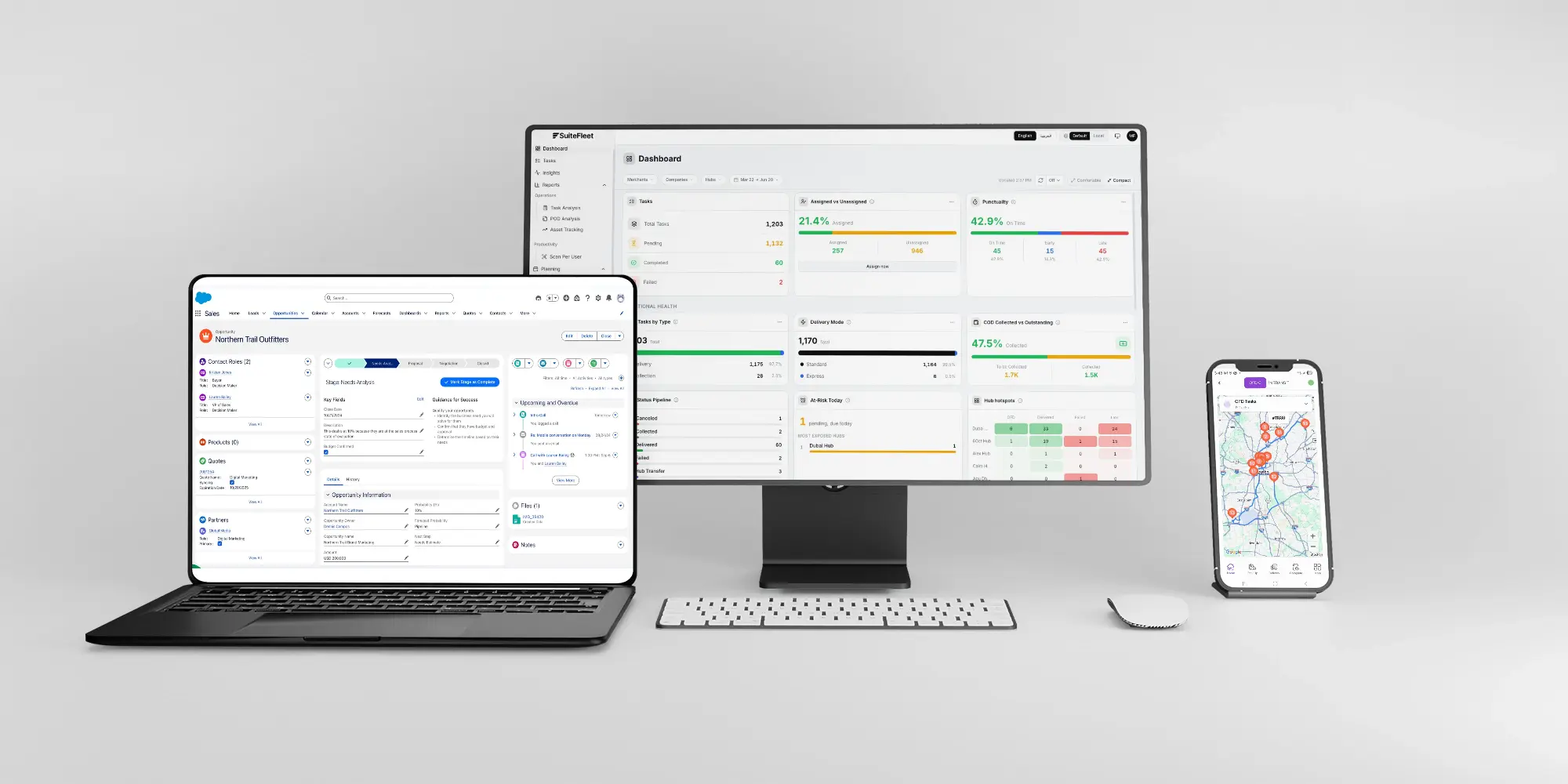
Keep Salesforce order references linked to SuiteFleet delivery tasks. Share delivery status, received quantities, and outstanding work across dispatch, sales, and service.
Salesforce + SuiteFleet

Manage deliveries from Salesforce order to completion.

Manage dispatch, partial deliveries, and exceptions in SuiteFleet. Synchronize delivery results back to Salesforce.
Multi-stop sequencing
Capacity-based planning
Traffic-aware routing

Salesforce delivery management FAQs

How does Salesforce connect to SuiteFleet?

The connector uses OAuth and REST APIs to map eligible orders to SuiteFleet delivery tasks and synchronize delivery results.

What data returns to Salesforce?

Delivery status, received quantities, completion time, task references, and exceptions return through configured field mappings.

How are partial deliveries handled?

Update received quantities per line and retain outstanding balances. Complete the order only when all required shipments meet completion rules.

Is the connector available on AppExchange?

The SuiteFleet Salesforce connector is coming soon to Salesforce AppExchange.

Other Solutions

All Solutions